


Latest Version
Latest
August 22, 2026
9D Muslim Apps - Quran, Qibla Direction & Prayers
BOOKS AND REFERENCE
Android
105
Free
free.alquran.holyquran
Report a Problem
More About Al QURAN - القرآن الكريم – Free Quran Reader
What is Al QURAN - القرآن الكريم?
Al QURAN – القرآن الكريم is a free Android application that provides the complete text of the Holy Quran together with audio recitations and a selection of translations. Designed for everyday use, it aims to make the Quran accessible on a mobile device for reading, listening, and personal study.
Main features
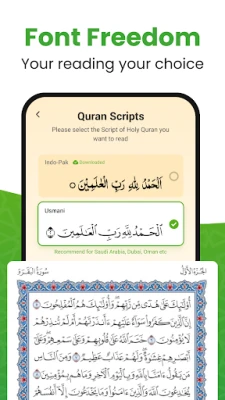
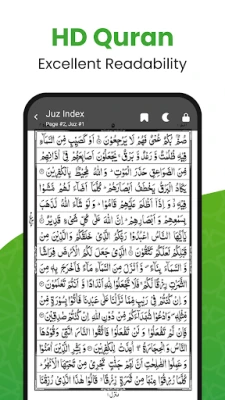
- Full Quran text – All 30 Juz are available in clear Arabic script.
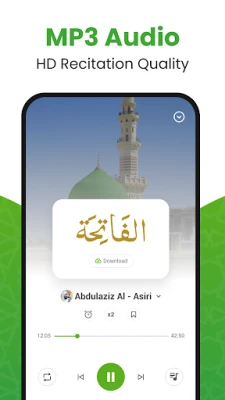
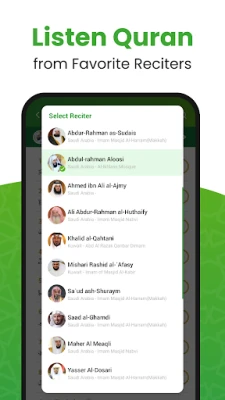
- Audio recitations – Choose from several well‑known reciters and play verses offline.
- Multiple translations – Includes English, Urdu, Hindi, Indonesian, Turkish, Bangla and others, allowing users to toggle between Arabic‑only and Arabic‑plus‑translation views.
- Bookmarking – Save favorite ayahs or surahs for quick return.
- Night mode – Reduce eye strain in low‑light environments.
- Adjustable font size – Customize the Arabic text to suit personal reading comfort.
- Smooth page turning – Simulates the feel of turning pages in a physical mushaf.
How it works
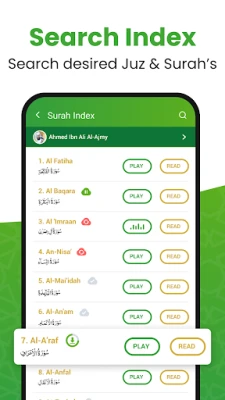
After installing the app, the Quran text is available immediately. Users can navigate by surah name, juz number, or by searching for specific keywords. To listen to a recitation, simply tap the play button next to the desired verse; the audio can be downloaded for offline playback, and background play lets users continue listening while using other apps. The translation pane can be shown or hidden with a single tap, making it easy to switch between study modes.
Practical uses
- Daily reading – Follow a schedule or read at your own pace.
- Memorization – Bookmark verses and replay audio to aid memorization.
- Study – Compare Arabic text with word‑by‑word translations and brief tafsir notes.
- Travel – Offline access means the Quran is available without an internet connection.
Installation information
The app is distributed as a free download from the Google Play Store. Installation follows the standard Android process: tap “Install,” grant any required permissions, and launch the app from the home screen. No additional setup is needed to start reading or listening.
Things to know before installing
- The app does not require an internet connection for core functionality once the audio files are downloaded.
- Permissions are limited to storage access for saving audio files and optional location access for features such as prayer times (if the user enables them).
- All content is provided by the developer, 9D Muslim Apps, and is intended for personal, non‑commercial use.
Who may find it useful?
Anyone looking for a straightforward, offline Quran reader will benefit from Al QURAN – القرآن الكريم. It is suitable for beginners learning to read Arabic, for regular readers who want quick access to recitations, and for students who need translations for deeper understanding. The lightweight design also makes it a good choice for devices with limited storage.
Frequently asked questions
Is an internet connection required?
No. After the initial download of the app and any desired audio files, all features work offline.
Can I use the app without creating an account?
Yes. The app does not require registration or sign‑in.
Are there any ads?
The free version does not display advertisements.
How do I change the reciter?
Within the audio playback screen, a list of available reciters is presented; tap the name to switch.
Rate the App
User Reviews















Popular Apps










 Games
 Entertainment
 Communication
 E-mail
 Security
 Tools
 Media
 Internet
 Finance
 Design
 Education
 Android Firmwares
 Travel & Local
 Android
 Windows
 Linux