

Latest Version
August 13, 2026
Zoho Corporation
Communication
Android
327
Free
com.zoho.mail.intune
Report a Problem
More About Zoho Mail – Intune
What is Zoho Mail – Intune?
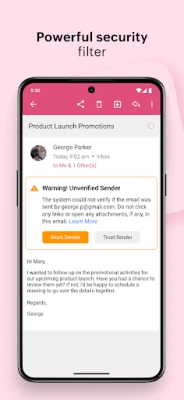
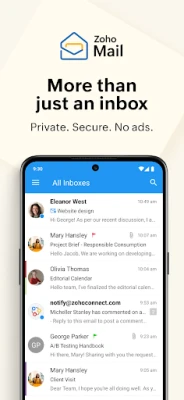
Zoho Mail – Intune is an Android client designed for users who need a professional email experience that works within a corporate‑managed environment. It brings together email, calendar and contacts in a single interface while respecting the security policies enforced by Microsoft Intune.
Main features
- Multiple Zoho accounts – Add more than one Zoho Mail account and switch between them without leaving the app.
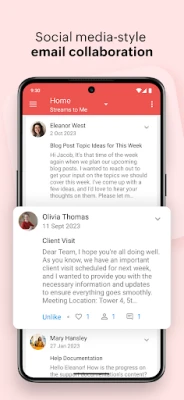
- Conversation view – Emails that belong to the same thread are grouped together, making it easier to follow long discussions.
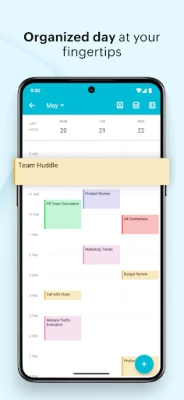
- Integrated calendar – View, create and respond to calendar events directly from the mail screen.
- Contact integration – Access your address book, start a new email or place a call with a single tap.
- Swipe actions – Customize swipe gestures to archive, delete or mark messages quickly.
- Advanced search – Find messages fast with auto‑suggested queries and filter options.
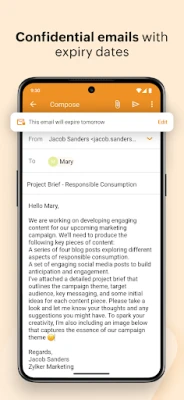
- Offline composition – Draft emails while offline; they are sent automatically when a connection is restored.
- Tablet‑optimized layout – The UI adapts to larger screens, providing a comfortable experience on Android tablets.
How it works
The app connects to Zoho’s mail servers using the credentials you provide. Because it is packaged for Intune, the client can receive device‑level policies such as password requirements, data encryption and remote wipe. When you open the app, the inbox is synchronized, and any new messages appear with push notifications if the device allows them.
Practical uses
- Business professionals who rely on Zoho Mail for daily communication.
- IT administrators who need a mail client that complies with corporate security standards.
- Users who travel frequently and require offline access to draft messages.
- Teams that coordinate meetings through calendar invites without switching apps.
Installation information
Zoho Mail – Intune is distributed as a free application through the Google Play Store. Search for the package name com.zoho.mail.intune and tap Install. After installation, the app will request permission to access your device’s storage and network – permissions required for syncing mail and attachments.
Things to know before installing
- The app is intended for devices managed by Microsoft Intune; some features may be limited on unmanaged phones.
- Standard Android permissions for internet access and storage are required.
- Because the app is free, there are no in‑app purchases required to use core email, calendar and contacts functionality.
Who may find it useful?
Any user who already uses Zoho Mail for personal or business communication and whose organization enforces Intune policies will benefit from a single, policy‑aware client. It is also a good fit for users who prefer a unified inbox that combines email, calendar and contacts without needing separate apps.
Frequently asked questions
Do I need a Zoho account to use the app?
Yes. The client works with Zoho Mail accounts; you will be prompted to sign in with your Zoho credentials.
Can I use the app on a personal device?
The app can be installed on any Android device, but full functionality—especially security controls—depends on whether the device is enrolled in Intune.
Is there a limit to the number of accounts I can add?
The app supports multiple Zoho Mail accounts, though performance may vary with a very large number of accounts.
How does the app handle attachments?
Attachments are downloaded to the device’s storage when you open them. You can also share them using Android’s native sharing options.
Rate the App
User Reviews















Popular Apps










 Games
Games Entertainment
 Communication
 E-mail
 Security
 Tools
Tools Media
Media Internet
 Finance
 Design
 Education
 Android Firmwares
 Travel & Local
 Android
 Windows
 Linux
Linux