

Latest Version
Latest
September 19, 2026
SoWebmail Developer
Communication
Android
156
Free
com.cq.webmail
Report a Problem
More About Webmail Pro – Unified Email Inbox for Android
What is Webmail Pro?
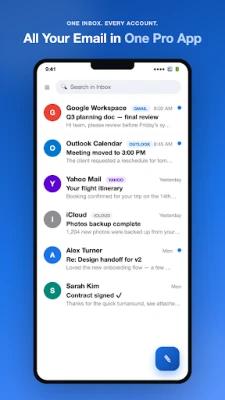
Webmail Pro is a free Android email client that lets you manage multiple personal and work accounts from a single interface. It supports major providers such as Gmail, Outlook, Yahoo, iCloud, AOL, GMX, Zoho, Fastmail and any standard IMAP or POP3 server.
Key capabilities
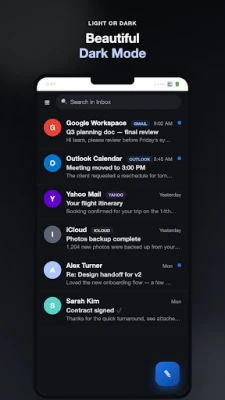
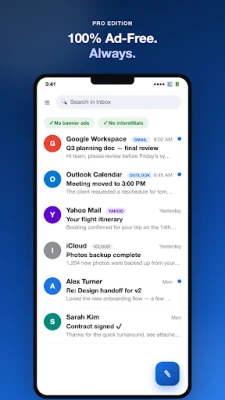
- Unified inbox – view messages from all configured accounts in one list.
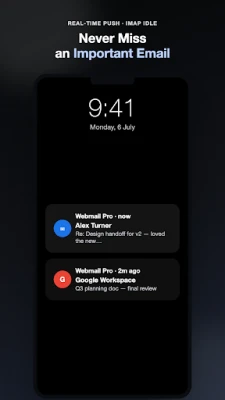
- Instant push via IMAP IDLE, eliminating polling delays.
- Automatic setup – enter your email address and the app configures the remaining settings.
- OAuth sign‑in for Gmail, Outlook, Yahoo and Fastmail for added security.
Mail handling features
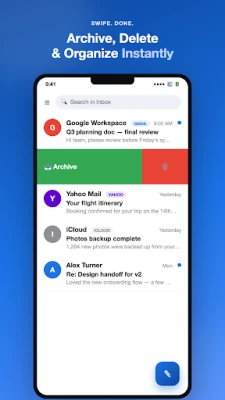
- Swipe gestures to archive, delete, mark as read or snooze messages.
- Search across every folder and account.
- Threaded conversations with sorting options.
- Rich attachment support – open, save or share files directly.
- Full offline reading with folder synchronization.
Notification control
Each account can have its own sound, vibration pattern and LED color. Grouped notifications let you reply or delete without leaving the notification shade, and quiet‑hours settings keep work mail silent after hours.
Privacy‑first design
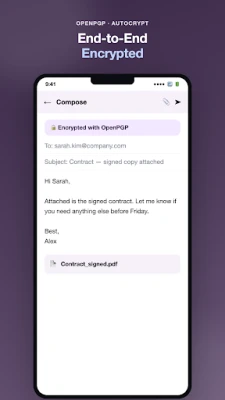
- No ads, no tracking, and no server‑side email scanning.
- All data stays on your device and the provider’s server.
- Connections are encrypted with SSL/TLS.
- You can erase all app data from the Settings menu at any time.
Features for power users
- Multiple signatures and identities per account.
- Folder subscriptions and per‑folder sync rules.
- Bcc‑to‑self, reply‑to overrides and keyboard shortcuts.
- Material 3 design with light and dark themes.
Things to know before installing
The app is free and does not require a subscription. It does not list a specific version, size or minimum Android version, so checking the Play Store listing for those details is recommended.
Frequently asked questions
Which email services are supported?
Webmail Pro works with Gmail, Outlook, Hotmail, Yahoo, iCloud, AOL, GMX, Zoho, Fastmail and any server that offers IMAP, POP3 and SMTP access.
Does the app store my emails on its own servers?
No. All messages remain on your device and the original mail provider’s servers. The app does not perform any email scanning.
Can I use the app without an internet connection?
Yes. Once you have synced folders, you can read previously downloaded messages offline.
How are notifications handled for multiple accounts?
You can set distinct sounds, vibrations and LED colors per account, group notifications together, and define quiet‑hours to silence work‑related mail.
Rate the App
User Reviews















Popular Apps










 Games
Games Entertainment
 Communication
 E-mail
 Security
 Tools
Tools Media
Media Internet
 Finance
 Design
 Education
 Android Firmwares
 Travel & Local
 Android
 Windows
 Linux
Linux