

Latest Version
Latest
September 18, 2026
mysms - SMS App - SMS Texting from Computer
Communication
Android
111
Free
com.mysms.android.sms
Report a Problem
More About mysms – Remote Text Messages for Android
What is mysms?
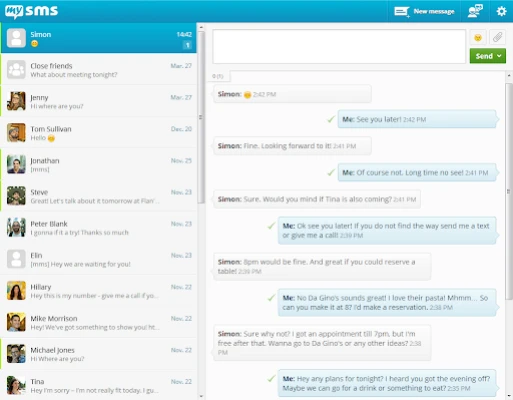
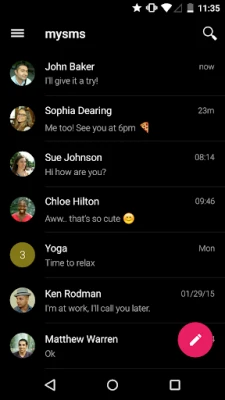
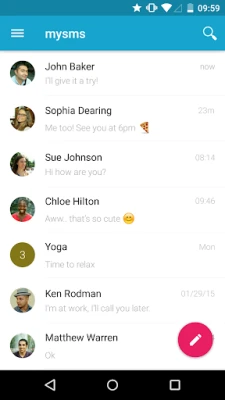
mysms is a free Android application that lets you keep your text conversations in sync across devices. Once installed on your phone, the app mirrors your SMS and MMS messages to a cloud service, allowing you to read, reply, and start new conversations from a web browser, a Windows desktop, or a tablet.
Main features
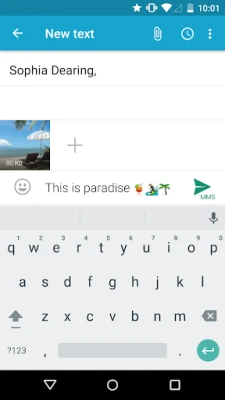
- Cross‑device messaging – Write and receive real SMS/MMS from any computer or tablet without needing your phone in hand.
- Call notifications – Get a pop‑up on your computer when an incoming call arrives on your phone.
- Contact sync – Your phone’s address book is synchronized so you can select contacts easily from any device.
- Group messaging – Participate in MMS group chats from the web interface.
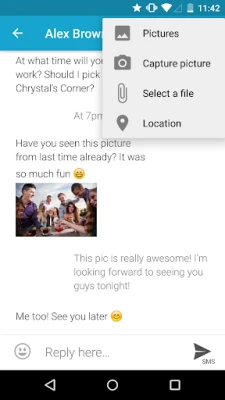
- Multimedia support – Send pictures, videos, and other files as part of your messages.
How it works
After installing mysms on your Android phone, you create a free account. The app uploads your messages and contacts to the mysms cloud using encrypted connections. When you open the web portal (or a native desktop app) and log in with the same account, the service pulls the synchronized data, presenting it in a familiar messaging layout. All outgoing messages are routed through your phone’s carrier, so you are billed exactly as you would be when sending from the device itself.
Practical uses
- Workplace convenience – Keep your phone in your pocket and reply to texts from your workstation.
- Travel – Use a laptop or tablet abroad without needing to switch SIM cards; only your carrier’s rates apply.
- Accessibility – Larger screens and keyboards make typing long messages easier.
Installation information
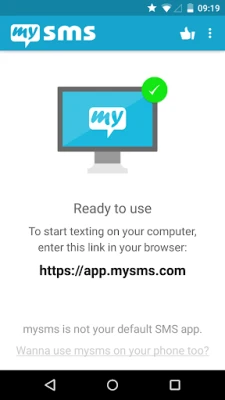
Search for mysms – Remote Text Messages in the Google Play Store, install the app, and follow the on‑screen prompts to create an account. No additional software is required on the computer side; a modern web browser is sufficient.
Compatibility
The Android app runs on devices that support the Google Play Store. The web interface works with current versions of Chrome, Firefox, Safari, Edge, and other major browsers.
Things to know before installing
- You will need an active internet connection on both your phone and the device you use to access mysms.
- The service stores messages in the cloud; review the privacy policy to understand data handling.
- Standard carrier charges apply for each SMS or MMS you send.
Who may find it useful?
Anyone who frequently switches between a phone and a computer—professionals, students, and travelers—will benefit from the seamless messaging experience mysms provides.
Frequently asked questions
Is mysms a replacement for the default messaging app?
mysms can be set as the default SMS app on Android, but you can also keep your existing app and use mysms solely for remote access.
Are my messages secure?
Messages are transmitted over encrypted connections. For detailed security information, consult the app’s privacy documentation.
Do I need to pay for using mysms?
The Android app is free to download and use. You only pay the usual carrier fees for each text you send.
Rate the App
User Reviews















Popular Apps










 Games
Games Entertainment
 Communication
 E-mail
 Security
 Tools
Tools Media
Media Internet
 Finance
 Design
 Education
 Android Firmwares
 Travel & Local
 Android
 Windows
 Linux
Linux