Latest Version
Latest
August 13, 2026
Zoho Corporation
Communication
Android
299
Free
com.zoho.mail
Report a Problem
More About Zoho Mail – Email and Calendar
What is Zoho Mail?
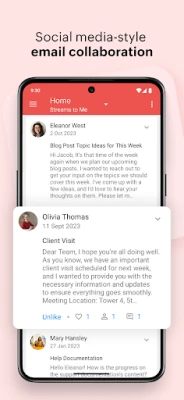
Zoho Mail is an Android client that brings together email, calendar and contact management for users of Zoho’s cloud services. It lets you stay on top of messages, schedule events and keep your address book handy, all from your mobile device.
Main features
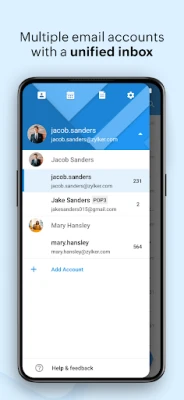
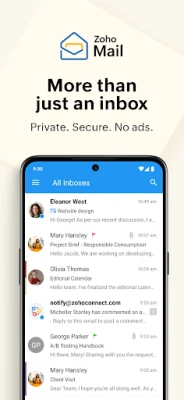
- Multiple account handling – Add several Zoho mail accounts and switch between them or view all messages in a unified inbox.
- Conversation threading – Related replies are grouped, making long discussions easier to follow.
- Swipe actions – Archive or delete messages quickly with customizable swipe gestures.
- Advanced search – Find messages fast using suggestions, filters and keyword matching.
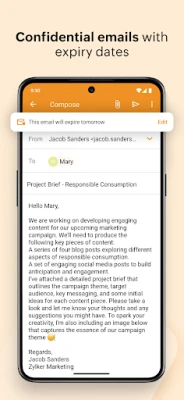
- Offline composition – Draft emails without an internet connection; they are sent automatically when you go online.
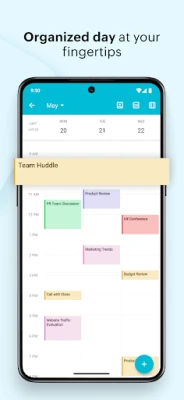
- Integrated calendar – View, create and respond to events directly from the mail interface.
- Contact shortcuts – Access your contacts, filter messages by sender and initiate calls or emails with a tap.
How it works
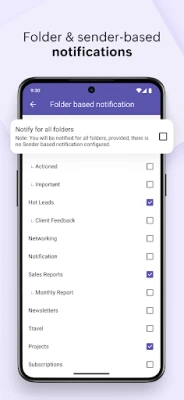
After installing the app, sign in with your Zoho credentials. The app synchronizes your mailboxes, calendar entries and contacts with Zoho’s servers. Push notifications keep you informed of new messages, while the built‑in search and swipe gestures help you manage the inbox efficiently. The calendar view is linked to your email, so invitations can be accepted or declined without leaving the app.
Practical uses
- Professionals who need a single place to read work email, schedule meetings and keep contact details.
- Students managing a school‑issued Zoho account alongside personal correspondence.
- Travelers who want offline drafting capability when connectivity is intermittent.
Installation information
Search for “Zoho Mail – Email and Calendar” in the Google Play Store, tap Install, and grant the permissions the app requests for email, calendar and contacts. The initial setup may take a few moments as it syncs your data.
Things to know before installing
- The app requires a Zoho account; it does not create a new email service on its own.
- Push notifications depend on background data access, so ensure the app is allowed to run in the background for timely alerts.
- Storage usage will grow as emails and attachments are cached; you can clear the cache in Android settings if needed.
Who may find it useful?
Anyone who uses Zoho’s email platform—whether for business, education or personal communication—will benefit from having their mail, calendar and contacts integrated on a mobile device.
Frequently asked questions
Can I use the app with non‑Zoho email accounts?
No. The client is designed specifically for Zoho mail services.
Is there a way to back up my emails?
Emails are stored on Zoho’s cloud servers; the app reflects what is already backed up online.
Does the app support multiple languages?
Yes, the interface adapts to the language settings of your Android device.
Rate the App
User Reviews















Popular Apps










 Games
Games Entertainment
 Communication
 E-mail
 Security
 Tools
Tools Media
Media Internet
 Finance
 Design
 Education
 Android Firmwares
 Travel & Local
 Android
 Windows
 Linux
Linux