
Latest Version
September 03, 2026
Zoho Corporation
Communication
Android
7
Free
com.zoho.zohocommunity
Report a Problem
More About Zoho Community – Connect, Learn, and Grow with Zoho Users
What is Zoho Community?
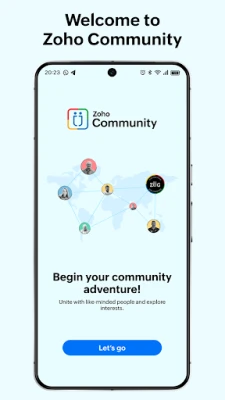
Zoho Community is a mobile hub created by Zoho Corporation for anyone who uses Zoho’s suite of business applications. The app brings together users from around the world into focused groups—by role, industry, or city—so they can share tips, ask questions, and stay informed about new features and events.
Main features
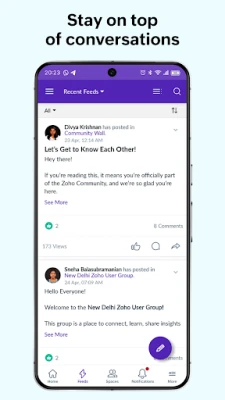
- Group feeds – Follow discussions that matter to you, whether you’re a sales manager, a developer, or a small‑business owner.
- Announcements – Receive official updates from Zoho, including product releases and policy changes.
- Resources hub – Quick access to tutorials, webinars, and best‑practice guides curated for the community.
- Search – Locate past conversations, solutions, or ideas across all groups with a simple keyword search.
- Events calendar – Find virtual meetups, webinars, and in‑person gatherings relevant to your interests.
How it works
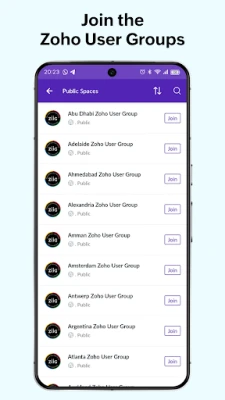
After installing the app, you create a profile linked to your Zoho account (if you have one). The onboarding wizard suggests groups based on the information you provide—such as your job function, the industry you serve, and your city. You can join or leave groups at any time, and the feed updates in real time as members post questions, share resources, or announce events.
Each group has its own threaded discussion view, allowing you to reply directly, up‑vote helpful answers, or bookmark posts for later reference. The announcement board aggregates official communications from Zoho, ensuring you never miss a critical update.
Practical uses
- Get quick answers to configuration challenges from peers who have faced similar situations.
- Discover local user groups where you can network with professionals in your city.
- Stay current on upcoming webinars or product launch events without leaving the app.
- Access a library of recorded sessions and step‑by‑step guides to deepen your Zoho expertise.
Who may find it useful?
Anyone who works with Zoho applications—sales teams using Zoho CRM, marketers using Zoho Campaigns, finance professionals on Zoho Books, or developers building on Zoho Creator—can benefit from the community’s collective knowledge. The app is also valuable for new adopters looking for onboarding resources and for seasoned users who want to contribute insights and earn recognition within the community.
Installation information
The app is offered free of charge on the Google Play Store. Simply search for “Zoho Community,” tap Install, and grant the permissions required for network access and notifications. Once installed, sign in with your Zoho credentials or create a new account directly from the app.
Things to know before installing
- The app requires an internet connection to sync feeds and download resources.
- Notifications can be customized per group, allowing you to control the volume of alerts.
- All content is user‑generated; while Zoho moderates announcements, discussion quality depends on community participation.
Frequently asked questions
Do I need a paid Zoho subscription to use the app?
No. The community app is free and can be used with any Zoho account, including free tiers.
Can I post content without joining a group?
Posts are organized within groups, so you’ll need to join at least one group to start a discussion.
Is my personal data shared with other members?
Your profile information is visible only to members of the groups you join. Zoho’s privacy policy governs data handling.
How are announcements different from regular posts?
Announcements are official messages from Zoho, highlighted in a separate board, whereas regular posts are community‑generated discussions.
Rate the App
User Reviews














Popular Apps










 Games
Games Entertainment
 Communication
 E-mail
 Security
 Tools
Tools Media
Media Internet
 Finance
 Design
 Education
 IT Tools
 Travel & Local
 Android
 Windows
 Linux
Linux