




Latest Version
Latest
August 14, 2026
Zoho Corporation
Communication
Android
299
Free
com.zoho.chat
Report a Problem
More About Zoho Cliq – Team Chat for Android
What is Zoho Cliq?
Zoho Cliq is a messaging platform designed for workplace collaboration. It lets team members exchange instant messages, share files, and start audio or video calls directly from an Android device. The app focuses on keeping conversations organized and connected to the tools teams already use.
Main features
- Channel‑based chat – Create public or private channels for projects, departments, or topics, and keep discussions separate from one‑to‑one conversations.
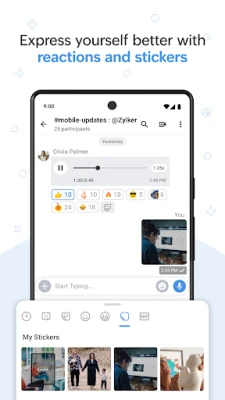
- Direct messaging – Send private messages to individuals or small groups, with support for rich text, emojis, and file attachments.
- Audio and video calls – Start voice or video calls without leaving the app, useful for quick check‑ins or longer meetings.
- Bot integrations – Access built‑in bots that can pull information from services such as Zoho CRM, Google Drive, or other third‑party apps, helping teams stay informed without switching screens.
- Slash commands – Use simple commands (e.g., /remind) to set reminders, create tasks, or trigger actions directly from the chat window.
- Message starring – Mark important messages with a star to find them later, reducing the need to scroll through long histories.
How it works
After installing Zoho Cliq, you sign in with your Zoho account or an email address linked to your organization. Once logged in, the app syncs your existing channels and contacts. You can then start new conversations, join existing channels, or invite external collaborators via a secure link. All messages are stored in the cloud, so you can switch between your phone and desktop without losing context.
Practical uses
- Project coordination – Keep all project‑related discussions in a dedicated channel, attach design files, and use bots to pull task updates from project‑management tools.
- Customer support – Create a channel for support agents to share tickets, use reminders for follow‑ups, and quickly jump to a voice call when needed.
- Remote teams – Leverage audio/video calls and file sharing to stay connected across time zones, while the channel structure keeps information searchable.
Installation information
The app is available for free on the Google Play Store. Search for “Zoho Cliq – Team Chat” or use the package name com.zoho.chat to locate it. Installation follows the standard Android process: tap Install, grant the requested permissions, and open the app to begin setup.
Things to know before installing
- Zoho Cliq requires an internet connection for real‑time messaging and calls.
- The app may request access to your contacts and storage to facilitate sharing and quick dialing.
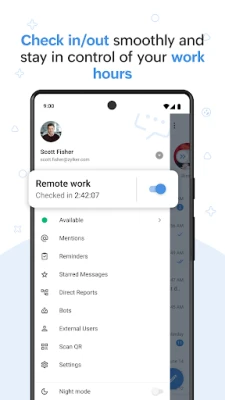
- Account management, including user roles and permissions, is handled by your organization’s Zoho admin.
Who may find it useful?
Any business that relies on frequent internal communication can benefit from Zoho Cliq. Small teams looking for a lightweight chat solution, medium‑size companies that need channel organization, and larger enterprises that already use Zoho’s suite of products will find the integration especially convenient.
Frequently asked questions
Is Zoho Cliq free to use?
Yes, the Android app can be downloaded and used at no cost. Additional features may be tied to paid Zoho plans, but core messaging and calling are available for free.
Can I chat with people outside my organization?
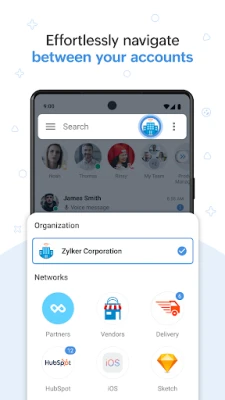
Zoho Cliq supports guest access through secure invitation links, allowing clients or vendors to join specific channels without full account creation.
Does the app work offline?
Messages are queued while offline and sent automatically once a network connection is restored. However, real‑time features like calls require an active internet connection.
Rate the App
User Reviews















Popular Apps










 Games
Games Entertainment
 Communication
 E-mail
 Security
 Tools
Tools Media
Media Internet
 Finance
 Design
 Education
 Android Firmwares
 Travel & Local
 Android
 Windows
 Linux
Linux