
Latest Version
August 14, 2026
Zoho Corporation
Communication
Android
222
Free
com.zoho.chat.intune
Report a Problem
More About Zoho Cliq – Secure Team Messaging for Android
What is Zoho Cliq?
Zoho Cliq is a messaging platform designed for businesses that need real‑time collaboration on Android devices. It offers chat channels, direct messages, and basic audio/video calls, all within a single app that integrates with other Zoho services and third‑party tools.
Main features
- Channel‑based conversations – Create public or private groups for projects, departments, or topics.
- Direct messaging – One‑to‑one chats for quick questions or private discussions.
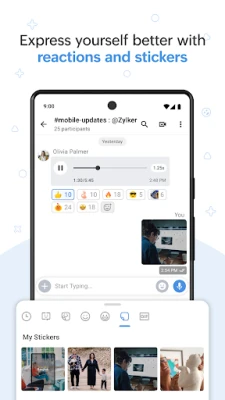
- File sharing – Attach documents, images or links directly in a conversation.
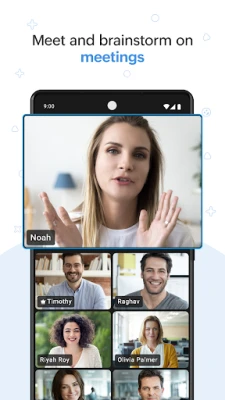
- Audio and video calls – Initiate voice or video calls without leaving the app.
- Integrations – Connect to services such as Zoho CRM, Google Drive, Jira or GitHub to receive updates inside a chat.
- Slash commands – Use simple text commands to trigger actions like creating tasks or setting reminders.
- Bot support – Add bots that can post alerts, pull data, or automate routine notifications.
How it works
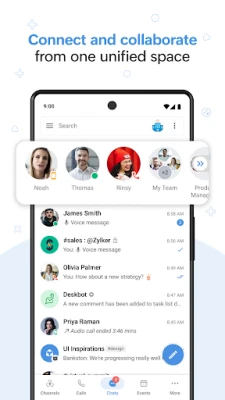
After installing the app, users sign in with their corporate credentials. Once logged in, the interface shows a list of channels and recent direct messages. Selecting a channel opens a threaded view where participants can type messages, share files, or start a call. Slash commands and bots appear as suggestions while typing, allowing quick access to integrated services.
Practical uses
- Project coordination – Teams can keep all discussions, files and decisions in a dedicated channel, reducing email clutter.
- Customer support hand‑off – Support agents can move a conversation to a private channel with a specialist without leaving the chat.
- Automated alerts – Bots can post build status, sales updates or ticket changes directly to relevant channels.
- Quick meetings – Start an audio or video call from a channel to resolve issues instantly.
Installation information
The app is available through the Google Play Store. Search for Zoho Cliq – Intune or use the package name com.zoho.chat.intune. The download size and Android version requirements are listed on the store page; ensure your device meets those specifications before installing.
Things to know before installing
- The app is free to download and use, though some advanced features may require a Zoho subscription.
- Because it is intended for business environments, an organization‑provided account is typically required for full access.
- Data synchronization occurs over encrypted connections, but administrators may enforce additional security policies through Microsoft Intune or similar MDM solutions.
Who may find it useful?
Small teams, medium‑size businesses, and larger enterprises that already use Zoho’s suite of products will benefit from the seamless integration. The app also suits any organization looking for a lightweight, Android‑first messaging solution that supports basic automation.
Frequently asked questions
Do I need a Zoho account to use the app?
Yes. The app authenticates with a Zoho or corporate identity provider, so an active account is required.
Can I use Zoho Cliq on multiple devices?
Yes. Messages and channel history sync across Android, iOS, web and desktop clients.
Is there a limit to the number of channels I can create?
The limit depends on the organization’s plan; the free tier typically allows a reasonable number of channels for everyday collaboration.
How are files stored?
Shared files are stored in Zoho’s cloud storage and can be accessed from any device where you are logged in.
Rate the App
User Reviews















Popular Apps










 Games
Games Entertainment
 Communication
 E-mail
 Security
 Tools
Tools Media
Media Internet
 Finance
 Design
 Education
 Android Firmwares
 Travel & Local
 Android
 Windows
 Linux
Linux