


Latest Version
Latest
May 17, 2026
Google LLC
Media
Android
712
Free
com.google.android.youtube
Report a Problem
More About YouTube – Video Streaming & Community
What is YouTube?
YouTube is Google’s global video platform that lets anyone watch, discover, and share videos on any Android device. From music clips and tutorials to live streams and short‑form Shorts, the app aggregates content from creators worldwide, offering a personalized feed based on your interests.
Key features
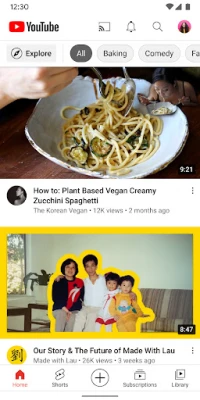
- Home feed – AI‑driven recommendations that surface new videos, trending topics, and channels you might like.
- Subscriptions – Follow your favorite creators and receive instant updates when they publish new content.
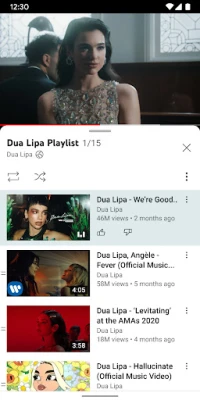
- Library – Save videos to watch later, view your liked videos, and manage playlists.
- Explore & Trending – Browse categories such as Music, Gaming, News, Learning, and see what’s popular in your region.
- Community interaction – Comment, like, share, and join live chats during premieres or streams.
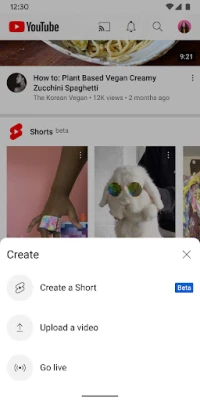
- Content creation – Record, edit, and upload videos directly from your phone; go live with a single tap.
- Kids & family options – Switch to YouTube Kids or enable a supervised experience for younger viewers.
- Premium benefits (optional) – Ad‑free playback, background play, and offline downloads when you upgrade.
How the application works
When you open the app, YouTube connects to your Google account (optional) to sync subscriptions, watch history, and personalized settings across devices. The Home screen displays a mix of recommended videos, trending clips, and content from channels you follow. Tapping a video starts playback with adaptive streaming, automatically adjusting quality to match your network speed.
To discover new content, use the Explore tab, which groups videos by genre, location, and current events. The Search bar supports voice input and filters for duration, upload date, and more. If you want to save a video for offline viewing, tap the download icon (available for Premium members or on supported videos).
Installation information
The official YouTube app is available for free on the Google Play Store. Simply search for "YouTube" by Google LLC, tap "Install," and wait for the download to complete. The app requires Android 5.0 (Lollipop) or newer, and about 100 MB of storage for the initial install.
Compatibility
Supported devices include smartphones, tablets, and Android TV boxes. The interface adapts to different screen sizes, and the app works with both touch and remote‑control navigation. For the best experience, use a device with at least 2 GB of RAM and a stable internet connection (Wi‑Fi or 4G/5G).
Things to know before installing
- Data usage can be high when streaming high‑definition video; consider enabling "Data saver" in Settings.
- Parental controls are available via YouTube Kids or the "Supervised experience" feature.
- Some premium features (ad‑free, background play, offline downloads) require a YouTube Premium subscription.
- The app may collect usage data to improve recommendations; review the privacy policy in Settings.
Frequently asked questions
Q: Can I watch videos without an internet connection?
A: Yes, if you download them for offline viewing (available for Premium members or on select videos).
Q: Is the app safe for children?
A: Google offers a dedicated YouTube Kids app and a supervised mode that filters content based on age.
Q: How do I upload a video?
A: Tap the "+" button, select "Upload," record or choose a file, add a title and description, then publish.
Q: Do I need a Google account?
A: An account is optional for browsing, but signing in syncs subscriptions, playlists, and personalized recommendations.
Rate the App
User Reviews















Popular Apps










 Games
Games Entertainment
 Communication
 E-mail
 Security
 Tools
Tools Media
Media Internet
 Finance
 Design
 Education
 Android Firmwares
 Travel & Local
 Android
 Windows
 Linux
Linux