

Latest Version
Latest
September 13, 2026
Sara Tech
Media
Android
6
Free
storysaverforinstagram.storydownloaderforinstagram
Report a Problem
More About Story Saver – Download Instagram Stories on Android
What is Story Saver?
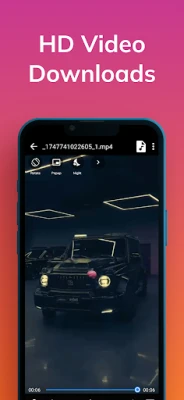
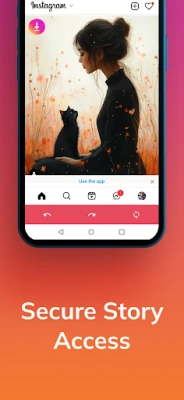
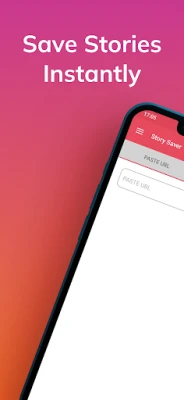
Story Saver is a free Android utility developed by Sara Tech that enables users to store Instagram stories directly on their phones. The app focuses on a simple workflow: locate a story, tap to save, and access the media later without needing the Instagram app.
Main features
- Save photos and videos from any public Instagram story you can view.
- One‑tap download with a minimal interface.
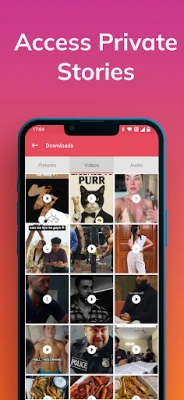
- Local storage of saved stories, allowing offline playback.
- Repost option that lets you share the downloaded story back to Instagram or other platforms.
How it works
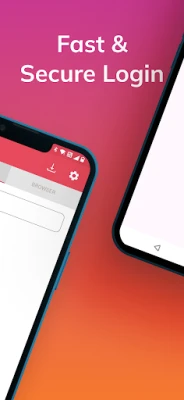
After installing Story Saver, you open the app and grant it permission to access your device’s storage. The app then prompts you to log in to your Instagram account or to browse publicly available stories. When you find a story you want to keep, a download button appears. Tapping it saves the media file to a dedicated folder on your device, where you can view it with any gallery app.
Practical uses
Many users find value in preserving memorable moments that disappear after 24 hours. Whether it’s a friend’s travel snapshot, a brand’s promotional video, or a tutorial shared via story, Story Saver lets you keep a personal archive. The repost feature also helps creators who want to share saved content with proper attribution.
Installation information
The app is available as a free download from the Appitika store. Installation follows the standard Android process: tap Install, accept any required permissions, and launch the app from your app drawer.
Things to know before installing
- The app is not affiliated with Instagram; it operates independently.
- Saving stories that are private or protected by the owner’s privacy settings is not possible.
- Stored media occupies space on your device; monitor your storage if you download many stories.
Who may find it useful?
Anyone who regularly follows Instagram accounts and wants a personal backup of stories can benefit. This includes social media enthusiasts, marketers tracking campaign content, and casual users who simply enjoy revisiting favorite moments.
Frequently asked questions
Is my Instagram login information safe?
Story Saver requests only the permissions needed to view public stories and store files locally. It does not claim to collect personal data beyond what is required for its core functionality.
Can I download stories from private accounts?
No. The app respects Instagram’s privacy model and can only save stories that are publicly viewable.
Do I need an internet connection to view saved stories?
Once a story is downloaded, it resides on your device and can be viewed offline.
Will the app work on all Android versions?
The app targets recent Android releases; however, exact version requirements are not specified. If your device runs Android 5.0 (Lollipop) or newer, you should be able to install it.
Rate the App
User Reviews















Popular Apps










 Games
Games Entertainment
 Communication
 E-mail
 Security
 Tools
Tools Media
Media Internet
 Finance
 Design
 Education
 IT Tools
 Travel & Local
 Android
 Windows
 Linux
Linux