



Latest Version
Latest
August 31, 2026
Georg Lukas
Communication
Android
8
Free
org.yaxim.androidclient
Report a Problem
More About yaxim – Lightweight XMPP/Jabber Client for Android
What is yaxim?
yaxim (Yet Another XMPP Instant Messenger) is a free Android client for the XMPP/Jabber protocol. Developed by Georg Lukas and released under the GPLv2 license, it focuses on a clean interface, low resource usage, and reliable connectivity.
Main features
- Single‑account support – Connect to one XMPP server at a time, whether it’s a personal domain, Google Talk, Facebook Chat, or another service.
- Automatic reconnection – The app detects changes between Wi‑Fi and mobile data and re‑establishes the connection without user intervention.
- SSL certificate handling – When a server presents a self‑signed certificate, yaxim prompts you to trust it, helping you stay secure.
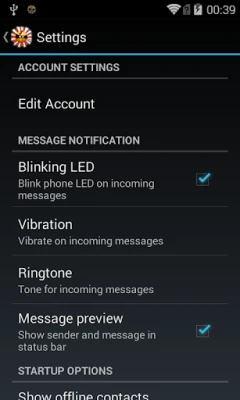
- Auto‑start on boot – Once configured, the client can connect automatically when the device powers on.
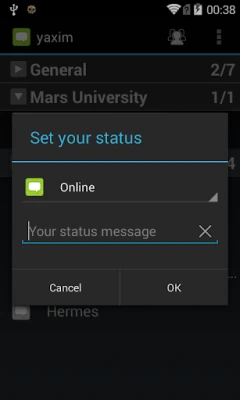
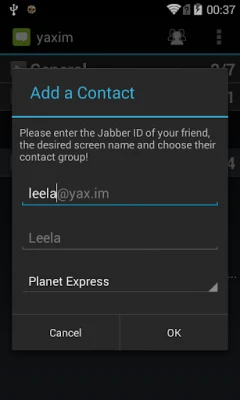
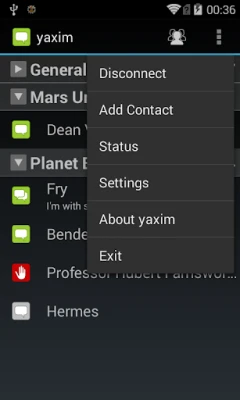
- Roster management – Add, edit, and organize contacts directly within the app.
- Persistent message history – Conversations are stored locally so you can scroll back through past chats.
- Message Carbons (XEP‑0280) – Messages sent from other devices appear in yaxim, keeping your chat history synchronized across platforms.
How it works
After installing yaxim, you create a single account by entering your XMPP JID (e.g., user@example.com) and password. The client then establishes a TLS‑encrypted stream to the server. If the network changes, the built‑in XEP‑0198 stream management ensures that the session resumes smoothly, preserving undelivered messages.
Practical uses
yaxim is well suited for users who prefer open standards over proprietary messaging services. It works well for:
- Personal chat with friends who run their own XMPP servers.
- Business communication where an organization hosts an internal XMPP service.
- Anyone looking for a lightweight alternative that does not require multiple accounts.
Installation information
The application is distributed as an APK that can be installed directly on Android devices. Because the package name is org.yaxim.androidclient, you can verify the installation source by checking the package identifier in your device settings.
Compatibility
yaxim runs on Android devices that support the standard Android runtime. Specific version requirements are not listed, but the app’s low‑overhead design makes it compatible with a wide range of devices, including older smartphones.
Things to know before installing
- Only one XMPP account can be active at a time.
- You will need the address of an XMPP server and valid credentials.
- The app does not include built‑in support for multimedia messaging beyond plain text.
Who may find it useful?
Developers, privacy‑conscious users, and anyone who values an open‑source messaging solution will appreciate yaxim’s straightforward design and focus on reliable connectivity.
Frequently asked questions
Can I use multiple accounts?
Currently yaxim supports only a single XMPP account per installation.
Does the app store messages on a server?
Message history is kept locally on the device; the server only stores messages according to its own policies.
Is the source code available?
Yes, the project is released under the GPLv2 license, allowing anyone to review or modify the code.
Rate the App
User Reviews















Popular Apps










 Games
Games Entertainment
 Communication
 E-mail
 Security
 Tools
Tools Media
Media Internet
 Finance
 Design
 Education
 IT Tools
 Travel & Local
 Android
 Windows
 Linux
Linux