


Latest Version
Latest
August 26, 2026
Direct Cursus Computer Systems Trading LLC
Communication
Android
103
Free
ru.yandex.mail
Report a Problem
More About Yandex Mail: Email & Cloud – Free Email Client for Android
What is Yandex Mail?
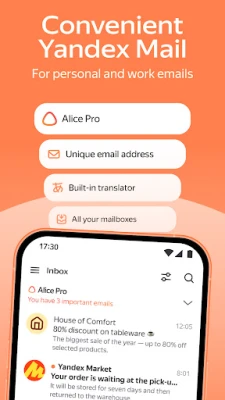
Yandex Mail is a free Android application that lets you manage email accounts, calendar events, and cloud files from a single interface. Developed by Direct Cursus Computer Systems Trading LLC, the app integrates Yandex’s mail service with additional productivity tools, making it a convenient hub for personal and work communication.
Main Features
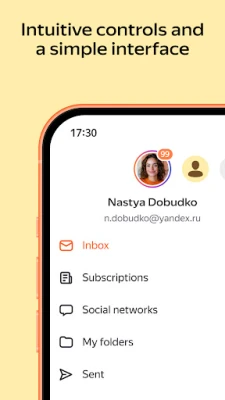
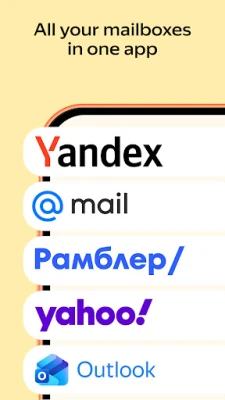
- Unified Inbox – Connect multiple email accounts, including Yandex, Gmail, Outlook and others, and view all messages in one place.
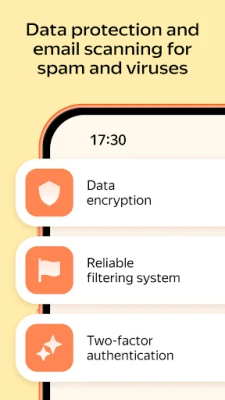
- Spam and Virus Filtering – Built‑in filters help keep unwanted messages and potentially harmful attachments out of your inbox.
- PIN Code Sign‑In – Add an extra layer of privacy by requiring a PIN to open the app.
- Offline Access – Read previously downloaded messages without an internet connection; outgoing mail is sent automatically when connectivity returns.
- Smart Reply Suggestions – Quick one‑tap replies based on the content of the incoming message.
- Automatic Sorting – Create rules to move messages to folders, forward them or trigger auto‑replies.
- Newsletter Unsubscribe – Turn off multiple subscriptions from a single setting screen.
- Built‑in Translator – Translate incoming messages written in foreign languages directly within the app.
- Yandex Cloud Integration – Access Yandex Disk for file storage, Yandex Calendar for events, and Yandex Documents for editing notes, spreadsheets or presentations.
How It Works
After installing the app, you sign in with your Yandex credentials or add other email accounts using standard IMAP/SMTP settings. The app synchronizes messages, contacts and calendar entries, storing them securely on Yandex’s servers. When you open the inbox, the interface groups messages by conversation and applies any sorting rules you have defined. Attachments can be previewed, downloaded, or saved directly to Yandex Disk.
Practical Uses
- Travel – Offline email access ensures you stay connected on trains or in areas with limited data.
- Multilingual Communication – The translator lets you read and reply to messages in foreign languages without leaving the app.
- Work Organization – Calendar integration and document editing let you turn an email into a meeting or a task without switching apps.
Installation Information
The application is available for free on the Google Play Store. Simply search for “Yandex Mail: Email & Cloud”, tap Install, and follow the on‑screen prompts to grant the necessary permissions for email, storage and calendar access.
Things to Know Before Installing
- The app requires an internet connection for initial setup and for syncing new messages.
- To use Yandex’s cloud features you need a Yandex account; other accounts can still be added for email only.
- Permissions include access to contacts, storage and calendar, which are standard for email clients that manage attachments and events.
Who May Find It Useful?
Anyone who handles multiple email addresses, needs reliable offline access, or prefers an integrated solution for email, calendar and cloud storage will benefit from Yandex Mail. It is especially handy for users who already rely on Yandex services for personal or professional workflows.
Frequently Asked Questions
Can I use Yandex Mail without a Yandex account?
Yes. You can add other email providers such as Gmail, Outlook or Yahoo and manage those messages within the app.
Is my data backed up?
Emails and attachments are stored on Yandex’s servers, which maintain standard backup practices for their cloud services.
Does the app work on tablets?
The app is designed for Android devices of various screen sizes, including tablets.
Rate the App
User Reviews















Popular Apps










 Games
 Entertainment
 Communication
 E-mail
 Security
 Tools
 Media
 Internet
 Finance
 Design
 Education
 Android Firmwares
 Travel & Local
 Android
 Windows
 Linux