


Latest Version
August 13, 2026
Yahoo
Communication
Android
383
Free
com.yahoo.mobile.client.android.mail
Report a Problem
More About Yahoo Mail: Email & Planner – Smart Inbox for Android
What is Yahoo Mail: Email & Planner?
Yahoo Mail: Email & Planner is an Android application that brings together your email inbox with a built‑in planning tool. Developed by Yahoo, the app lets you read, compose and organize messages while also surfacing dates, reservations and to‑do items that appear in your mail.
Main features
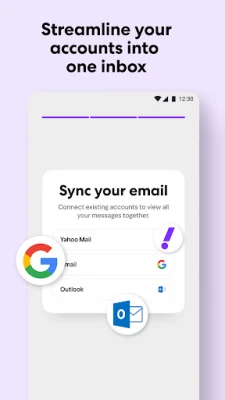
- Unified inbox – All Yahoo email accounts are displayed in a single, scrollable view.
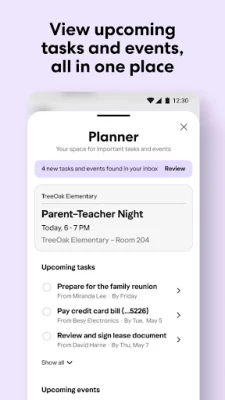
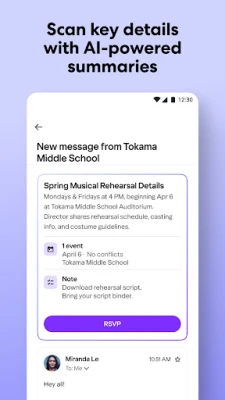
- Planner integration – Dates, flight numbers, reservation details and other actionable information are extracted from messages and shown in a dedicated Planner screen.
- One‑tap actions – Swipe or tap an email to add its event or task directly to the Planner without leaving the inbox.
- Package tracking preview – When an order confirmation arrives, the app highlights tracking numbers and delivery updates at the top of the inbox.
- Search and filters – Powerful search lets you locate messages by sender, subject or keywords, while filters help you focus on unread or important mail.
How it works
The app connects to your Yahoo account using standard authentication. Once logged in, it synchronizes messages in the background and analyses the content of each email. When the text contains recognizable patterns—such as dates, times, flight numbers or tracking IDs—the app creates a corresponding entry in the Planner view. You can then edit, delete or mark these entries as completed.
Practical uses
- Stay on top of travel plans by having flight details appear automatically in the Planner.
- Keep track of bills, appointments or reservations without copying information manually.
- Monitor online orders by viewing delivery status directly from the inbox.
- Organize personal or work‑related tasks by turning email requests into actionable items.
Installation information
Search for "Yahoo Mail: Email & Planner" in the Google Play Store, then tap Install. The download size and required Android version are shown on the store page; ensure your device meets those requirements before proceeding.
Things to know before installing
- The app requires a Yahoo account; you can create one during the first launch if needed.
- Standard permissions include access to the internet and storage for caching messages.
- Notifications are used to alert you to new mail and upcoming Planner events; you can adjust these settings in the app or Android system preferences.
Who may find it useful?
Anyone who relies on Yahoo email for personal or professional communication can benefit from the integrated Planner. The feature set is especially helpful for frequent travelers, busy parents, and users who prefer to keep their schedule within the same app they use for email.
Frequently asked questions
Does Yahoo Mail sync with other calendar services?
The built‑in Planner shows events extracted from Yahoo messages. It does not automatically sync with external calendars such as Google Calendar, but you can manually add entries if desired.
Can I use the app without an internet connection?
Messages that have already been downloaded are available offline, and you can view Planner items that were previously created. New email retrieval and updates require an internet connection.
Is my data encrypted?
Yahoo uses standard encryption for data transmission between the app and its servers. For detailed security information, refer to Yahoo’s official privacy policy.
Rate the App
User Reviews















Popular Apps










 Games
Games Entertainment
 Communication
 E-mail
 Security
 Tools
Tools Media
Media Internet
 Finance
 Design
 Education
 Android Firmwares
 Travel & Local
 Android
 Windows
 Linux
Linux