


Latest Version
Latest
June 20, 2026
Yahoo
Android
530
Free
com.yahoo.mobile.client.android.mail
Report a Problem
More About Yahoo Mail: Email & Planner – Smart Inbox for Android
What is Yahoo Mail: Email & Planner?
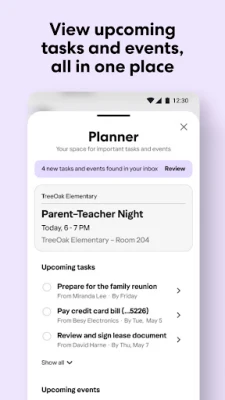
Yahoo Mail for Android is a full‑featured email client that goes beyond basic messaging. It merges a traditional inbox with a built‑in Planner that automatically pulls dates, reservations, bills and shipping information from your emails, presenting them in a single, easy‑to‑read view.
Key features
- Unified Planner – Events, to‑dos and package tracking appear alongside your messages, so you can act on them without leaving the app.
- Smart extraction – The app scans incoming mail for dates, flight numbers, addresses and tracking codes, creating actionable cards with one tap.
- Real‑time package hub – Shipping updates are displayed at the top of the inbox, and you can follow the delivery status directly.
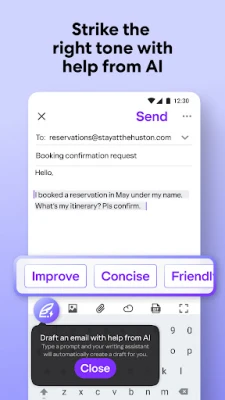
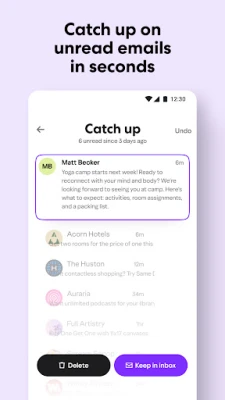
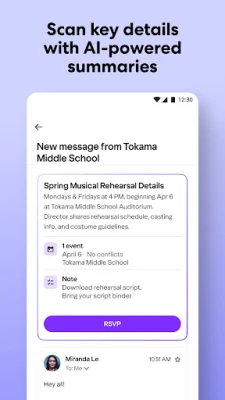
- AI‑assisted tools – Summaries of long emails, tone‑adjusted compose suggestions and quick‑action buttons speed up everyday tasks.
- 20 GB free storage – Plenty of space for messages, attachments and archived mail.
- Robust security – Spam filters, phishing detection and one‑tap unsubscribe keep your inbox clean and safe.
How the application works
When you receive a new message, Yahoo Mail analyses its content in the background. If the email contains a date, reservation number or tracking ID, the app creates a Planner entry that you can tap to add to your calendar, set a reminder, or view shipment status. You can also swipe an email and choose “Add to Planner” to manually create a task.
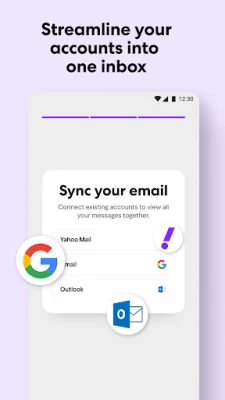
All accounts you add – Yahoo, Gmail, Outlook, AOL and others – appear in the same inbox, letting the Planner work across providers. The AI summary feature condenses lengthy messages into a short paragraph, highlighting key points and suggested actions.
Installation information
Search for Yahoo Mail: Email & Planner in the Google Play Store, tap Install, and grant the requested permissions (storage, contacts and calendar). The initial setup walks you through adding existing email accounts and enabling the Planner view.
Compatibility
The app requires Android 6.0 (Marshmallow) or newer and works on phones and tablets of any size. It is optimized for both portrait and landscape orientations.
Things to know before installing
- Internet access is required for real‑time package tracking and AI features.
- Enabling calendar sync lets Planner events appear in your default calendar app.
- Storage usage can be managed in Settings → Storage; you can delete large attachments or clear old Planner items.
Frequently asked questions
Can I use Yahoo Mail with my existing Gmail account?
Yes. Add Gmail during the account‑setup step and all messages will be displayed in the unified inbox, with Planner features applied to Gmail messages as well.
Is my data safe?
Yahoo employs encrypted connections (TLS) for all email traffic, spam filters, and phishing detection. You can also enable two‑factor authentication on your Yahoo account for extra protection.
How does the package tracking work?
The app extracts tracking numbers from order confirmations and queries the carrier’s public API, showing live status and estimated delivery directly in the inbox.
Rate the App
User Reviews















Popular Apps










 Games
Games Entertainment
 Communication
 E-mail
 Security
 Tools
Tools Media
Media Internet
 Finance
 Design
 Education
 Android Firmwares
 Travel & Local
 Android
 Windows
 Linux
Linux