

Latest Version
Latest
September 09, 2026
0xchat Limited
Communication
Android
9
Free
com.oxchat.lite
Report a Problem
More About XChat – Private Messenger for Secure Group Chats
What is XChat?
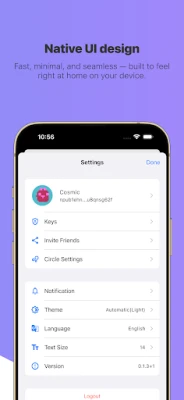
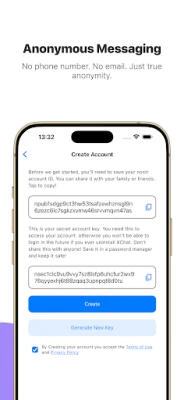
XChat is a lightweight messaging app that focuses on privacy. It lets you start and join small groups where every message and shared media are encrypted end‑to‑end. The app does not rely on traditional identifiers such as phone numbers or email addresses, which helps keep your identity separate from your conversations.
Main Features
- No personal identifiers – you can sign up without providing a phone number or email.
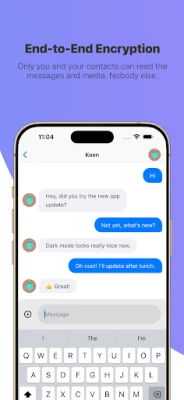
- End‑to‑end encryption – all text, voice notes, images and files are encrypted before they leave your device.
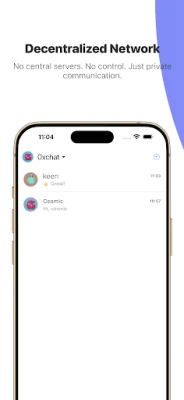
- Decentralized network – XChat operates on the Nostr protocol, a distributed system that does not store your data on a single server.
- Local data storage – messages are stored only on the devices of participants, not on a cloud service.
- Two‑way deletion – you can delete a message for yourself and request its removal from the recipient’s view.
- Open‑source foundation – the code is publicly available, allowing anyone to audit its security practices.
How It Works
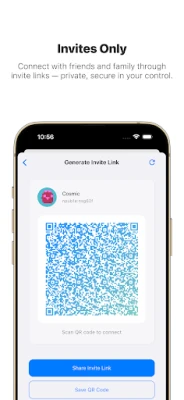
When you launch XChat, the app generates a unique cryptographic key for you. This key serves as your identity on the Nostr network. To start a conversation, you create a group and invite others by sharing a simple link or QR code. Because the network is decentralized, the group’s data is propagated across many nodes, reducing reliance on any single point of control.
Practical Uses
XChat is well‑suited for scenarios where privacy matters more than broad reach. Typical use cases include:
- Family members who want a shared space free from ads and data mining.
- Close friends coordinating events without exposing phone numbers.
- Small business teams discussing sensitive topics.
- Journalists or researchers needing a discreet channel for source communication.
Installation Information
The app is distributed as a free download from the Google Play Store. After installing, you will be guided through key generation and group creation. No additional configuration is required unless you wish to connect to a custom Nostr relay.
Things to Know Before Installing
- Because XChat does not use phone numbers, you cannot recover your account through traditional SMS methods. Keep a backup of your private key if you need to reinstall.
- The decentralized nature means message delivery depends on the availability of Nostr relays; occasional delays are possible.
- All data is stored locally, so losing a device may result in loss of chat history unless you have exported it.
Who May Find XChat Useful?
Anyone who values a simple, secure way to chat with a limited circle will appreciate XChat. It is especially attractive to users who are uncomfortable with mainstream messengers that collect metadata or require personal contact information.
Frequently Asked Questions
Is XChat completely anonymous?
While the app does not require personal identifiers, the cryptographic key you generate can be linked to your activity on the Nostr network. Anonymity is therefore relative to how you share that key.
Can I use XChat for large groups?
The design focuses on small, intimate groups. Larger communities may experience slower synchronization.
What happens to my messages if I delete the app?
Since messages are stored only on participating devices, removing the app also removes the local copy of the chats. Backing up your key and any important media before uninstalling is recommended.
Rate the App
User Reviews















Popular Apps










 Games
Games Entertainment
 Communication
 E-mail
 Security
 Tools
Tools Media
Media Internet
 Finance
 Design
 Education
 IT Tools
 Travel & Local
 Android
 Windows
 Linux
Linux