



Latest Version
September 17, 2026
Alternative Inc.
Communication
Android
12
Free
com.xchat.ads
Report a Problem
More About Xchat Messenger and Messages – Free Chat App
What is Xchat Messenger and Messages?
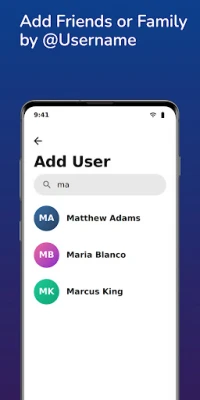
Xchat Messenger and Messages is a free communication app that brings together instant texting, voice calls, and video calls in one place. Developed by Alternative Inc., the app aims to provide a straightforward way to stay in touch with contacts, whether they are on the same device or across the globe.
Main features
- Text messaging – Send and receive messages quickly, with support for emojis, stickers and GIFs.
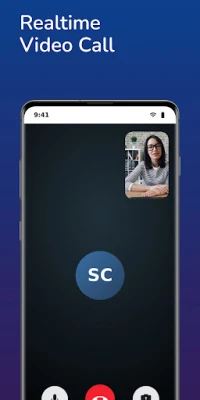
- Voice and video calls – Initiate one‑to‑one calls or group calls without needing a separate dialing app.
- Group chats – Create conversation groups for friends, family or work teams, and share media within the group.
- Media sharing – Attach photos, videos, location maps and other files directly to a chat.
- Typing indicators – See when a contact is typing a message, helping keep conversations flowing.
How it works
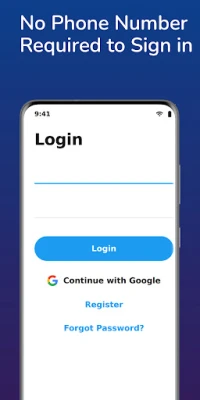
After installing the app, you register with a phone number or an email address. The app then syncs with your contact list, allowing you to start a conversation with any saved contact who also uses Xchat. Messages are delivered over the internet, so you can stay connected even when you are on Wi‑Fi or mobile data.
Practical uses
Whether you need to coordinate a family gathering, discuss a project with coworkers, or simply keep up with friends, Xchat provides the tools for real‑time communication. The ability to switch from text to voice or video without leaving the conversation makes it convenient for quick check‑ins or longer discussions.
Installation information
The app can be downloaded from the Android marketplace. After downloading, follow the on‑screen prompts to grant the necessary permissions for contacts and microphone access, which are required for messaging and calling features.
Compatibility
Xchat Messenger and Messages is built for Android devices. Specific version requirements are not listed, but the app is designed to run on recent Android releases. Users should ensure their device has sufficient storage space and an active internet connection.
Things to know before installing
- Internet connection is required for sending messages and making calls.
- The app may request access to contacts, microphone and storage to enable its core functions.
- All communications are handled within the app; standard carrier charges do not apply for calls made over data.
Who may find it useful?
Anyone looking for a single app that combines texting, voice and video calling will benefit from Xchat. It is especially handy for users who prefer a free solution without the need for multiple separate applications.
Frequently asked questions
Do I need a separate account for each device?
No. Your Xchat account is linked to your phone number or email, allowing you to log in on multiple Android devices.
Are my messages private?
The app handles messages over encrypted connections, but detailed security specifications are not provided.
Can I call non‑Xchat users?
Calls are limited to other Xchat users; the app does not support dialing regular phone numbers.
Rate the App
User Reviews






![[US] Social Network – Real‑time local connections](https://www.appitika.com/images/17896840845838641.webp)








Popular Apps










 Games
Games Entertainment
 Communication
 E-mail
 Security
 Tools
Tools Media
Media Internet
 Finance
 Design
 Education
 IT Tools
 Travel & Local
 Android
 Windows
 Linux
Linux