

Latest Version
September 16, 2026
Cangxiong Tech
Communication
Android
72
Free
com.cangxiong.ai.xchat
Report a Problem
More About XChat – Offline Bluetooth Chat & Mesh Messaging
What is XChat?
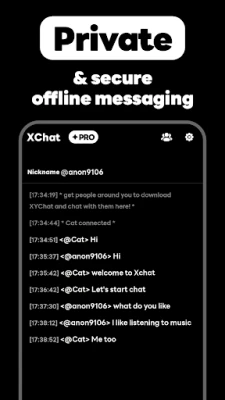
XChat is a lightweight Android app that enables direct communication between nearby smartphones through Bluetooth. It works without Wi‑Fi, mobile data, or any external server, making it suitable for situations where traditional network access is unavailable or undesirable.
Main Features
- Instant Bluetooth connections – Open the app and start a conversation with any device that has Bluetooth enabled and runs XChat.
- Mesh networking – Messages can be relayed through multiple devices, extending the effective range beyond the typical Bluetooth line‑of‑sight limit.
- One‑to‑one and group chats – Create private chats or group conversations with several nearby users.
- End‑to‑end encryption – All messages are encrypted on the device before they leave, ensuring that only the intended recipients can read them.
- Battery‑friendly design – The app runs in the background only when needed, minimizing impact on battery life.
How It Works
When you launch XChat, the app scans for other Bluetooth‑enabled devices that have the same app installed. Once a device is discovered, a secure channel is established and you can start typing. If a direct Bluetooth link is not possible, the app automatically looks for intermediate devices that can forward the message, creating a mesh network. This process is transparent to the user; you simply see the participants in the chat list.
Practical Uses
- Events and festivals – Stay in touch with friends in crowded venues where cellular service may be overloaded.
- Outdoor activities – Communicate on hikes, camping trips, or any remote location without relying on cellular coverage.
- Emergency situations – Exchange critical information when the internet is down or unavailable.
- Travel – Coordinate with fellow travelers without incurring roaming charges.
Installation Information
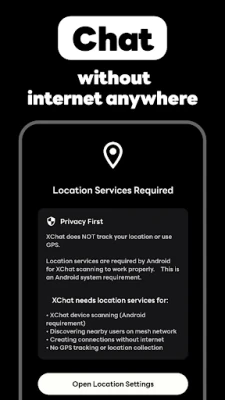
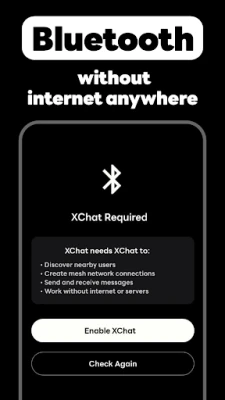
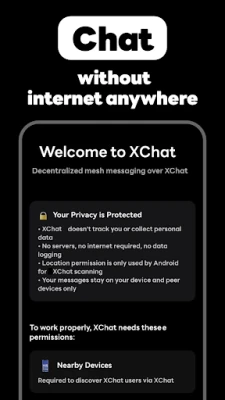
Download XChat from the Google Play Store and install it like any other Android application. The app requires Bluetooth to be turned on; no additional permissions beyond those needed for Bluetooth communication are requested.
Compatibility
XChat runs on Android devices that support Bluetooth Low Energy (BLE). The exact minimum Android version is not specified, but the app is designed to work on a wide range of modern smartphones.
Things to Know Before Installing
- Both parties need to have XChat installed and Bluetooth enabled for communication to occur.
- Because the app operates offline, messages are not stored on any external server; they exist only on the devices involved in the conversation.
- Mesh networking relies on the presence of intermediate devices; the more users in the vicinity, the larger the effective range.
Who May Find XChat Useful?
Anyone who needs reliable, local communication without depending on cellular networks or internet access can benefit from XChat. This includes event organizers, outdoor enthusiasts, travelers, and users in regions with limited connectivity.
Frequently Asked Questions
Do I need an account or phone number?
No. XChat works purely on device‑to‑device connections; there is no registration step.
Is my conversation private?
Yes. All messages are encrypted end‑to‑end before they are transmitted over Bluetooth.
Can I use XChat with devices that don’t have the app?
Communication is limited to devices that have XChat installed, as the app handles the encryption and mesh routing logic.
Will using XChat drain my battery quickly?
The app is optimized for low power consumption and only activates Bluetooth when searching for or communicating with nearby devices.
Rate the App
User Reviews















Popular Apps










 Games
 Entertainment
 Communication
 E-mail
 Security
 Tools
 Media
 Internet
 Finance
 Design
 Education
 Android Firmwares
 Travel & Local
 Android
 Windows
 Linux