



Latest Version
September 05, 2026
X Corp.
Communication
Android
39
Free
com.x.chat
Report a Problem
More About XChat – Secure Messaging for Android
What is XChat?
XChat is a free Android messaging app developed by X Corp. It focuses on privacy, providing end‑to‑end encryption for every conversation. The app does not display advertisements and does not collect tracking data, making it a straightforward choice for users who value security and simplicity.
Main Features
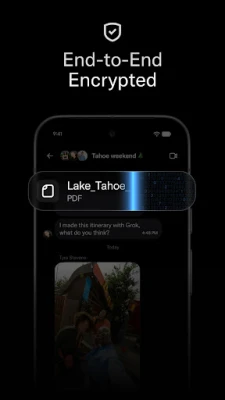
- End‑to‑end encryption – Messages are encrypted on the sender’s device and can only be decrypted by the intended recipient.
- Message editing and deletion – You can edit or delete messages after sending, with changes reflected for all participants.
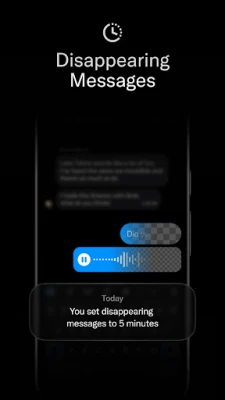
- Disappearing messages – Set a timer to automatically remove messages after a chosen period.
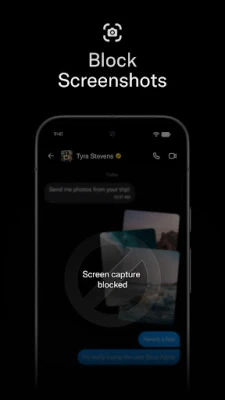
- Screenshot protection – The app can block screenshots in supported Android versions.
- Large file sharing – Send photos, videos, and other files without size restrictions typical of basic messengers.
- Massive group chats – Create and manage groups with many participants.
- No ads, no tracking – The experience remains uncluttered and privacy‑focused.
How It Works
When you first open XChat, you sign in using your existing X account. This eliminates the need for separate registrations or phone‑number verification. Once signed in, your contact list from the X ecosystem appears automatically, allowing you to start conversations without sending individual invitations.
Each user is assigned a unique cryptographic key pair. The public key is shared with contacts, while the private key remains on the device, protected by a PIN that never leaves the phone. All messages are encrypted with the recipient’s public key and can only be decrypted with the matching private key, ensuring that only the intended parties can read the content.
Practical Uses
- Personal chats – Keep conversations with friends and family private.
- Professional communication – Share files and discuss projects in secure group chats.
- Creative collaboration – Exchange large media files with creators without worrying about data leaks.
Installation Information
To install XChat, locate the app in the Android marketplace, tap “Install,” and grant the necessary permissions for storage and network access. After installation, open the app, sign in with your X account, and set a PIN to protect your encryption keys.
Things to Know Before Installing
- Because the app relies on your X account, you will need an active X login.
- The encryption key is stored locally; losing your device or PIN may result in loss of access to encrypted messages.
- Screenshot blocking works only on devices running Android versions that support the secure flag.
Who May Find XChat Useful?
Anyone who wants a messaging solution that prioritizes privacy without the clutter of ads will appreciate XChat. It is especially suitable for users who already have an X account and prefer to keep their contacts consolidated in a single, secure environment.
Frequently Asked Questions
Is XChat free to use?
Yes, the app is offered free of charge.
Does XChat collect any personal data?
The app does not include tracking mechanisms and does not send usage data to third parties.
Can I use XChat on tablets?
The app is designed for Android devices; it should run on tablets that meet the standard Android requirements for the Play Store.
What happens if I forget my PIN?
Since the PIN protects the private encryption key stored on the device, forgetting it may prevent access to encrypted messages. The app may offer a recovery option, but it typically requires re‑authentication with your X account.
Rate the App
User Reviews















Popular Apps










 Games
Games Entertainment
 Communication
 E-mail
 Security
 Tools
Tools Media
Media Internet
 Finance
 Design
 Education
 Android Firmwares
 Travel & Local
 Android
 Windows
 Linux
Linux