





Latest Version
September 02, 2026
AWebSol
Communication
Android
6
Free
com.xapyx.social
Report a Problem
More About Xapyx – Social Network & Chat
What is Xapyx?
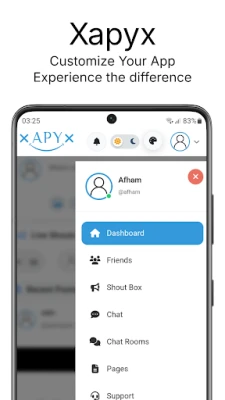
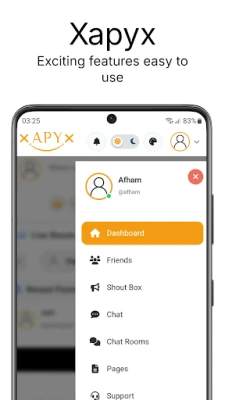
Xapyx is a free Android social networking app that focuses on real‑time conversation and community building. Developed by AWebSol, it offers a space where users can create personal profiles, join public chat rooms, and exchange private messages. The app is designed for people who want to expand their social circles beyond the usual contacts and discover like‑minded individuals.
Main features
- Personal profile creation – Set up a profile with a nickname, bio, and optional photos to let others know who you are.
- Public chat rooms – Browse and enter themed chat rooms that match your interests, from hobbies to local events.
- Private messaging – Send one‑to‑one messages, share text, photos, or other media securely within the app.
- Media sharing – Upload images or short videos to enrich conversations and express yourself.
- Friend discovery – Find new contacts through shared interests, mutual connections, or activity in the same chat rooms.
How it works
After installing Xapyx, you start by registering an account using an email address or phone number. The onboarding flow guides you through setting up a profile and choosing topics that interest you. Based on those selections, the app suggests relevant chat rooms and potential friends. You can join any public room with a single tap, read ongoing discussions, and contribute when you feel ready. For more private interactions, simply select a user’s profile and start a direct chat.
Practical uses
Whether you’re looking for a casual conversation, seeking advice on a specific hobby, or trying to meet people in a new city, Xapyx provides a flexible environment. Students can join study‑related rooms, travelers can connect with locals, and hobbyists can exchange tips in dedicated channels. The app’s emphasis on real‑time messaging makes it suitable for quick social check‑ins as well as longer, more thoughtful exchanges.
Installation information
The app is available for free on the Google Play Store. Search for Xapyx – Social Network & Chat or use the package name com.xapyx.social to locate it. Tap “Install” and follow the standard Android installation prompts. No additional files are required.
Compatibility
Xapyx runs on Android devices that meet the minimum system requirements defined by Google Play. Because the exact Android version requirement is not published, the Play Store will automatically filter the app for devices that are compatible.
Things to know before installing
- All core features are free; there are no mandatory in‑app purchases to use chat or profile functions.
- The app may request access to your camera and storage for photo sharing, and to contacts if you choose to import friends.
- As with any social platform, it’s advisable to review the privacy policy and adjust notification settings to suit your preferences.
Who may find Xapyx useful?
Anyone who enjoys meeting new people online will benefit from Xapyx. It is especially appealing to:
- Students and young adults looking for peer groups.
- People who have recently moved to a new city and want to connect locally.
- Enthusiasts of niche hobbies who prefer topic‑focused chat rooms.
- Users who prefer a straightforward chat experience without the clutter of larger social networks.
Frequently asked questions
Is Xapyx safe to use?
The app follows standard Android security practices. Users should still exercise caution when sharing personal information and report any inappropriate behavior through the in‑app tools.
Can I use Xapyx without an internet connection?
Because Xapyx relies on real‑time messaging, an active internet connection is required for most functions. Offline access is limited to viewing previously loaded content.
Do I need a Google account?
No. Xapyx allows registration with an email address or phone number, independent of a Google account.
How are my photos stored?
Photos shared in chats are uploaded to the app’s servers for temporary hosting. The app’s privacy policy outlines retention periods and user controls.
Rate the App
User Reviews















Popular Apps










 Games
Games Entertainment
 Communication
 E-mail
 Security
 Tools
Tools Media
Media Internet
 Finance
 Design
 Education
 IT Tools
 Travel & Local
 Android
 Windows
 Linux
Linux