

Latest Version
Latest
September 02, 2026
byteman.su
Communication
Android
5
Free
com.xbrowser.play
Report a Problem
More About X Browser – Light & Super Fast
What is X Browser?
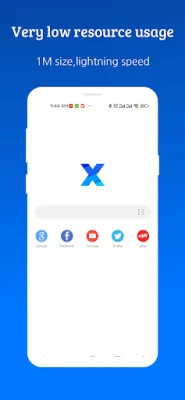
X Browser is a free Android web browser developed by byteman.su. It is designed to be lightweight, offering a streamlined interface that prioritizes speed and minimal resource consumption. The app aims to provide a smooth browsing experience without unnecessary bloat.
Main Features
- Lightweight design – The browser keeps its footprint small, which helps it run efficiently on devices with limited memory or older hardware.
- Fast page loading – Optimized rendering and network handling aim to reduce waiting times when opening web pages.
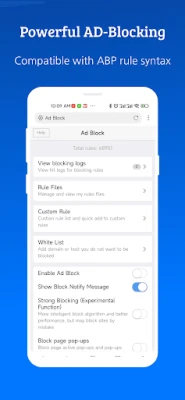
- Ad‑blocking support – Users can enable built‑in ad‑blocking to reduce intrusive ads and improve page clarity.
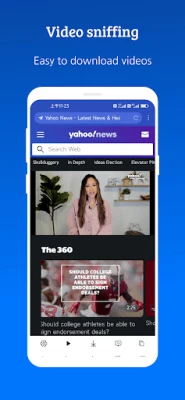
- Video detection – The browser includes a feature that can identify video streams on a page, making it easier to save or view media.
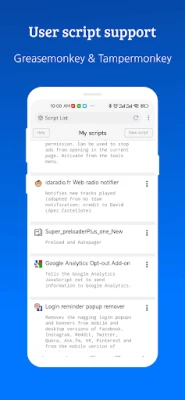
- User script compatibility – Support for popular script managers such as GreaseMonkey and Tampermonkey allows advanced users to customize page behavior.
- Form autofill – Saved information can be used to fill out forms quickly, reducing repetitive typing.
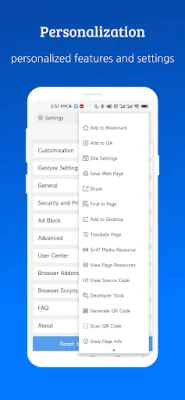
- Customization options – Appearance, gestures, and shortcut settings can be adjusted to match personal preferences.
How It Works
When launched, X Browser opens a clean tab interface that loads web pages using the Android WebView component. The built‑in ad blocker works by filtering known ad sources before the page is rendered, which can improve load times and reduce data usage. Video detection scans the page’s source for media URLs and presents them as downloadable links when available. User scripts are executed in a sandboxed environment, ensuring they modify page content without compromising overall stability.
Practical Uses
- Browsing on low‑end smartphones where memory and CPU resources are limited.
- Reducing data consumption by blocking ads and unnecessary scripts.
- Saving online videos for offline viewing when the video detection feature is enabled.
- Customizing web pages with user scripts for developers or power users.
Installation Information
The app can be installed from the standard Android package manager. After downloading, follow the on‑screen prompts to grant the necessary permissions, which are limited to those required for basic browsing functionality.
Compatibility
X Browser is built for Android devices. Specific version requirements are not listed, but the lightweight nature typically allows it to run on a wide range of Android releases.
Things to Know Before Installing
- The browser does not run background services, which helps conserve battery life.
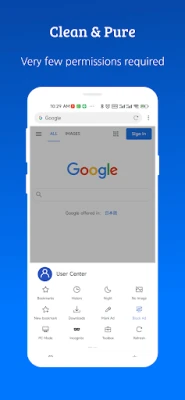
- Only essential permissions are requested, focusing on privacy and security.
- While ad blocking is provided, it may not remove every advertisement on every site.
Who May Find It Useful?
Users who prioritize speed and simplicity over extensive feature sets will appreciate X Browser. It is also suitable for those with older devices, limited data plans, or a preference for a clean, uncluttered browsing environment.
Frequently Asked Questions
Is X Browser safe to use?
Yes, the app requests only the permissions needed for web browsing and does not include background services that could affect privacy.
Can I import my own ad‑blocking lists?
The browser supports adding third‑party blocking rules, allowing users to customize the ad‑blocking behavior.
Does the browser support multiple tabs?
Yes, X Browser provides standard tab management for opening several pages simultaneously.
Rate the App
User Reviews















Popular Apps










 Games
Games Entertainment
 Communication
 E-mail
 Security
 Tools
Tools Media
Media Internet
 Finance
 Design
 Education
 IT Tools
 Travel & Local
 Android
 Windows
 Linux
Linux