

Latest Version
August 25, 2026
ESSE PVT LTD
Communication
Android
104
Free
in.wrapchat.app
Report a Problem
More About Wrap – Private Connect‑First Messaging
What is Wrap?
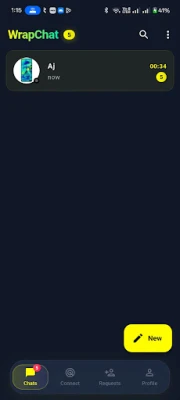
Wrap is a free messaging application from ESSE PVT LTD that puts consent at the heart of every conversation. Instead of opening your inbox to anyone, Wrap requires both parties to exchange a connect request before any messages can be sent. This approach helps you stay in control of who can reach you, making the chat experience quieter and more purposeful.
Main Features
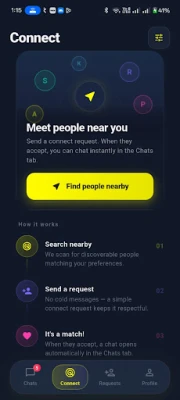
- Connect‑first messaging – You can only chat after both users accept a connection request.
- End‑to‑end encryption – All private one‑to‑one chats are encrypted, protecting the content from external access.
- Rich media sharing – Send text, photos, videos, and files within a secure chat.
- Read receipts and typing indicators – Know when a message is delivered, read, or being typed.
- Voice and video calls – Make clear voice calls and face‑to‑face video calls without leaving the app.
- Privacy controls – Block contacts instantly, clear chat history, and manage privacy settings from your profile.
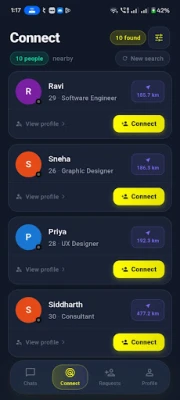
- Discover mode – Choose when you are open to new connections and view pending requests in one place.
How It Works
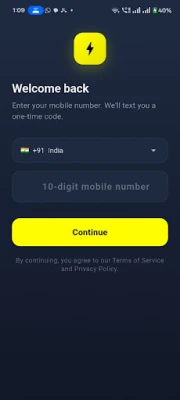
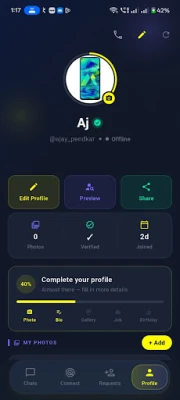
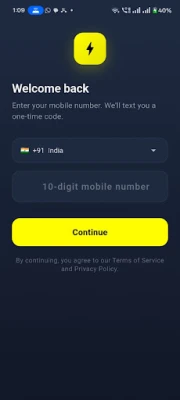
When you first open Wrap, you register with your phone number and set up a simple profile. From there you can send a connect request to anyone whose contact information you have. The recipient sees the request and can either accept or decline it. Once accepted, a private chat window opens, and you can exchange messages, media, or start a call. If you prefer not to receive new requests, you can switch off Discover mode, keeping your inbox limited to contacts you already know.
Practical Uses
- Keeping personal circles private – Friends and family can stay in touch without the risk of random strangers sliding into the conversation.
- Professional networking – Connect with colleagues or business contacts only after a mutual agreement, reducing unsolicited outreach.
- Event follow‑ups – Exchange contact details at gatherings, then confirm connections before sharing further information.
Installation Information
Wrap is available as a free download from the Google Play Store. After installing, launch the app, verify your phone number, and follow the on‑screen prompts to complete your profile. No additional fees are required to use the core messaging and calling features.
Things to Know Before Installing
- Wrap relies on a phone number for registration, so you need an active mobile line.
- The app does not display advertisements within the chat interface.
- All conversations are encrypted, but the app does not claim any official security certifications.
Who May Find Wrap Useful?
Anyone who values control over who can contact them will appreciate Wrap’s connect‑first model. It is especially suited for users who have experienced spam or unwanted messages on other platforms and are looking for a quieter, consent‑driven messaging environment.
Frequently Asked Questions
Do I need an internet connection?
Yes, Wrap requires a data or Wi‑Fi connection for messaging and calls.
Can I block a contact after connecting?
Yes, you can block any user at any time, which removes them from your contact list and prevents further messages.
Is there a limit to the number of connections?
Wrap does not impose a specific limit on contacts; you can manage as many connections as you need.
Rate the App
User Reviews















Popular Apps










 Games
 Entertainment
 Communication
 E-mail
 Security
 Tools
 Media
 Internet
 Finance
 Design
 Education
 Android Firmwares
 Travel & Local
 Android
 Windows
 Linux