
Latest Version
Latest
August 31, 2026
Gogolook
Communication
Android
7
Free
gogolook.callgogolook2
Report a Problem
More About Whoscall: Caller ID & Block – Identify Unknown Calls
What is Whoscall?
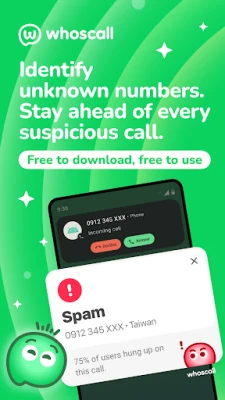
Whoscall is a free Android application developed by Gogolook that focuses on caller identification and spam protection. When a call arrives from a number that isn’t saved in your contacts, the app attempts to display the caller’s name or organization, helping you decide whether to answer.
Main Features
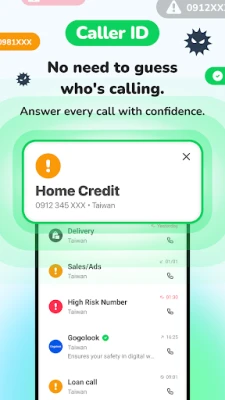
- Caller ID – Shows the name or label of an incoming number when possible.
- Call blocking – Allows you to block numbers that are known to be spam or unwanted.
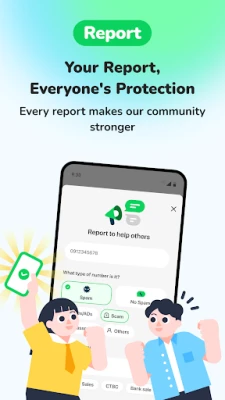
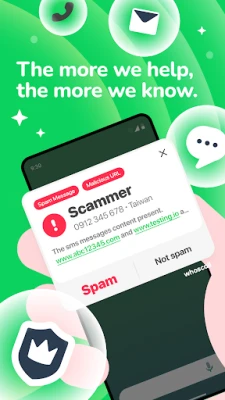
- SMS screening – Highlights suspicious text messages and offers an easy way to report them.
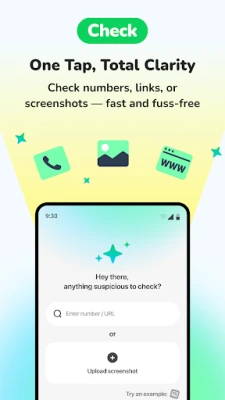
- Number lookup – Lets you manually search a phone number, URL, or screenshot for additional context.
How It Works
When you receive a call, Whoscall checks its internal database, which is built from user contributions and public sources. If a match is found, the app displays the associated label on the incoming‑call screen. For messages, the app scans the text for patterns commonly used in phishing or scam attempts and flags them for your attention.
Practical Uses
Whether you receive frequent sales calls, unknown telemarketers, or messages that look like they might be phishing attempts, Whoscall gives you a quick visual cue. This can reduce the time spent answering unwanted calls, protect you from accidental disclosure of personal information, and help you keep a cleaner inbox.
Installation Information
Whoscall is available through the Google Play Store. Simply search for the app name, tap Install, and grant the permissions it requests—typically access to your phone’s call log and SMS messages. The app runs in the background and updates its database automatically when an internet connection is available.
Things to Know Before Installing
- The app requires permission to read incoming calls and messages in order to provide identification and blocking.
- Database accuracy depends on community contributions; some numbers may not have a label.
- Blocking is performed locally on your device; the app does not interfere with carrier services.
Who May Find It Useful?
Anyone who receives calls from unknown numbers, such as professionals who share their contact details publicly, seniors who are targeted by scams, or anyone who wants to keep their phone experience streamlined, can benefit from Whoscall.
Frequently Asked Questions
Is Whoscall free to use?
Yes, the core caller ID and blocking features are provided at no cost.
Can I customize which numbers are blocked?
Yes, you can add numbers to a personal block list or rely on the app’s automatic suggestions.
Does the app work offline?
Identification works best with an internet connection because the database is updated online. Cached entries may still appear when offline.
Will Whoscall affect my phone’s performance?
The app runs as a background service with modest resource usage, designed not to noticeably impact battery life or speed.
Rate the App
User Reviews












Popular Apps










 Games
Games Entertainment
 Communication
 E-mail
 Security
 Tools
Tools Media
Media Internet
 Finance
 Design
 Education
 IT Tools
 Travel & Local
 Android
 Windows
 Linux
Linux