Latest Version
Latest
September 10, 2026
RD Labs LLC
Communication
Android
3
Free
com.cascadialabs.who
Report a Problem
More About Who – Caller ID & Spam Block
What is Who?
Who is a free Android application that helps you recognize incoming calls and filter out unwanted numbers. Developed by RD Labs LLC, the app relies on a community‑driven database to provide real‑time caller identification and spam protection.
Main features
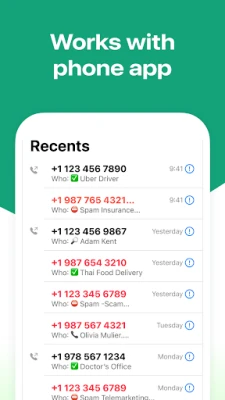
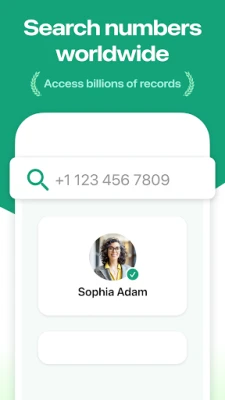
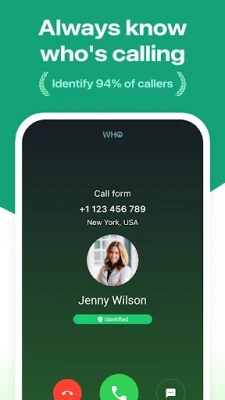
- Caller identification – When a call arrives, Who shows the name or label associated with the number, even if it isn’t saved in your contacts.
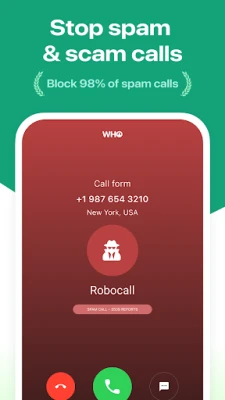
- Spam detection – Numbers reported by other users as telemarketing, robocalls, or scams are flagged, allowing you to decide whether to answer.
- Block unwanted calls – You can add numbers to a block list directly from the app, preventing future interruptions.
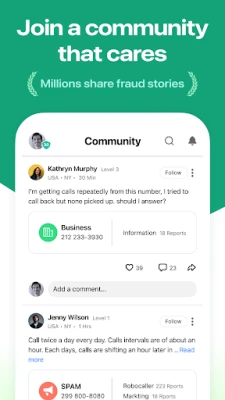
- Community‑based updates – The spam list is refreshed continuously as users report new unwanted numbers.
How it works
When a call comes in, Who queries its internal database, which aggregates reports from millions of users. If the number matches a known spam source, the app displays a warning before you answer. For regular callers, the app attempts to match the number with publicly available information to show a name or business label.
Practical uses
- Reduce interruptions from telemarketing and scam calls.
- Quickly see who is calling when the number isn’t in your address book.
- Maintain a personal block list for persistent nuisance callers.
Installation information
Download Who from the Google Play Store, then grant the permissions required for call‑screening and contact access. After installation, open the app and follow the setup wizard to enable caller identification and spam blocking.
Compatibility
The app is designed for Android devices that support the standard call‑screening API. Specific version requirements are not listed, but the app will prompt you if your device does not meet the minimum criteria.
Things to know before installing
- The app uses a community‑maintained database; accuracy depends on user reports.
- To function fully, Who needs permission to read incoming call information and to manage blocked numbers.
- It does not replace your carrier’s built‑in spam protection, but works alongside it.
Who may find it useful?
Anyone who receives frequent unknown calls, such as professionals, seniors, or anyone looking to minimize spam interruptions, can benefit from Who’s caller ID and blocking features.
Frequently asked questions
Is the app free?
Yes, Who is offered as a free download.
Do I need an internet connection?
An internet connection is required for the initial database lookup and for receiving community updates.
Can I customize the block list?
Yes, you can add or remove numbers manually within the app.
Rate the App
User Reviews












Popular Apps










 Games
Games Entertainment
 Communication
 E-mail
 Security
 Tools
Tools Media
Media Internet
 Finance
 Design
 Education
 IT Tools
 Travel & Local
 Android
 Windows
 Linux
Linux