


Latest Version
August 13, 2026
WhatsApp LLC
Communication
Android
249
Free
com.whatsapp.w4b
Report a Problem
More About WhatsApp Business – Messaging for Small Enterprises
What is WhatsApp Business?
WhatsApp Business is a free Android application designed for owners of small and medium‑sized businesses. It builds on the familiar WhatsApp interface while adding tools that help you manage customer conversations, present your brand, and streamline routine communication.
Main features
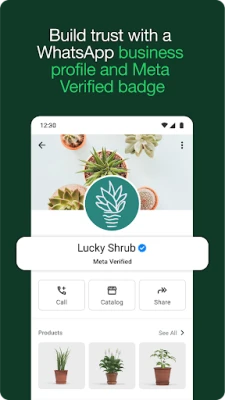
- Business profile – Create a dedicated profile with your business name, description, address, website and contact details.
- Quick replies – Save frequently used messages and insert them with a tap, reducing the time spent typing repetitive answers.
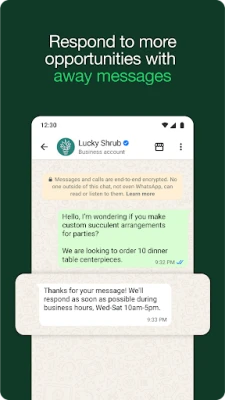
- Away messages – Set automatic responses for outside‑business hours so customers know when to expect a reply.
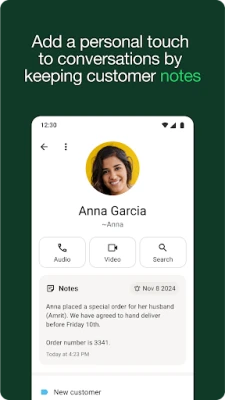
- Labels – Organize chats with custom tags such as “new order”, “pending payment” or “support” to find conversations quickly.
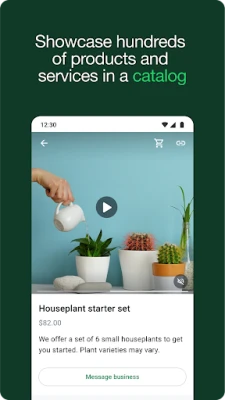
- Catalog – Showcase a list of products or services within the app, allowing customers to browse without leaving the chat.
- Broadcast lists – Send updates or promotions to multiple contacts at once while keeping replies private.
How it works
After installing the app, you register a phone number that will be used exclusively for business communication. The app syncs with your existing WhatsApp contacts, and you can import chat history from a personal account if you wish. Once set up, you can start chatting with customers just as you would in the regular WhatsApp app, but with the added business tools available from the menu.
Practical uses
- Customer support – Answer questions, confirm orders, and provide after‑sales assistance in real time.
- Order taking – Share product details from your catalog, receive confirmations, and coordinate delivery information.
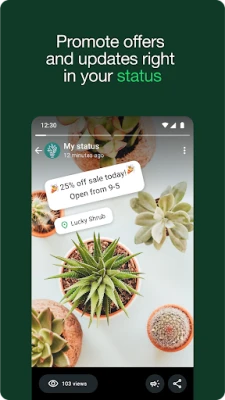
- Marketing – Use broadcast lists or targeted messages to announce new arrivals, discounts or events.
- Appointment scheduling – Send reminders and allow clients to confirm or reschedule directly in the chat.
Installation information
The app is available from the Google Play Store. Search for “WhatsApp Business” or use the package name com.whatsapp.w4b. Tap “Install” and follow the on‑screen prompts to verify your phone number.
Things to know before installing
- You need a separate phone number for the business account; the same number cannot be used for a personal WhatsApp account on the same device.
- The app works on Android devices that meet the minimum system requirements set by Google Play, but specific version details are not disclosed here.
- All messages are end‑to‑end encrypted, the same as in the regular WhatsApp app.
Who may find it useful?
Retail shop owners, service providers, freelancers, and any small business that relies on direct communication with customers can benefit from the streamlined messaging and organization tools offered by WhatsApp Business.
Frequently asked questions
Can I use WhatsApp Business and personal WhatsApp on the same phone?
Yes, as long as you have two distinct phone numbers. Each app maintains its own separate chat history.
Is the app completely free?
The download and core messaging features are free. Some advanced tools, such as certain catalog or advertising options, may involve optional fees.
Can I transfer my chat history from personal WhatsApp?
During the initial setup you can restore a backup from your personal account, moving messages, media and contacts to the business profile.
Rate the App
User Reviews















Popular Apps










 Games
Games Entertainment
 Communication
 E-mail
 Security
 Tools
Tools Media
Media Internet
 Finance
 Design
 Education
 Android Firmwares
 Travel & Local
 Android
 Windows
 Linux
Linux