


Latest Version
Latest
June 24, 2026
WhatsApp LLC
Communication
Android
816
Free
com.whatsapp.w4b
Report a Problem
More About WhatsApp Business – Messaging & Customer Management
What is WhatsApp Business?
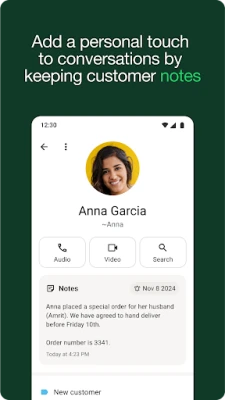
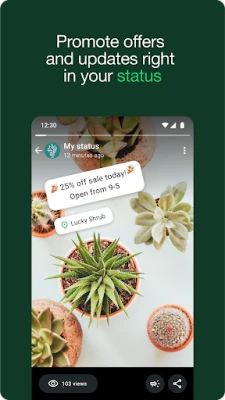
WhatsApp Business is a free Android application designed for small‑to‑medium enterprises that want to use the familiar WhatsApp platform for professional communication. It adds a set of tools that help you respond faster, keep chats organized, and present your products or services directly to customers.
Key features
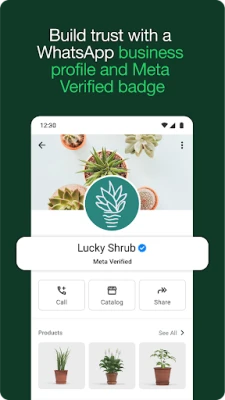
- Business profile – Create a public profile with your address, description, website and email, giving customers confidence that they are talking to an official account.
- Quick replies – Save frequently used messages and insert them with a tap, reducing the time spent typing repetitive answers.
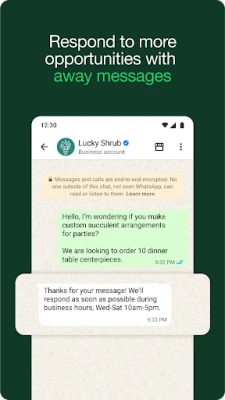
- Away messages – Set automated messages for outside‑business hours so customers know when to expect a response.
- Labels – Organize chats with custom tags such as “New order”, “Pending payment” or “Support”, making it easy to filter and locate conversations.
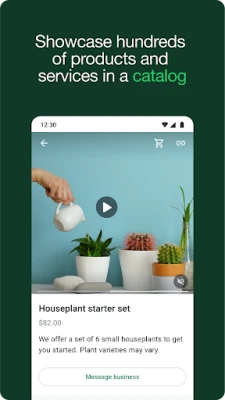
- Catalog – Showcase up to 500 items with photos, descriptions and prices, allowing customers to browse your offerings without leaving the chat.
- In‑app payments (where supported) – Accept payments directly through the conversation, streamlining the checkout process.
- Message statistics – View basic metrics like how many messages were sent, delivered and read, helping you gauge engagement.
How the application works
After installing the app, you register a phone number that is separate from your personal WhatsApp account. The setup wizard guides you through creating a business profile and importing any existing chat history if you wish. Once active, you can start chatting with customers, use quick replies, and set away messages. Labels can be applied to any chat by opening the conversation menu and selecting “Label”. The catalog is built from the “Business tools” section, where each product entry includes an image, price and optional link.
Installation information
The app is available on the Google Play Store. Tap “Install”, grant the required permissions (contacts, storage, and phone), and follow the on‑screen prompts. The initial registration requires a valid mobile number that can receive SMS or a voice call for verification.
Compatibility
WhatsApp Business runs on Android 5.0 (Lollipop) and newer. It works on smartphones, tablets, and can be accessed from a desktop browser via WhatsApp Web after linking the device. Up to five additional web or mobile devices can be linked simultaneously; the limit increases to ten for verified business accounts.
Things to know before installing
- You need a dedicated phone number for the business account; the same number cannot be used for a personal WhatsApp account.
- Some features, such as in‑app payments, are only available in selected countries.
- Data charges may apply for calls and messages, depending on your carrier plan.
- Meta Verified, a paid verification service, can add a blue badge to your profile for added trust.
Frequently asked questions
- Can I use my personal WhatsApp on the same device? Yes. The app supports dual accounts, allowing a personal and a business number on one phone.
- Is the app completely free? The core messaging and most tools are free. Advanced options like Meta Verified and certain payment integrations may require a subscription.
- Can I migrate my chat history? During setup you can restore a backup from the regular WhatsApp app, preserving messages and media.
- How many users can I reach? There is no limit on the number of contacts you can chat with, but broadcast lists are capped at 256 recipients per list.
Rate the App
User Reviews















Popular Apps










 Games
Games Entertainment
 Communication
 E-mail
 Security
 Tools
Tools Media
Media Internet
 Finance
 Design
 Education
 Android Firmwares
 Travel & Local
 Android
 Windows
 Linux
Linux