

Latest Version
Latest
September 16, 2026
Bringar Apps
Communication
Android
6
Free
com.guibais.whatsauto
Report a Problem
More About Whatauto – Auto Reply for Android
What is Whatauto?
Whatauto is a free Android utility that automates the process of replying to incoming messages. Developed by Bringar Apps, the app provides a quick way to let contacts know you’re unavailable, without having to type a response each time.
Main features
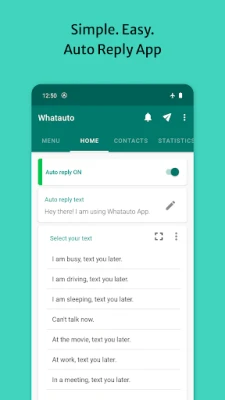
- One‑tap activation – Turn auto‑reply on or off with a single button press.
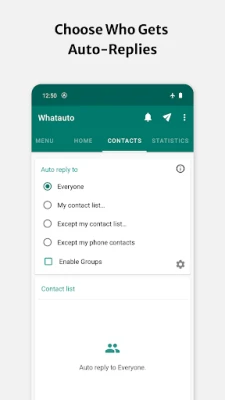
- Group messaging support – The app can send automatic replies to members of any group chat you belong to.
- Multiple messenger compatibility – Works with the most common social messaging apps installed on your device.
- Custom reply timing – Choose whether replies are sent instantly, after a short delay, or only once per conversation.
- Scheduled activation – Set daily or weekly time windows when auto‑reply should be active, ideal for business hours or personal downtime.
- Driving mode – Detects when you’re driving and automatically informs senders that you’re on the road.
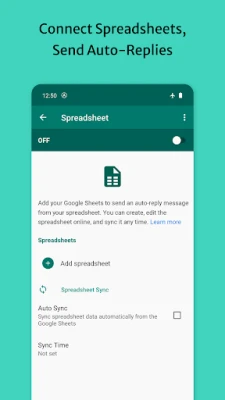
- Backup and restore – Save your reply templates and settings to local storage or Google Drive for easy recovery.
How it works
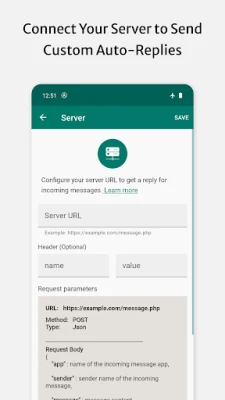
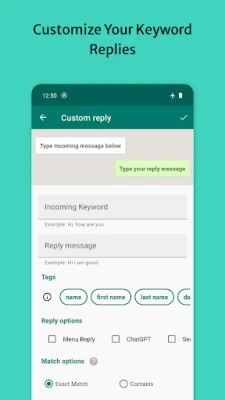
After installing Whatauto, you grant the necessary notification access so the app can read incoming messages. You then create one or more reply templates, optionally customizing them for different contacts or groups. When you enable the auto‑reply toggle, the app monitors incoming notifications and sends the selected template as a response according to the timing rules you set.
Practical uses
- Notify colleagues that you’re in a meeting and will reply later.
- Inform friends you’re driving and can’t respond safely.
- Provide customers with an out‑of‑office message outside business hours.
- Maintain a consistent reply style across multiple messaging platforms.
Installation information
Whatauto is available as a free download from the Google Play Store. Search for the package name com.guibais.whatsauto or the app title, then tap Install. The app requires standard Android permissions for notification access and storage (if you use the backup feature).
Things to know before installing
- The app does not integrate directly with any messaging service’s API; it operates by responding to notification events.
- Auto‑reply messages are sent using the default messaging interface of each supported app, so the appearance may vary slightly.
- Driving mode relies on motion sensors and may need location permission to improve accuracy.
Who may find Whatauto useful?
Anyone who receives frequent messages and needs a simple way to acknowledge them without constant typing can benefit from Whatauto. It is especially handy for professionals who want to set out‑of‑office replies, drivers who need to stay focused on the road, and anyone who prefers to manage communication in batches rather than in real time.
Frequently asked questions
Does Whatauto work with all messaging apps?
It supports the most widely used Android messaging platforms. If a particular app does not generate standard notifications, the auto‑reply may not trigger.
Can I customize replies for individual contacts?
Yes. You can create separate templates and assign them to specific contacts or groups within the app’s settings.
Is my data safe?
The app stores reply templates locally on your device and optionally on Google Drive if you enable backup. No personal message content is transmitted to external servers.
How does Driving mode detect when I’m driving?
It uses a combination of accelerometer data and, when permitted, GPS speed to infer vehicle movement. When a driving pattern is recognized, the app automatically switches to the driving reply template.
Rate the App
User Reviews















Popular Apps










 Games
Games Entertainment
 Communication
 E-mail
 Security
 Tools
Tools Media
Media Internet
 Finance
 Design
 Education
 IT Tools
 Travel & Local
 Android
 Windows
 Linux
Linux