





Latest Version
Latest
September 06, 2026
WeLive Team
Communication
Android
11
Free
com.video.welive
Report a Problem
More About WeLive – Video Chat & Meet
What is WeLive?
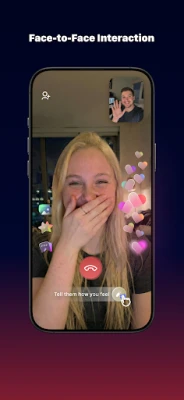
WeLive is a mobile application that lets you start one‑on‑one or group video conversations with users from around the globe. It focuses on real‑time interaction, offering a platform where you can meet new people, chat, and share moments without the need for lengthy text exchanges.
Main features
- Live video calls – Initiate private video chats or join larger rooms for group conversations.
- Community verification – The app maintains a verified user base to help protect privacy and reduce unwanted interactions.
- Simple login options – Sign in quickly using common accounts such as Google, Facebook, or a phone number.
- Real‑time connection – Optimized for low latency, the service aims to keep conversations smooth and responsive.
- Privacy controls – No built‑in recording of video or audio, and standard Android permissions are used only for the functions they support.
How it works
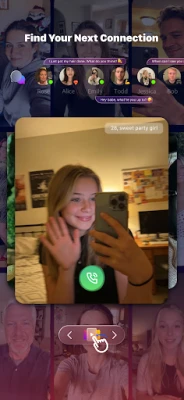
After installing WeLive, you create an account or log in with an existing social credential. The app then presents a list of available users or rooms based on your preferences. Selecting a contact opens a video session that uses your device’s camera and microphone. You can also share photos from your gallery during a chat, and receive push notifications for incoming calls or messages.
Practical uses
WeLive can serve a variety of everyday needs:
- Keeping in touch – Stay connected with friends or family members who live far away.
- Language exchange – Practice speaking a new language with native speakers in a live setting.
- Social networking – Meet people who share similar hobbies or interests without leaving your phone.
- Casual entertainment – Join group rooms for spontaneous conversations, games, or shared activities.
Installation information
The app is distributed as a free download. To install, locate the package name com.video.welive in the Google Play Store or a trusted Android marketplace, tap “Install,” and follow the on‑screen prompts. The installation size and Android version requirements are not specified, so ensure your device has sufficient storage and runs a recent version of Android.
Things to know before installing
- WeLive requests access to the camera, microphone, location (for finding nearby users), gallery (to share images), and notifications. These permissions are typical for video‑chat applications.
- The app does not claim any built‑in recording capability, but standard Android security practices still apply.
- Because the service connects you with strangers, it’s advisable to follow general online safety guidelines: avoid sharing personal identifiers and report any inappropriate behavior through the app’s support channels.
Who may find it useful?
Anyone looking for a straightforward way to start live video conversations on Android will benefit from WeLive. It is especially appealing to users who enjoy meeting new people, practicing languages, or simply adding a visual element to their chats.
Frequently asked questions
Is WeLive free to use?
Yes, the application is offered at no cost.
Can I use WeLive without a social media account?
Yes, you can register using a phone number as an alternative to social logins.
How does the app protect my privacy?
WeLive operates a verified community and does not include built‑in recording features. Permissions are limited to those required for video, audio, and basic functionality.
What should I do if I encounter inappropriate behavior?
Use the in‑app reporting tools or contact the support email provided by the WeLive Team.
Rate the App
User Reviews















Popular Apps










 Games
Games Entertainment
 Communication
 E-mail
 Security
 Tools
Tools Media
Media Internet
 Finance
 Design
 Education
 IT Tools
 Travel & Local
 Android
 Windows
 Linux
Linux