




Latest Version
August 12, 2026
Communication
Android
520
Free
com.tencent.mm
Report a Problem
More About WeChat – Messaging, Calls & Social Features
What is WeChat?
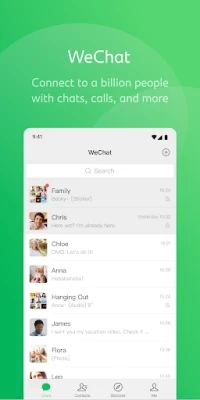
WeChat is a multifunctional communication app that combines instant messaging, voice and video calling, and social sharing in a single interface. It is widely used for personal chats, group conversations, and sharing everyday moments.
Main Features
- Text and Media Messaging: Send text, photos, voice notes, videos, and location information in one‑to‑one or group chats.
- Voice and Video Calls: Make high‑quality voice calls and video calls, including group video calls with several participants.
- Moments: Publish photos, short videos, and status updates to a personal feed that friends can view and comment on.
- Stickers and Custom Stickers: Choose from a large library of animated stickers or create your own to add personality to chats.
- Real‑time Location Sharing: Share your live location with contacts for easy meet‑ups.
- Payment Integration: In supported regions, use the built‑in payment tools for peer‑to‑peer transfers and QR‑code payments.
- International Calls: Call mobile phones and landlines abroad at reduced rates where the service is available.
How It Works
After installing the app, you register with a phone number. The app creates a unique ID that lets you add contacts by phone number, QR code, or username. Conversations are stored in the cloud, allowing you to switch devices without losing chat history. Voice and video calls use internet connectivity, so they work on both Wi‑Fi and mobile data.
Practical Uses
- Keeping in touch with family and friends across different countries.
- Coordinating events or group activities through shared location and group chats.
- Sharing travel photos and short videos instantly via Moments.
- Sending quick voice notes when typing is inconvenient.
- Making low‑cost international calls without a traditional phone plan.
Installation Information
The app is available through the Google Play Store. Search for "WeChat" and tap Install. The download size varies by device and network conditions. After installation, follow the on‑screen prompts to verify your phone number and set up your profile.
Things to Know Before Installing
- Internet access is required for messaging, calls, and media sharing.
- Some features, such as mobile payments and international calling, depend on regional availability and may require additional verification.
- The app requests permissions for contacts, microphone, camera, and storage to enable its core functions.
Who May Find It Useful?
Anyone who needs a reliable, all‑in‑one communication tool—students, professionals, travelers, and families—can benefit from WeChat’s blend of chat, social sharing, and optional payment features.
Frequently Asked Questions
Is WeChat free to use?
Yes, the app can be downloaded and used without a purchase. Some optional services, such as international calls, may incur charges.
Can I use WeChat on multiple devices?
Yes, you can log in on several devices, and your chat history syncs through the cloud.
How secure is my data?
WeChat employs standard encryption for messages and calls, but users should review the app’s privacy settings to control data sharing.
Rate the App
User Reviews















Popular Apps










 Games
Games Entertainment
 Communication
 E-mail
 Security
 Tools
Tools Media
Media Internet
 Finance
 Design
 Education
 Android Firmwares
 Travel & Local
 Android
 Windows
 Linux
Linux