

Latest Version
Latest
September 18, 2026
JazibDev
Communication
Android
114
Free
com.velogram.app
Report a Problem
More About Velogram: Secure Messaging for Android
What is Velogram?
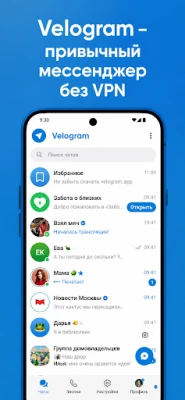
Velogram is an Android messaging app that builds on Telegram’s open‑source code. It adds its own networking layer so users can stay connected in regions where traditional VPNs or proxies may be restricted. The app provides text chat, voice and video calls, group conversations, channels, and file sharing, all within a familiar interface.
Main Features
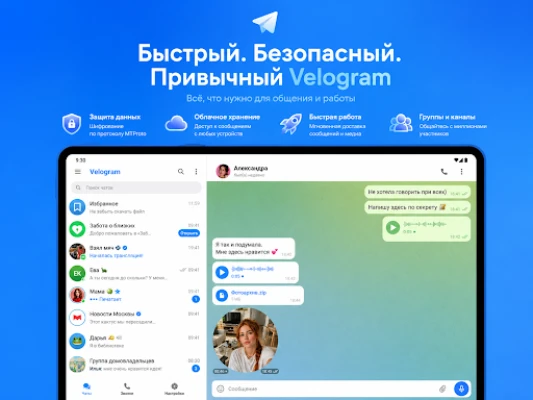
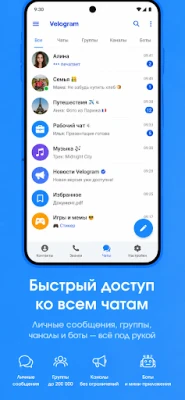
- Private messaging – Send text, photos, videos, documents, voice notes and any other file type.
- Voice and video calls – One‑to‑one and group calls with adaptive quality.
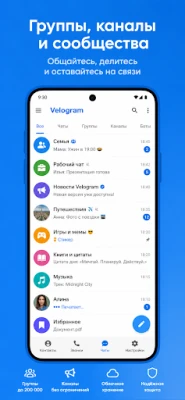
- Groups and channels – Create communities for work, study or personal interests.
- Cross‑device sync – Conversations are synchronized when you log in on another device.
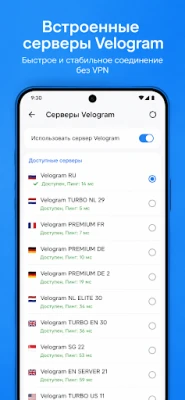
- VPN‑free connectivity – Velogram’s own connection technology works without a separate VPN in supported regions.
How It Works
When you install Velogram, the app registers your account using a phone number, similar to Telegram. After verification, your contacts are imported and you can start chatting immediately. The built‑in networking component establishes a direct link to Velogram’s servers, bypassing the need for external VPN services. Calls and messages are encrypted during transmission, following the security model inherited from Telegram’s code base.
Practical Uses
- Travelers who encounter restrictive networks can keep in touch without configuring a VPN.
- Remote teams can use groups and channels for project coordination while enjoying voice and video calls.
- Family and friends benefit from a straightforward interface for sharing photos, videos and documents.
Installation Information
Velogram is distributed as a free Android application. To install, open the Google Play Store, search for “Velogram: Secure Telegram,” and tap Install. The app requires an internet connection for registration and normal operation. No additional files or side‑loading steps are necessary.
Compatibility
The app runs on Android devices that meet the standard Play Store requirements for modern applications. Specific version numbers are not listed, but the app is designed for recent Android releases and will not install on devices that lack the minimum system APIs.
Things to Know Before Installing
- Velogram is an independent project and is not affiliated with Telegram Messenger LLP.
- The app uses its own server infrastructure; performance may vary based on your network and region.
- All standard permissions for messaging apps (e.g., access to contacts, microphone, camera, storage) are requested at runtime.
Who May Find Velogram Useful?
Anyone who values secure, private communication and prefers an app that works without configuring a VPN will appreciate Velogram. It is especially relevant for users in areas with limited internet freedom, as well as for professionals who need reliable group collaboration tools on Android.
Frequently Asked Questions
Do I need a Telegram account to use Velogram?
No. Velogram creates its own account using your phone number, independent of any existing Telegram account.
Is my data encrypted?
Yes. The app inherits Telegram’s encryption mechanisms for data in transit, and additional security layers are applied by Velogram’s own infrastructure.
Can I use Velogram on multiple devices?
Yes. After logging in on another device, your chats sync automatically, allowing seamless switching between phone, tablet or desktop browsers.
Is the app truly free?
Velogram is offered at no cost. There are no mandatory in‑app purchases required to use core messaging, calling or file‑sharing features.
Rate the App
User Reviews















Popular Apps










 Games
Games Entertainment
 Communication
 E-mail
 Security
 Tools
Tools Media
Media Internet
 Finance
 Design
 Education
 Android Firmwares
 Travel & Local
 Android
 Windows
 Linux
Linux