

Latest Version
Latest
August 15, 2026
Socio Labs LLC
Communication
Android
256
Free
com.atsocio.socio
Report a Problem
More About Webex Events App (Socio) – Your Mobile Event Hub
What is the Webex Events App (Socio)?
The Webex Events App, previously known as Socio, is a mobile companion designed for conferences, trade shows, webinars, and other gatherings. Developed by Socio Labs LLC, the app provides a single place where attendees can discover event information, manage their personal agenda, and interact with other participants.
Main features
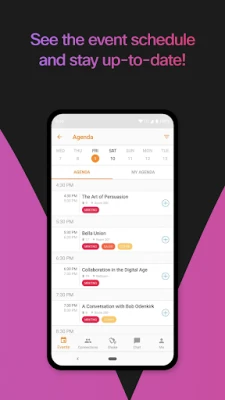
- Personal agenda builder – Browse the full schedule, select sessions that interest you, and add them to a customized agenda that syncs with your device.
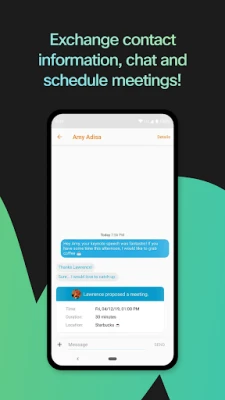
- Attendee networking – View the attendee list, search by name or company, and start a chat directly from the app.
- Live streaming – When an organizer enables it, watch live video of sessions on your phone or tablet without needing a separate platform.
- Interactive tools – Depending on the event setup, you may be able to answer polls, join Q&A sessions, or participate in gamified activities.
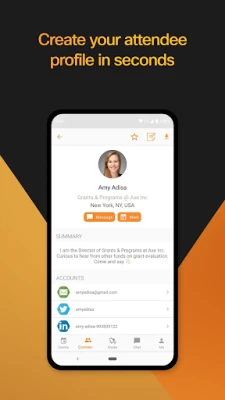
- Profile integration – Link your email, phone number, and social media accounts to a single profile for easier networking.
How it works
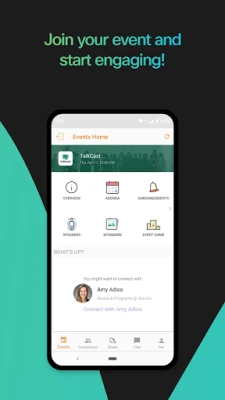
After installing the app, you typically receive an invitation link or a QR code from the event organizer. Opening the link registers you for that specific event and populates the app with the relevant schedule, speaker bios, and venue details. From there, you can explore sessions, add them to your agenda, and receive push notifications about upcoming talks or changes.
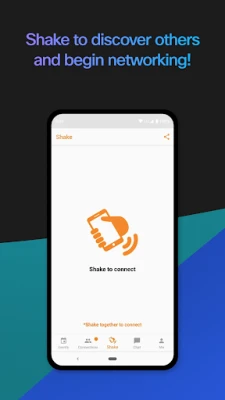
Networking features rely on the organizer’s settings. If enabled, you can browse the attendee directory, send messages, and, in some cases, use a “shake to connect” gesture that exchanges contact information with nearby participants.
Practical uses
- Conference planning – Keep track of multiple concurrent sessions and avoid missing key presentations.
- Networking on the go – Find and message other attendees before, during, or after sessions, making it easier to set up meetings.
- Remote participation – If you cannot attend in person, live streams let you follow the event from anywhere.
- Feedback collection – Participate in real‑time polls or surveys that organizers may embed within sessions.
Installation information
The app is available for free on the Google Play Store. Search for the package name com.atsocio.socio or the title “Webex Events App (Socio)”. Tap “Install” and wait for the download to complete. No additional files are required.
Compatibility
Specific Android version requirements are not listed, but the app follows standard Play Store guidelines and should run on devices that support recent versions of Android. Users with very old operating systems may encounter limitations.
Things to know before installing
- The app itself does not contain event content; it displays information provided by the event organizer.
- Access to certain features—such as live streaming or networking—depends on how the organizer configures the event within the platform.
- Because the app integrates with external accounts (email, social media), you should review the permissions it requests during installation.
Who may find it useful?
Anyone attending a professional event that uses Webex Events (formerly Socio) as its digital platform can benefit. This includes conference attendees, trade show participants, corporate training groups, and virtual webinar audiences.
Frequently asked questions
Do I need a Webex account to use the app?
Not necessarily. Access is granted through the event invitation link or QR code. Some events may require a separate login, but the app works independently of a personal Webex account.
Can I use the app offline?
You can view the agenda and speaker information that has already been downloaded, but live streaming, real‑time chat, and updates require an internet connection.
Is the app free?
Yes, the Webex Events App (Socio) is offered at no cost to users.
How is my personal data handled?
Data handling follows the privacy policy set by Socio Labs LLC and the event organizer. Review the in‑app privacy notice for details on what information is shared.
Rate the App
User Reviews















Popular Apps










 Games
Games Entertainment
 Communication
 E-mail
 Security
 Tools
Tools Media
Media Internet
 Finance
 Design
 Education
 Android Firmwares
 Travel & Local
 Android
 Windows
 Linux
Linux