




Latest Version
August 14, 2026
Cisco Systems, Inc.
Communication
Android
360
Free
com.cisco.wx2.android.test.canary
Report a Problem
More About Webex Canary – Cisco’s Early‑Access Collaboration App
What is Webex Canary?
Webex Canary is a special build of Cisco’s Webex collaboration suite that gives Android users a preview of features that are still in development. It is intended for users who want to try experimental tools before they appear in the standard Webex app. The app is provided by Cisco Systems, Inc. and is offered free of charge.
Main capabilities
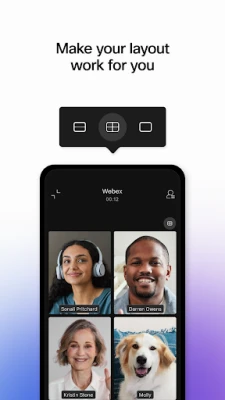
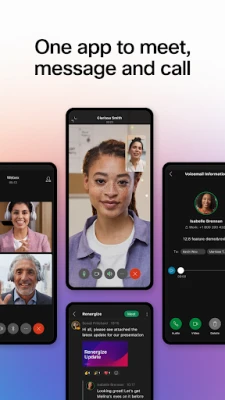
- Early‑access meetings – Participate in video or audio meetings that include experimental UI tweaks or new meeting controls.
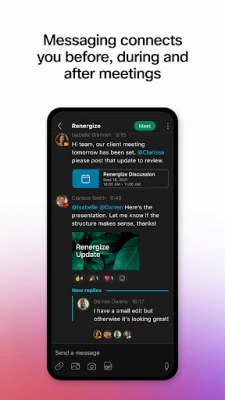
- Messaging preview – Send and receive instant messages using a test version of the chat interface, which may include upcoming enhancements such as richer media handling.
- Calling features – Access a test set of voice‑calling options that Cisco is evaluating for future releases.
How it works
After installing Webex Canary, you sign in with your existing Cisco or Webex credentials. The app connects to Cisco’s test servers, which deliver the latest builds of the software. Because it is a test channel, you may encounter occasional bugs or changes that differ from the stable Webex client. Feedback can typically be sent directly from the app to help Cisco improve the final product.
Practical uses
Webex Canary is useful for:
- IT administrators who need to evaluate upcoming collaboration tools before rolling them out organization‑wide.
- Power users who enjoy exploring new features and providing feedback.
- Developers integrating with Cisco’s APIs who want to see how upcoming changes might affect their integrations.
Installation information
The app can be downloaded as an APK from trusted sources that host Cisco’s test builds. Because the package name is com.cisco.wx2.android.test.canary, you can verify you have the correct file before installing. Ensure that your device allows installations from unknown sources, then follow the standard Android installation prompts.
Compatibility
Specific Android version requirements are not published for the Canary build. As a general rule, Cisco’s Android applications support devices running Android 6.0 (Marshmallow) and newer. However, the test nature of the app means that some features may only work on more recent Android releases.
Things to know before installing
- Because it is a test version, stability is not guaranteed; occasional crashes or UI inconsistencies are possible.
- Data used by the Canary app is separate from the production Webex app, so you may need to re‑enter some settings.
- Feedback mechanisms are often built into the app; consider participating to help shape the final release.
Who may find it useful?
Anyone who relies on Webex for meetings, messaging, or calling and wants a glimpse of future enhancements can benefit. This includes remote workers, educators, and team leaders who are comfortable testing pre‑release software.
Frequently asked questions
Is Webex Canary the same as the regular Webex app?
No. While it shares the core collaboration functions, Canary is a separate build that includes experimental features not yet available in the stable version.
Do I need a separate account?
You use the same Cisco or Webex credentials you would for the regular app. No additional account is required.
Can I use Canary alongside the regular Webex app?
Yes. Because they have different package names, both can be installed simultaneously, allowing you to compare features side by side.
Will my data be safe?
The app follows Cisco’s standard security practices, but as a test build, you should avoid sharing highly sensitive information until the stability and security of specific features are confirmed.
Rate the App
User Reviews















Popular Apps










 Games
Games Entertainment
 Communication
 E-mail
 Security
 Tools
Tools Media
Media Internet
 Finance
 Design
 Education
 Android Firmwares
 Travel & Local
 Android
 Windows
 Linux
Linux