

Latest Version
Latest
August 15, 2026
WEB.DE
Communication
Android
152
Free
de.web.mobile.android.mail
Report a Problem
More About WEB.DE Mail & Cloud – Email on the Go
What is WEB.DE Mail & Cloud?
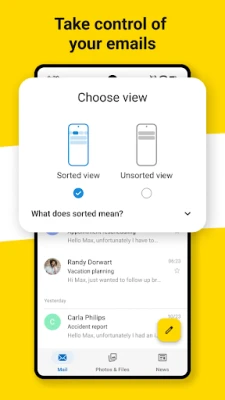
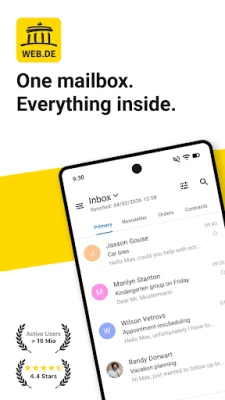
WEB.DE Mail & Cloud is an Android email client designed for users of WEB.DE and GMX mail services. It lets you access your inbox, send messages and keep your contacts synchronized, all from a lightweight interface built for mobile use.
Main features
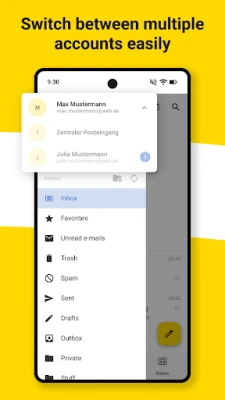
- Unified inbox – Add multiple WEB.DE or GMX accounts and view all messages in one place.
- Push notifications – Receive real‑time alerts for new mail, with options to set quiet hours.
- PIN protection – Secure the app with a personal identification number to prevent unauthorized access.
- Optional encryption – Send and receive PGP‑encrypted messages when needed.
- Contact sync – Synchronize your address book with the WEB.DE/GMX server for up‑to‑date contacts.
- Widget support – Place a 4×1 widget on the home screen for quick folder access and one‑tap compose.
How it works
After installing the app, you sign in with your existing email address and password. The client automatically configures the server settings for WEB.DE and GMX accounts. If you prefer manual setup, you can enter IMAP/SMTP details yourself. Once logged in, the app syncs your folders, contacts and any encrypted keys you have configured.
Practical uses
Whether you need to check work messages while commuting or keep personal correspondence organized, WEB.DE Mail & Cloud offers a straightforward way to stay on top of email. The push notifications help you react quickly to important messages, while the PIN lock adds a layer of privacy for sensitive communications.
Installation information
The application is available for free on the Google Play Store. Download and install it like any other Android app. No additional files or side‑loading steps are required.
Things to know before installing
- The app focuses on WEB.DE and GMX accounts; other email providers are not supported.
- Encryption features require you to have PGP keys set up beforehand.
- Push notifications depend on background data permissions; ensure the app is allowed to run in the background for timely alerts.
Who may find it useful?
Anyone who uses a WEB.DE or GMX email address and wants a dedicated Android client will benefit. The app is especially handy for users who value a simple interface, real‑time notifications and the ability to protect the app with a PIN.
Frequently asked questions
Can I add non‑WEB.DE accounts?
No. The client is built specifically for WEB.DE and GMX services.
Is the app free to use?
Yes, the app is offered at no cost.
Do I need an internet connection to read previously downloaded emails?
Once messages are synced, they can be read offline. New mail will require a connection.
How do I enable PGP encryption?
After logging in, go to the security settings and follow the prompts to import or generate PGP keys.
Rate the App
User Reviews















Popular Apps










 Games
Games Entertainment
 Communication
 E-mail
 Security
 Tools
Tools Media
Media Internet
 Finance
 Design
 Education
 Android Firmwares
 Travel & Local
 Android
 Windows
 Linux
Linux