


Latest Version
August 16, 2026
WANotifier Inc
Communication
Android
365
Free
com.wanotifier.app
Report a Problem
More About WANotifier Inbox – Mobile WhatsApp Messaging for Business
What is WANotifier Inbox?
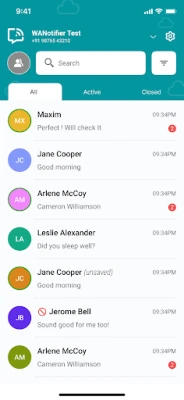
WANotifier Inbox is a mobile application developed by WANotifier Inc. It provides businesses with a convenient way to manage WhatsApp conversations on the go. By integrating with the official WhatsApp Business API, the app lets you send and receive messages without needing to open a desktop or web client.
Main features
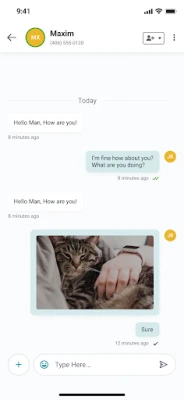
- Direct messaging – Compose, send, and receive WhatsApp messages straight from your Android device.
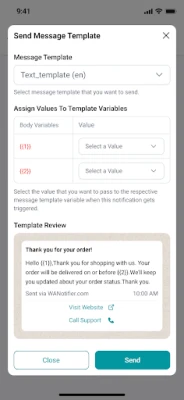
- Message templates – Use pre‑approved templates for quick replies, notifications, or promotional content.
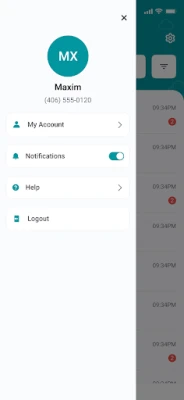
- Real‑time notifications – Get instant alerts when a new message arrives, helping you respond promptly.
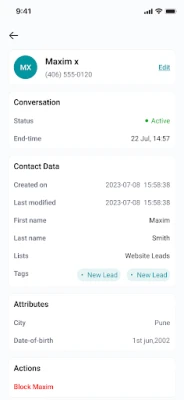
- Simple interface – A clean layout designed for quick access to chats and template selection.
How it works
After installing the app, you link it to your WhatsApp Business account through the API credentials provided by WANotifier. Once connected, the app syncs your existing conversations and makes them available on your phone. You can then open a chat, type a message, or choose a template from the built‑in library. Sent messages are routed through the official WhatsApp Business API, ensuring compliance with WhatsApp policies.
Practical uses
WANotifier Inbox is useful for a range of business activities, such as:
- Answering customer inquiries while away from the office.
- Sending order confirmations, appointment reminders, or shipping updates using templates.
- Running time‑sensitive promotions that require immediate delivery.
- Maintaining a personal touch in customer support without switching devices.
Installation information
The app is offered as a free download from the Google Play Store. Installation follows the standard Android process: tap Install, wait for the download to complete, and then open the app to begin setup. No additional fees are required to use the core messaging functions.
Things to know before installing
- The app requires an active WhatsApp Business API account; it does not create a WhatsApp account on its own.
- Internet connectivity is necessary for sending and receiving messages.
- All messages are transmitted through the official WhatsApp API, so standard WhatsApp usage policies apply.
Who may find it useful?
Small retailers, service providers, e‑commerce operators, and any business that relies on WhatsApp for customer communication can benefit from WANotifier Inbox. The ability to manage chats from a mobile device is especially valuable for teams that work in the field or need to stay responsive outside regular office hours.
Frequently asked questions
Do I need a separate WhatsApp Business account?
Yes. WANotifier Inbox works with an existing WhatsApp Business API account. The app does not replace the account creation process.
Is the app really free?
The download and core messaging features are provided at no cost. Any additional services or premium API usage are governed by WhatsApp’s pricing structure, not by the app itself.
Can I use the app on any Android device?
The app is built for Android devices that support the Google Play Store. Specific version requirements are not listed, but a recent Android release is typically sufficient.
How are message templates managed?
Templates are created and approved through your WhatsApp Business API dashboard. Once approved, they appear in the app’s template library for quick selection.
Rate the App
User Reviews















Popular Apps










 Games
Games Entertainment
 Communication
 E-mail
 Security
 Tools
Tools Media
Media Internet
 Finance
 Design
 Education
 Android Firmwares
 Travel & Local
 Android
 Windows
 Linux
Linux