

Latest Version
Latest
August 22, 2026
Slide2Talk Co.
Communication
Android
85
Free
com.slide2talk.android.app
Report a Problem
More About Walkie Talkie – Slide2Talk
What is Walkie Talkie – Slide2Talk?
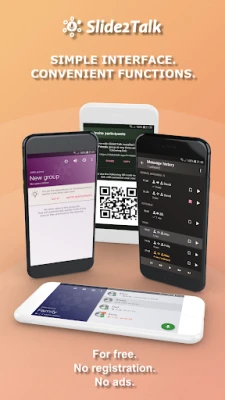
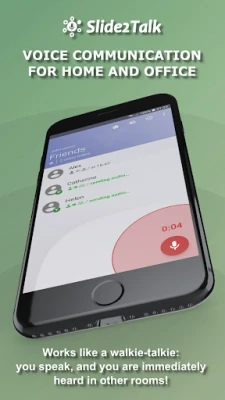
Walkie Talkie – Slide2Talk is a free Android app that turns your phone into a two‑way radio. It lets you exchange short voice messages with other users in real time, either through an internet connection or directly over a local network.
Main features
- Push‑to‑Talk interface – press and hold a button to speak, release to stop transmitting.
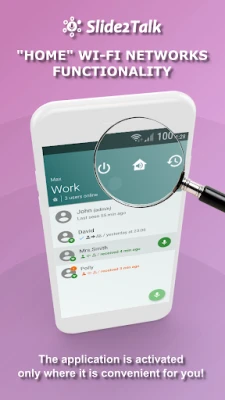
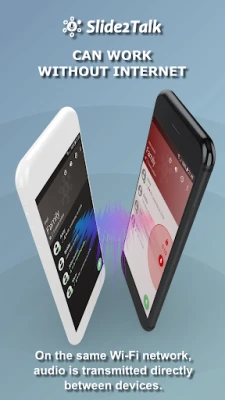
- Online and offline modes – messages are routed through the cloud when you have internet access, and they are sent peer‑to‑peer when devices share the same Wi‑Fi network.
- Automatic headset support – wired or Bluetooth headsets are detected and used without extra configuration.
- Hardware button integration – if your device or a connected Bluetooth accessory includes a dedicated PTT button, the app can use it for instant transmission.
- Quick reply window – an incoming call opens a small overlay so you can respond immediately.
How it works
When you launch the app, it connects to the Slide2Talk service in the background. If an internet connection is available, voice packets are encrypted and sent to the service, which forwards them to the intended recipient. If the app detects that you and the other participant are on the same Wi‑Fi network, it switches to a direct link, bypassing the internet entirely. The transition is seamless; you do not need to toggle any setting.
Practical uses
- Workplace coordination – quickly relay short instructions on a factory floor or in a warehouse without pulling out a phone for a call.
- Home communication – talk to family members in different rooms while your internet is down.
- Outdoor activities – stay in touch with a group on a hike or at a campsite using a portable hotspot.
Installation information
The app is available through the standard Android package manager. After downloading, grant the microphone permission so the app can capture your voice. No registration or sign‑in is required; you can start a conversation as soon as the app opens.
Things to know before installing
- The app does not display ads and does not require a user account.
- Voice data is encrypted during transmission, but the app does not store messages on the device after playback.
- Performance depends on the quality of the network connection—online mode needs a stable internet link, while offline mode requires both devices to stay on the same local network.
Who may find it useful?
Anyone who needs fast, hands‑free voice communication without the overhead of a phone call can benefit from Slide2Talk. This includes small business teams, event organizers, teachers, families, and outdoor enthusiasts.
Frequently asked questions
Do I need an account?
No. The app works without signing up or creating a profile.
Can I use it without internet?
Yes, as long as the devices share the same Wi‑Fi network or another supported local connection such as Wi‑Fi Direct.
Is my conversation private?
All voice data is encrypted while it travels between devices.
What headsets are supported?
Both wired and Bluetooth headsets are recognized automatically; you do not need to configure them manually.
Rate the App
User Reviews















Popular Apps










 Games
 Entertainment
 Communication
 E-mail
 Security
 Tools
 Media
 Internet
 Finance
 Design
 Education
 Android Firmwares
 Travel & Local
 Android
 Windows
 Linux