
Latest Version
September 07, 2026
Labd Services
Communication
Android
31
Free
com.luisangel.walkietalkieoffline
Report a Problem
More About Walkie Talkie Offline – Offline Voice & Text Chat
What is Walkie Talkie Offline?
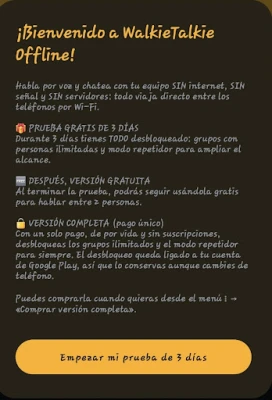
Walkie Talkie Offline is a free Android application that lets you communicate with other nearby devices using voice or text messages. The app creates a direct Wi‑Fi link between phones, so you can talk even when there is no cellular coverage or data connection.
Main features
- Push‑to‑talk voice chat – Hold a button on the screen or use the volume keys to speak, release to listen.
- Group text messaging – Send short messages to everyone in the same network.
- Multiple participants – Form small groups that share the same channel.
- Background operation – The app can stay active while the screen is off, allowing hands‑free listening.
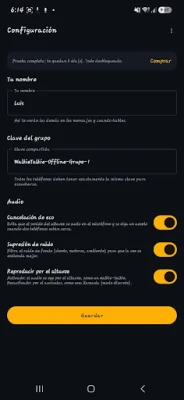
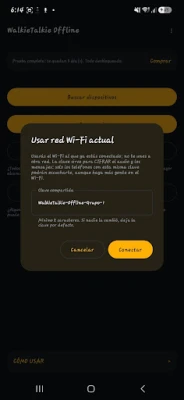
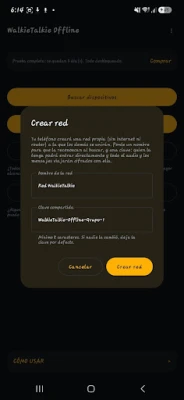
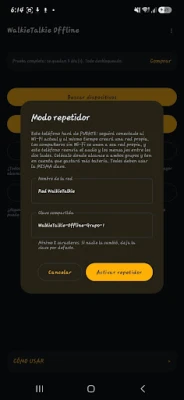
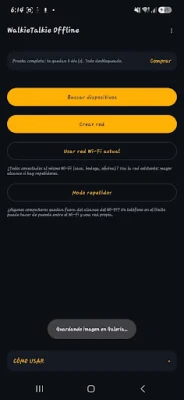
- Simple network setup – Choose a network name and password, then let other devices join.
How it works
The application uses Wi‑Fi Direct (or a shared Wi‑Fi network) to establish a peer‑to‑peer connection. Once the network is created, each device can transmit audio packets directly to the others. Because the data never leaves the local network, no internet access or mobile carrier is required.
Practical uses
This tool is handy in situations where traditional radio or cellular communication is unavailable or impractical, such as:
- Warehouses, factories, or large indoor facilities.
- Construction sites without reliable signal.
- Outdoor events, festivals, or concerts.
- Rural farms and remote work sites.
- Traveling groups, caravans, or convoy coordination.
- Security teams that need a discreet, local channel.
Installation information
Search for Walkie Talkie Offline in the Google Play Store, then tap Install. The app requires Android permissions for Wi‑Fi and microphone access, which are requested at runtime.
Things to know before installing
- Both parties must have the app installed and be on the same Wi‑Fi network or within Wi‑Fi Direct range.
- Range is limited by Wi‑Fi signal strength; using a device as a repeater can extend coverage.
- The app does not use mobile data, so it will not affect your data plan.
Who may find it useful?
Anyone who needs reliable, on‑site communication without relying on external networks – from logistics teams and event organizers to hobbyists and outdoor enthusiasts.
Frequently asked questions
Do I need an internet connection?
No. Communication occurs locally over Wi‑Fi, so internet is not required.
Can I use the app with a regular Wi‑Fi router?
Yes. You can join an existing Wi‑Fi network or create a dedicated Wi‑Fi Direct group.
Is the communication encrypted?
The app establishes a direct link between devices; any security measures are handled by the underlying Wi‑Fi protocol.
Can I talk to more than two people at once?
Yes. The app supports small groups, allowing multiple participants to share the same channel.
Rate the App
User Reviews















Popular Apps










 Games
Games Entertainment
 Communication
 E-mail
 Security
 Tools
Tools Media
Media Internet
 Finance
 Design
 Education
 Android Firmwares
 Travel & Local
 Android
 Windows
 Linux
Linux