

Latest Version
Latest
August 23, 2026
Elmond Technologies
Communication
Android
141
Free
com.tgtools.vnumber
Report a Problem
More About VSim: SMS Verification Code – Virtual Phone Numbers for Secure Sign‑ups
What is VSim?
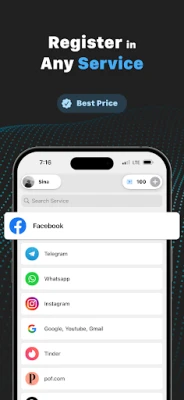
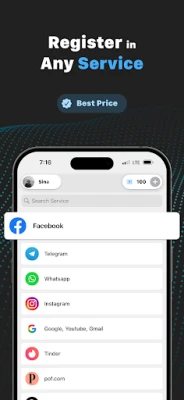
VSim is a free Android tool that lets you generate temporary virtual phone numbers for receiving SMS verification codes. The app acts as a privacy layer, allowing you to complete sign‑ups, account activations, or two‑factor authentication without exposing your real mobile number.
Main Features
- One‑time virtual numbers – Get a disposable number that can receive SMS messages for a short period.
- Anonymous verification – Keep your personal contact details hidden from online services.
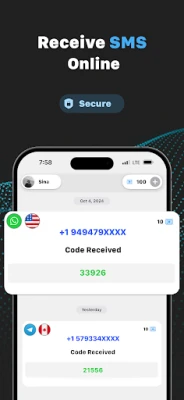
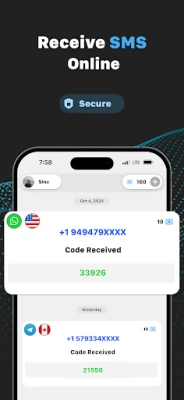
- Simple interface – Request a number, view incoming messages, and copy the verification code with a single tap.
- Free to use – No purchase required to generate and use virtual numbers.
How It Works
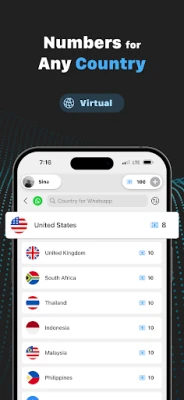
When you need to verify an account, open VSim and request a virtual number. The app connects to a backend service that allocates a number from a pool of available ranges. Any SMS sent to that number is routed back to the app, where you can read the message directly on your device. Once the verification is complete, you can discard the number or let it expire automatically.
Practical Uses
- Signing up for social media platforms that require a phone number.
- Activating online shopping accounts, newsletters, or promotional offers.
- Testing apps that need SMS verification during development.
- Protecting your primary number from spam or unwanted marketing messages.
Installation Information
VSim is available through the standard Android app distribution channels. Search for the package name com.tgtools.vnumber in your device’s app store, download, and install. The app requires basic Android permissions to receive network data and display notifications.
Things to Know Before Installing
- The virtual numbers are temporary; they are not intended for long‑term communication.
- Some services may block numbers from known virtual‑number providers.
- Because the service is free, availability of numbers can vary depending on demand.
Who May Find VSim Useful?
Anyone who values privacy when creating online accounts can benefit from VSim. It is especially handy for users who receive frequent verification requests, developers testing SMS workflows, and travelers who want to avoid sharing their personal number with foreign services.
Frequently Asked Questions
Is VSim safe to use?
The app does not store personal contact information and only forwards SMS messages to your device. As with any online service, avoid sharing sensitive data through verification codes.
Do I need an internet connection?
Yes. VSim relies on an internet connection to request numbers and retrieve incoming messages.
Can I keep a virtual number for a long period?
Numbers are designed for short‑term use. They typically expire after a few hours or once the verification is completed.
Is there a limit to how many numbers I can request?
The app may impose reasonable limits to prevent abuse, but typical usage for personal verification does not encounter restrictions.
Rate the App
User Reviews















Popular Apps










 Games
 Entertainment
 Communication
 E-mail
 Security
 Tools
 Media
 Internet
 Finance
 Design
 Education
 Android Firmwares
 Travel & Local
 Android
 Windows
 Linux