

Latest Version
Latest
August 13, 2026
VoxerPro LLC
Communication
Android
338
Free
com.rebelvox.voxer
Report a Problem
More About Voxer Walkie Talkie Messenger – Instant Voice & Text Chat
What is Voxer Walkie Talkie Messenger?
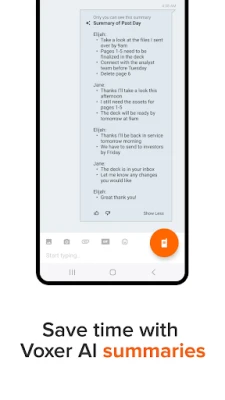
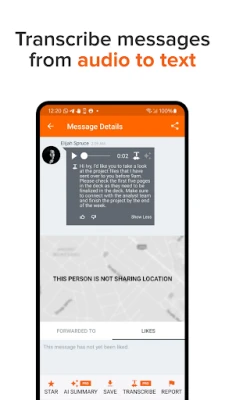
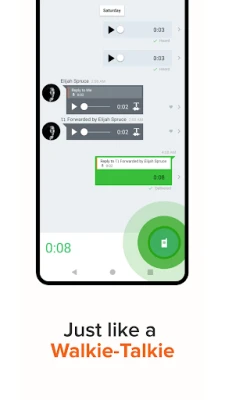
Voxer is a free messaging app that blends the immediacy of a walkie‑talkie with the flexibility of modern chat. Instead of dialing a number or typing a long message, you simply press a button, speak, and your voice is delivered instantly to the recipient. The app also supports traditional text, photo, video and location sharing, giving you a single hub for many kinds of communication.
Main features
- Push‑to‑talk (PTT) voice messages – Hold the button, speak, and release to send a live voice clip that plays immediately on the other side.
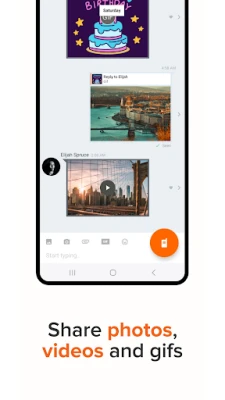
- Text, photo and video sharing – Add written messages, pictures or short videos to a conversation at any time.
- Location sharing – Send your current GPS location with a single tap.
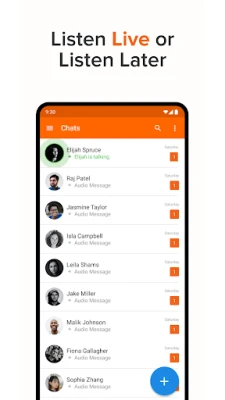
- Message playback – Voice messages are stored so you can listen to them later, even when you’re offline.
- Cross‑platform reach – Voxer works over 3G, 4G, 5G or Wi‑Fi, so you stay connected wherever you have internet access.
How it works
When you open Voxer, you choose a contact or group and press the orange walkie‑talkie button. Your voice is captured, compressed and sent over the internet to the recipient’s device. If the other person has the app open, the message plays instantly; otherwise it appears in the chat history for later listening. Text, images, videos and location data are added to the same conversation thread, keeping everything organized.
Practical uses
Voxer’s real‑time voice feature is useful in situations where typing is inconvenient – for example, while driving, on a construction site, or during outdoor activities. Teams that need quick coordination, such as event staff, delivery crews, or volunteer groups, often prefer the instant feedback of a push‑to‑talk message over a phone call or email.
Installation information
Search for Voxer Walkie Talkie Messenger in the Google Play Store, tap Install, and follow the on‑screen prompts. The app is free to download and use. After installation, you’ll be asked to create an account or sign in with an existing email address.
Things to know before installing
- The app requires an internet connection (mobile data or Wi‑Fi) to send and receive messages.
- Voice messages are stored on the device; you can delete them individually or clear a conversation at any time.
- Standard Android permissions for microphone, storage and location are requested to enable core functions.
Who may find Voxer useful?
Anyone who values quick, hands‑free communication can benefit from Voxer. Typical users include:
- Field workers who need to stay in touch without stopping their tasks.
- Families and friends who want a simple way to share voice updates.
- Small teams coordinating events, deliveries, or on‑site projects.
Frequently asked questions
Is Voxer free?
Yes, the core app is free and includes voice, text, photo, video and location messaging.
Do I need a phone call to use Voxer?
No. All communication happens within the app over data connections, so you never need to place a traditional call.
Can I use Voxer without an internet connection?
You can record a voice message while offline, but it will be sent only when the device regains connectivity.
Is my conversation private?
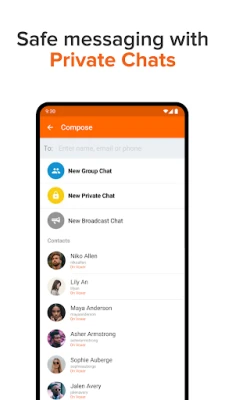
Voxer offers end‑to‑end encryption for private chats, protecting the content of your messages from unauthorized access.
Rate the App
User Reviews















Popular Apps










 Games
Games Entertainment
 Communication
 E-mail
 Security
 Tools
Tools Media
Media Internet
 Finance
 Design
 Education
 Android Firmwares
 Travel & Local
 Android
 Windows
 Linux
Linux