

Latest Version
Latest
September 03, 2026
VPNMasterPro.com
Communication
Android
6
Free
com.vmpmessenger.com.android
Report a Problem
More About VMP Messenger – Free Chat, Voice & Video Calls
What is VMP Messenger?
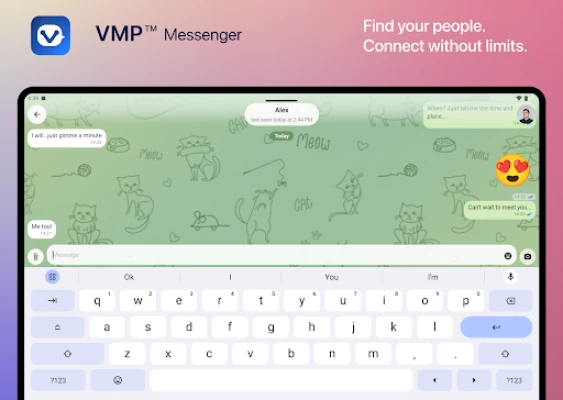
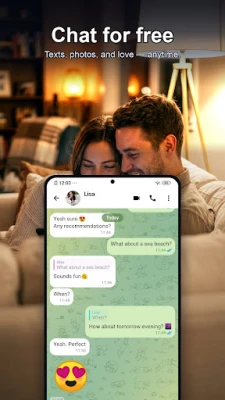
VMP Messenger is a free communication app for Android devices that combines instant messaging, voice calling, and video calling in a single interface. It is designed for everyday conversations with friends, family, or coworkers, offering a straightforward way to stay connected without the distraction of advertisements.
Main features
- Unlimited messaging – Send text messages, photos, videos, and voice notes without limits.
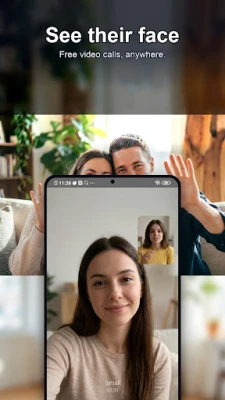
- One‑to‑one voice and video calls – Make clear calls directly from the app, with support for background operation.
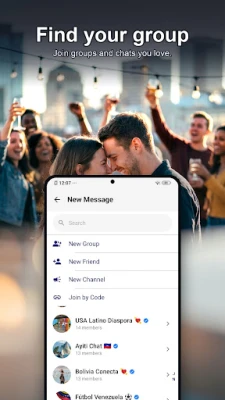
- Group chats – Create groups, share media and files, and keep discussions organized.
- Message controls – Edit or delete messages after sending, reply to specific messages, and react with emojis.
- Real‑time notifications – Receive alerts for new messages and calls, even when the screen is locked.
- Offline queue – Messages are stored and sent automatically when the device reconnects to the internet.
How it works
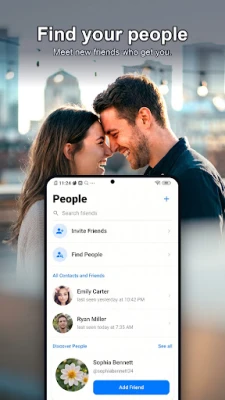
After installing the app, you register with a phone number or email address. The app creates a secure account that syncs your contacts who also use VMP Messenger. Conversations appear in a chat list, and you can start a new chat, a group, or a call with a single tap. Media files are attached directly from the gallery or captured on the spot, and voice notes are recorded with a press‑and‑hold gesture.
Practical uses
- Family catch‑ups – Share photos and video chat with relatives across distances.
- Team collaboration – Use group chats to exchange documents, locations, and quick voice updates.
- Social planning – Coordinate events by sharing images, maps, and real‑time availability.
Installation information
The app is available for free on the Google Play Store. Search for VMP Messenger: Chat Call Video, tap Install, and follow the on‑screen prompts to grant the necessary permissions for contacts, microphone, camera, and storage.
Things to know before installing
- The app requires an internet connection (Wi‑Fi or mobile data) for messaging and calls.
- Standard Android permissions are needed to access contacts, media files, microphone, and camera.
- All communication is handled within the app; there is no separate web portal.
Who may find it useful?
Anyone looking for a simple, ad‑free messaging solution on Android will benefit from VMP Messenger. It is especially handy for users who prefer a single app for text, voice, and video interactions without juggling multiple services.
Frequently asked questions
Is VMP Messenger free?
Yes, the app is free to download and use. There are no subscription fees or in‑app purchases for core messaging and calling features.
Can I make calls without a SIM card?
Calls rely on an internet connection, so they work on Wi‑Fi or mobile data regardless of the presence of a SIM card.
Are my messages encrypted?
The app uses standard transport encryption for data sent over the network. For detailed security information, refer to the app’s privacy policy within the settings.
Rate the App
User Reviews















Popular Apps










 Games
Games Entertainment
 Communication
 E-mail
 Security
 Tools
Tools Media
Media Internet
 Finance
 Design
 Education
 IT Tools
 Travel & Local
 Android
 Windows
 Linux
Linux