

Latest Version
Latest
August 13, 2026
VK LLC
Communication
Android
287
Free
com.vk.im
Report a Problem
More About VK Messenger: Chats and Calls – Free Messaging App
What is VK Messenger?
VK Messenger is a communication app from VK LLC that lets you stay in touch with your VK network and phone contacts. It combines text chat, voice messages, and video calling in a single interface, making everyday conversations quick and convenient.
Main Features
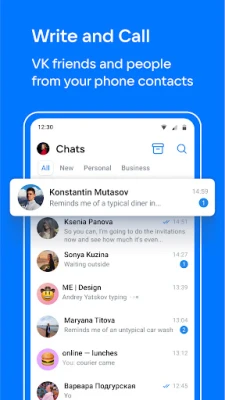
- Instant messaging – Send and receive text messages, stickers, photos, videos, and music directly from your VK account.
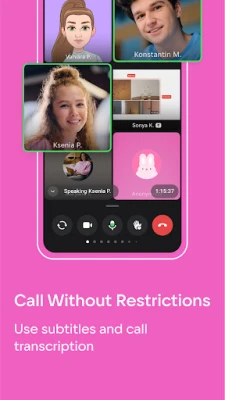
- Voice and video calls – Start one‑to‑one or group calls without time limits, using your device’s camera and microphone.
- Integrated contacts – Access friends from VK as well as contacts saved on your phone, all in one list.
- Self‑destructing messages – Choose a timer for messages that disappear after they’ve been read, useful for temporary notes.
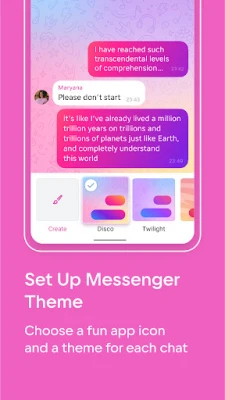
- Customizable chat themes – Personalize the look of your conversations with a variety of color themes.
How It Works
After installing the app, sign in with your VK credentials. The messenger automatically syncs your VK friends and any phone contacts you allow it to access. From the main screen you can start a new chat, share media, or tap the call icon to begin a voice or video conversation. Settings let you adjust notification preferences, privacy options, and chat appearance.
Practical Uses
- Keeping in touch with friends and family across borders.
- Coordinating with colleagues or project teams via group calls.
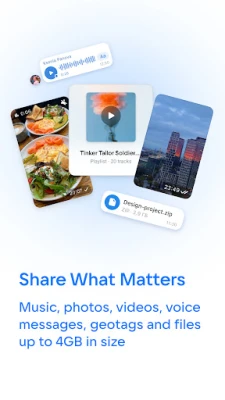
- Sharing music playlists, photos, or short videos without leaving the app.
- Sending quick voice notes when typing is inconvenient.
Installation Information
The app is available for free on the Google Play Store. Search for "VK Messenger: Chats and calls" or use the package name com.vk.im to locate it. The download size and required Android version are not specified, so ensure your device has sufficient storage and runs a recent Android release.
Things to Know Before Installing
- VK Messenger requires a VK account; you can create one during the sign‑in process if you don’t already have one.
- The app will request permission to access your contacts, microphone, camera, and storage to enable its full feature set.
- Data usage may increase during video calls or when sharing large media files.
Who May Find It Useful?
Anyone who already uses VK for social networking will benefit from a dedicated messaging client. The app also serves users who prefer a single place for text, voice, and video communication, especially when they want to combine VK contacts with phone contacts.
Frequently Asked Questions
Do I need a VK account to use the messenger?
Yes, the app is tied to VK’s ecosystem, so an active VK account is required.
Can I make group video calls?
Yes, the app supports multi‑person video calls without a preset time limit.
Is the app free?
The messenger is offered at no cost, though standard data charges from your carrier may apply.
How are self‑destructing messages set?
When composing a message, choose a timer option; the message will disappear after the selected interval once viewed.
Rate the App
User Reviews















Popular Apps










 Games
Games Entertainment
 Communication
 E-mail
 Security
 Tools
Tools Media
Media Internet
 Finance
 Design
 Education
 Android Firmwares
 Travel & Local
 Android
 Windows
 Linux
Linux