


Latest Version
Latest
August 23, 2026
Vivaldi Technologies
Communication
Android
130
Free
com.vivaldi.browser
Report a Problem
More About Vivaldi Browser – Fast & Safe Android Web Browser
What is Vivaldi Browser?
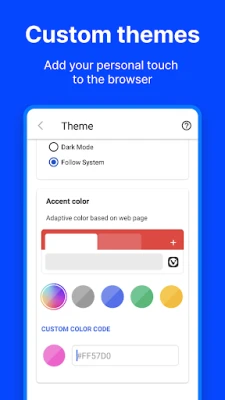
Vivaldi Browser for Android is a full‑featured web browser created by Vivaldi Technologies. It aims to give users control over the look and feel of their browsing experience while keeping personal data private.
Main Features
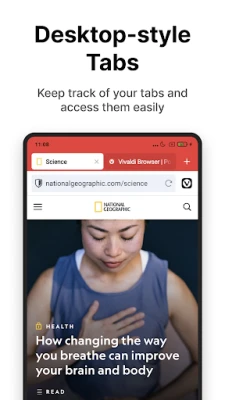
- Two‑Level Tab Stacks – Organise open pages in vertical stacks, allowing you to keep related tabs together and switch between them quickly.
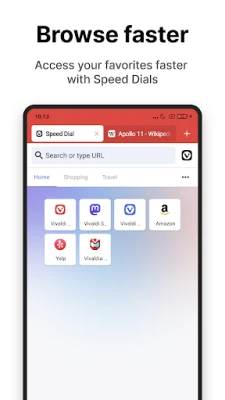
- Speed Dial – Add your favourite sites as large shortcuts on the new‑tab page. Arrange them into folders and choose from several layout options.
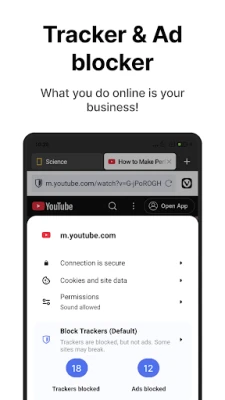
- Built‑in Ad & Tracker Blocker – Block intrusive ads and known trackers without needing extra extensions.
- Private Tabs – Browse without leaving a trace on the device; history, cookies and temporary files are discarded when the tab is closed.
- Integrated Translator – Translate web pages on the fly using the built‑in translation tool.
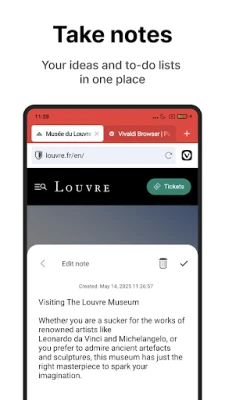
- Notes & Screenshots – Capture screenshots of full pages or visible areas and take quick notes that sync across devices.
How It Works
The browser uses a familiar address bar that also serves as a search box. You can assign short nicknames to your preferred search engines (for example, typing d for DuckDuckGo) and switch between them instantly. The tab bar adapts to screen size: on larger phones or tablets you can display two rows of tabs, while on smaller screens the tab switcher provides a compact overview.
Practical Uses
- Research and Study – Keep research sources organised in tab stacks and use the note‑taking feature to jot down key points without leaving the browser.
- Travel Planning – Store travel sites on the Speed Dial for one‑tap access, and translate foreign‑language pages directly.
- Privacy‑Conscious Browsing – Activate private tabs and the built‑in blocker to minimise tracking while shopping or reading news.
Installation Information
Vivaldi Browser is available as a free download from the Google Play Store. The installation process follows the standard Android app installation steps: tap “Install,” wait for the download to complete, and then open the app to begin configuring your preferences.
Things to Know Before Installing
- The app does not require a separate account to use core browsing features, though signing in with a Vivaldi account enables sync of notes, bookmarks and settings across devices.
- Because the browser includes its own ad‑blocking engine, you may notice faster page loads and reduced data usage.
- Some websites that rely heavily on third‑party scripts might display differently when trackers are blocked; you can whitelist sites if needed.
Who May Find Vivaldi Useful?
Anyone who values a high degree of customisation and privacy will appreciate Vivaldi. Power users who manage many tabs, students who need quick note‑taking, and travelers who require on‑the‑fly translation are all typical audiences.
Frequently Asked Questions
Is Vivaldi free to use?
Yes, the browser is offered at no cost with optional optional sync features that require a Vivaldi account.
Can I sync bookmarks with my desktop Vivaldi installation?
Sync is available when you sign in with a Vivaldi account, allowing bookmarks, notes and some settings to be shared between Android and desktop versions.
How does the built‑in ad blocker differ from third‑party extensions?
The blocker is integrated directly into the browser, so it works out of the box without additional downloads and consumes fewer resources.
Rate the App
User Reviews















Popular Apps










 Games
 Entertainment
 Communication
 E-mail
 Security
 Tools
 Media
 Internet
 Finance
 Design
 Education
 Android Firmwares
 Travel & Local
 Android
 Windows
 Linux