
Latest Version
Latest
September 10, 2026
Galixo L.L.C-FZ
Communication
Android
5
Free
com.smart.otp.app.assistant
Report a Problem
More About Virtual Number & SMS – GetOTP
What is GetOTP?
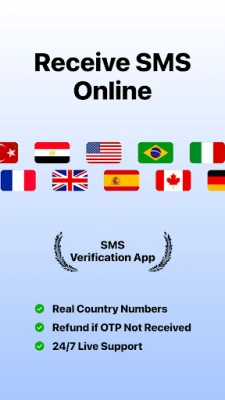
GetOTP is a utility that provides virtual phone numbers for receiving SMS messages online. It is aimed at users who need a disposable number for verification steps, account creation, or testing without exposing their personal contact details.
Main features
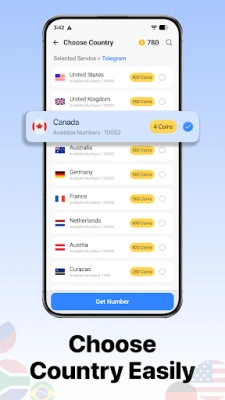
- Virtual numbers for SMS reception – Choose from supported regions and receive incoming messages directly in the app.
- Separate personal and temporary usage – Keep verification traffic apart from your main phone line.
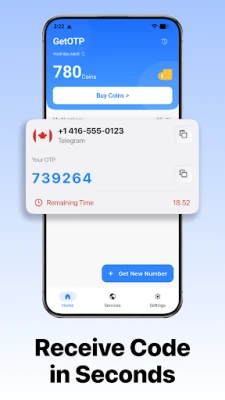
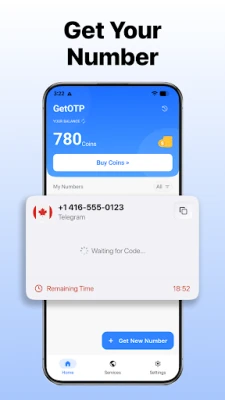
- Simple activation flow – Select a service, activate a number, and start receiving messages within seconds.
- Refund mechanism – If a message does not arrive within the expected window, the app restores the spent credit automatically.
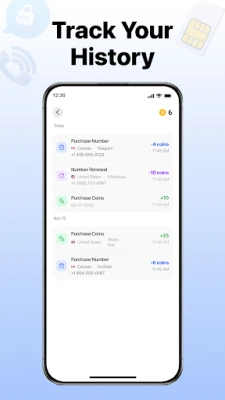
- User‑friendly interface – Clean layout makes it easy to view messages and manage numbers.
How it works
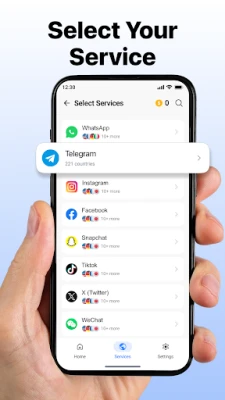
- Select the service or website that requires SMS verification.
- Activate a virtual number from the list of available options.
- Enter the virtual number in the verification field of the target service.
- Wait for the SMS to appear in GetOTP’s inbox.
Practical uses
The app can be helpful in several scenarios:
- Account registration – When signing up for a new platform that asks for a phone number.
- App testing – Developers can test SMS‑based flows without using real numbers.
- Business communication – Temporary numbers can be used for short‑term campaigns or customer support.
Installation information
GetOTP is offered as a free download. After installing, the app guides you through the initial setup, including any required permissions for receiving messages within the app.
Things to know before installing
- The service relies on a credit system; you purchase or earn credits to activate numbers.
- Supported regions and services may change over time, so availability can vary.
- The app does not replace the security mechanisms of the platforms you verify with; it simply provides a number to receive the code.
Who may find it useful?
Anyone who wants to protect their personal phone number while completing online verification steps – from casual users creating social media accounts to developers testing authentication flows – can benefit from GetOTP.
Frequently asked questions
Do I need an internet connection?
Yes. The app receives SMS messages through its own servers, so an active data connection is required.
Can I keep a number for a long period?
Numbers are intended for temporary use. They remain active only for the verification window defined by the service you are using.
Is my personal data safe?
The app does not access your contacts or call logs. It only handles the virtual numbers you activate and the messages received on them.
Rate the App
User Reviews















Popular Apps










 Games
Games Entertainment
 Communication
 E-mail
 Security
 Tools
Tools Media
Media Internet
 Finance
 Design
 Education
 IT Tools
 Travel & Local
 Android
 Windows
 Linux
Linux