

Latest Version
Latest
August 14, 2026
Vidogram Messenger
Communication
Android
252
Free
org.vidogram.messenger
Report a Problem
More About Vidogram – Unofficial Telegram Messenger for Android
What is Vidogram?
Vidogram is an independent client that connects to the Telegram network using the official Telegram API. It offers the core messaging, voice and video call capabilities of Telegram while providing a distinct user interface and a handful of optional enhancements.
Main features
- Full Telegram functionality – send text messages, photos, videos, stickers, files, and use secret chats.
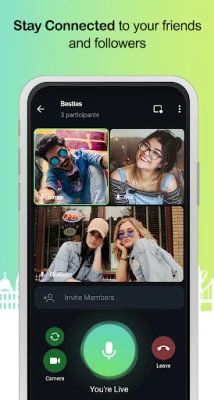
- Voice and video calls – place secure calls directly from the app.
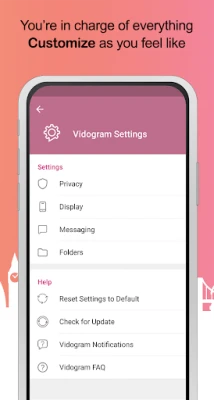
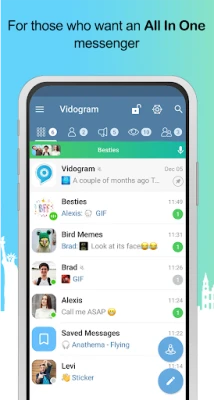
- Customizable chat organization – the app includes a tab system that lets you group chats by type or personal preference.
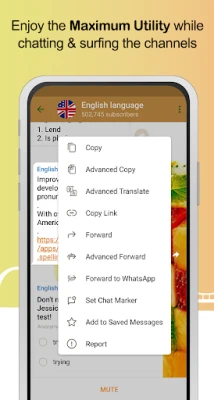
- Advanced forwarding options – forward messages without preserving the original source, strip links, or send to multiple recipients at once.
- Speech‑to‑text input – dictate messages and have them converted to text automatically.
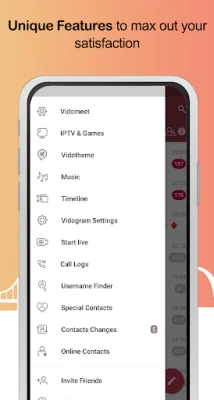
- Timeline view – view posts from multiple channels in a single, scrollable feed.
How it works
When you launch Vidogram, you sign in with your existing Telegram account credentials. The app then communicates with Telegram’s servers through the public API, which means all messages and media are handled in the same encrypted manner as the official client. The additional UI layers—such as tabs, timeline and forwarding tools—are built on top of the standard API responses, so they do not alter the underlying security model.
Practical uses
- Organise a large number of group chats, channels and bots without scrolling through a single long list.
- Forward content to friends or other groups while keeping the original source private.
- Dictate messages when typing is inconvenient, for example while driving or multitasking.
- Follow multiple channels in a unified feed, similar to a social‑media timeline.
Installation information
Vidogram is distributed as a free Android application. To install, download the APK from a trusted source and follow the standard Android installation prompts. The app requires an internet connection to connect to Telegram’s servers and will request permission to access the network and storage for media handling.
Compatibility
The app runs on Android devices that support the Telegram API. Specific minimum Android version details are not published, but the client works on most modern smartphones and tablets that can run standard Android applications.
Things to know before installing
- Vidogram is an unofficial client; it is not maintained by Telegram.
- All standard Telegram security features, including end‑to‑end encryption for secret chats, remain available.
- Because it is a third‑party client, occasional UI differences or feature variations may occur compared with the official app.
Who may find Vidogram useful?
Users who appreciate Telegram’s core messaging capabilities but want additional ways to organise chats, forward messages selectively, or use voice‑to‑text input may enjoy Vidogram. It is also suitable for people who prefer a slightly different visual layout while retaining full access to Telegram’s network.
Frequently asked questions
Is Vidogram safe to use?
Vidogram connects to Telegram through the official API, so the same encryption and privacy protections apply to messages and calls. However, because it is not an official client, you should download it from a reputable source and keep the app updated.
Do I need a separate Telegram account?
No. Vidogram uses your existing Telegram credentials; you simply log in with the same phone number or username you use in the official app.
Can I use secret chats?
Yes. Secret chats, which provide end‑to‑end encryption and self‑destruct timers, are supported because they are part of Telegram’s core API.
Will my contacts see that I am using Vidogram?
No. Contacts only see your Telegram profile information, which is the same across all clients.
Rate the App
User Reviews















Popular Apps










 Games
Games Entertainment
 Communication
 E-mail
 Security
 Tools
Tools Media
Media Internet
 Finance
 Design
 Education
 Android Firmwares
 Travel & Local
 Android
 Windows
 Linux
Linux