



Latest Version
September 16, 2026
RADHE FABRICS
Communication
Android
86
Free
com.videomeetings.yourvideomeet
Report a Problem
More About Video Meetings - Home Apps
What is Video Meetings - Home Apps?
Video Meetings - Home Apps is a free Android utility that merges two everyday needs: a customizable home‑screen launcher and a basic video‑conferencing client. Developed by RADHE FABRICS, the app aims to give users a single place to arrange their most used applications and start or join video calls without switching between separate programs.
Main features
- Integrated launcher – Replace the default home screen with a minimalist layout that lets you place shortcuts, widgets, and folders exactly where you need them.
- Quick app access – A searchable drawer shows all installed apps, making it easy to launch any program in a few taps.
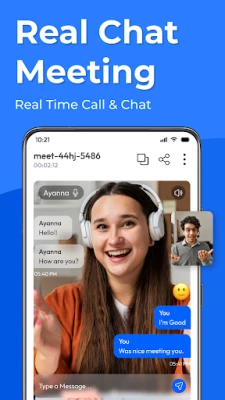
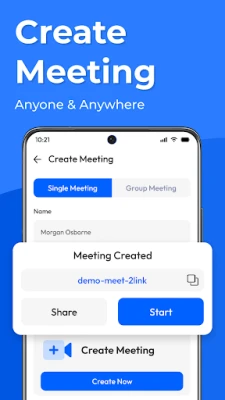
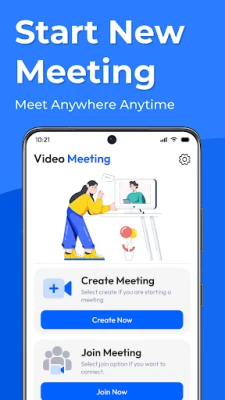
- Video meeting entry point – From the launcher you can start a new meeting or join an existing one using a built‑in video‑call interface.
- Screen sharing – During a call you can share your device screen, which is useful for presentations or collaborative troubleshooting.
- Basic scheduling – Set a reminder for upcoming meetings so the app can alert you at the appropriate time.
How it works
After installing the app, you can set it as the default home screen in the Android system settings. The launcher presents a clean grid where you can drag and drop icons, create folders, and add widgets such as a calendar or weather panel. A dedicated video‑meeting button is placed on the home screen; tapping it opens the meeting interface where you can either create a new room or enter an existing meeting ID.
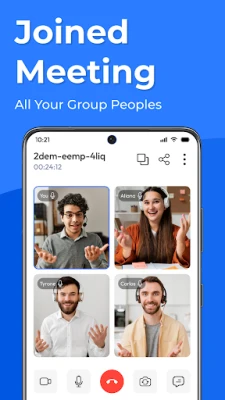
During a call, the interface offers standard controls: mute/unmute microphone, enable/disable camera, and a chat window for text messages. The screen‑share option captures the current display and streams it to other participants.
Practical uses
- Remote work – Keep your work‑related apps and meeting shortcuts together, reducing the time spent navigating between screens.
- Study groups – Students can arrange educational apps on the home screen and launch group study sessions with a single tap.
- Family coordination – Parents can place a video‑call shortcut alongside messaging apps to quickly check in with relatives.
Installation information
The app is available as a free download from the Appitika store. Installation follows the standard Android process: tap “Install,” grant any required permissions, and then choose the app as your default launcher if you wish to use its home‑screen features.
Things to know before installing
- The launcher replaces the default home screen, so you should be comfortable customizing layouts and navigating a new interface.
- Video‑calling functionality requires a stable internet connection; performance will depend on network quality.
- Permissions may include access to the camera, microphone, and storage for screen sharing and saving meeting data.
Who may find it useful?
Anyone who prefers a unified environment for app organization and occasional video meetings can benefit from this app. It is especially handy for professionals who juggle multiple productivity tools, students who need quick access to study resources, and users who like to keep their device layout tidy.
Frequently asked questions
Can I keep my current launcher?
Yes. You can use Video Meetings - Home Apps only for its video‑meeting feature without setting it as the default home screen.
Is the video call quality adjustable?
The app automatically selects the best quality based on your connection; there is no manual quality selector.
Does the app store meeting recordings?
Recording is not a built‑in feature. Users would need to rely on external tools if they require video archives.
Rate the App
User Reviews















Popular Apps










 Games
 Entertainment
 Communication
 E-mail
 Security
 Tools
 Media
 Internet
 Finance
 Design
 Education
 Android Firmwares
 Travel & Local
 Android
 Windows
 Linux