


Latest Version
September 10, 2026
Video Meeting and Conference App
Communication
Android
13
Free
com.meeting.onlinemeeting.conferencemeet.acrossworld
Report a Problem
More About Video Meeting – Free Video Conferencing App
What is Video Meeting?
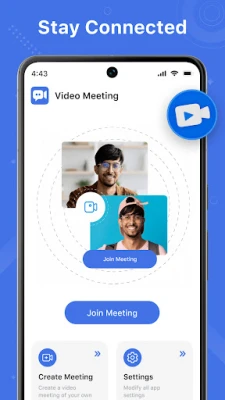
Video Meeting is a free Android app that provides a straightforward way to host or join video conferences. It focuses on simplicity: you can create a meeting with a single tap and invite participants by sharing a short meeting code. No registration or login is required, making it convenient for spontaneous or planned gatherings.
Main Features
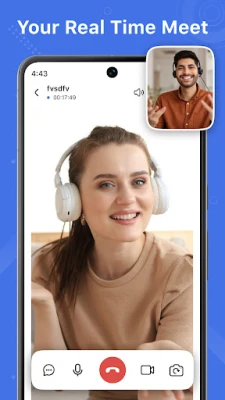
- HD video and audio – clear picture and sound for a smooth conversation.
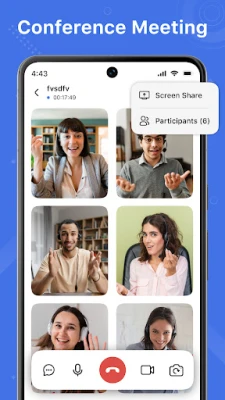
- One‑on‑one and group calls – support for private chats as well as larger meetings.
- Screen sharing – display presentations, documents or your device screen in real time.
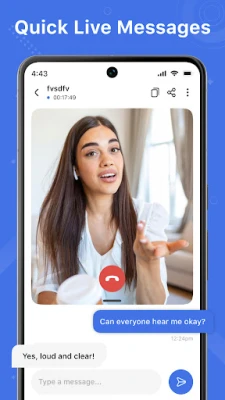
- In‑meeting chat – send text messages without interrupting the call.
- Camera switch – toggle between front and rear cameras during a session.
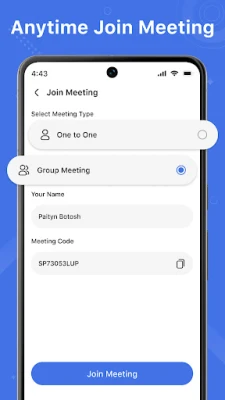
- Quick join – enter a meeting instantly using a generated code; no account needed.
- After‑call options – a screen that lets you start a new meeting or re‑join the previous one, configurable in settings.
How It Works
- Start a meeting: Choose a 1‑on‑1 or group session, give the room a name if you wish, and share the generated meeting code with participants.
- Join a meeting: Enter the meeting ID provided by the host and tap Join. The app connects you directly without additional steps.
- During the call: Use the toolbar to mute/unmute, switch cameras, share your screen, or open the chat window.
- After the call: The optional after‑call screen appears, offering shortcuts to start a new meeting or revisit the last one.
Practical Uses
Whether you need to discuss a project with teammates, host a webinar, teach a remote class, or simply catch up with friends and family, Video Meeting provides the core tools needed for a clear and reliable conversation. Its minimal setup makes it suitable for users who prefer not to manage accounts or complex configurations.
Installation Information
The app is available for free on the Google Play Store. Simply search for "Video Meeting" or use the package name com.meeting.onlinemeeting.conferencemeet.acrossworld to locate it. Tap Install, grant the requested permissions for camera, microphone and storage, and launch the app when the download completes.
Things to Know Before Installing
- The app requires access to your device’s camera, microphone and storage to enable video, audio and screen sharing.
- Meeting codes are generated per session; keep them private if you want to limit access.
- There is no built‑in participant limit, but performance may depend on network conditions and device capabilities.
Who May Find It Useful?
Students, remote workers, small business owners, event organizers, and anyone who wants a quick, no‑login video call solution will benefit from Video Meeting.
Frequently Asked Questions
Do I need an account?
No. Meetings are created and joined using a temporary code, so you can start instantly.
Can I share my screen?
Yes. The screen‑sharing button appears in the call toolbar and works with most Android devices.
Is there a limit to the number of participants?
The app does not enforce a hard limit, but very large groups may be affected by bandwidth and device performance.
Rate the App
User Reviews
Other Apps in This Category














Popular Apps










 Games
Games Entertainment
 Communication
 E-mail
 Security
 Tools
Tools Media
Media Internet
 Finance
 Design
 Education
 IT Tools
 Travel & Local
 Android
 Windows
 Linux
Linux