


Latest Version
August 31, 2026
SMS Messenger – Text Messages
Communication
Android
5
Free
com.livevideomeeting.videomeeting
Report a Problem
More About Video Meeting – Simple Video Calls and Screen Sharing
What is Video Meeting?
Video Meeting is a lightweight Android app that lets you start or join video calls instantly. It focuses on a clean interface and core functionality such as high‑quality video, audio, screen sharing and in‑call text chat. The app is offered by SMS Messenger – Text Messages and does not require a registration step, making it convenient for spontaneous conversations.
Main Features
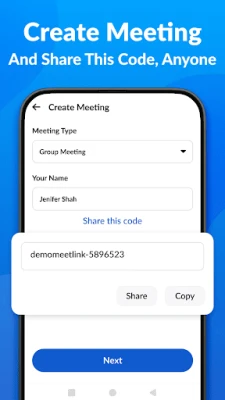
- One‑tap meeting creation – Generate a meeting code and share it with participants via any messaging app.
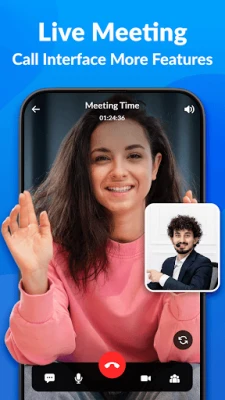
- High‑definition video and audio – The app adapts to the available network to keep the call clear.
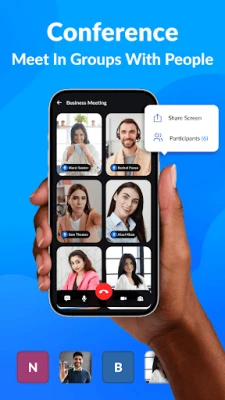
- Screen sharing – Present slides, documents or demos directly from your device.
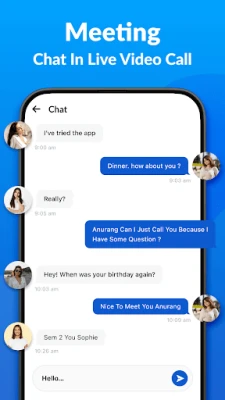
- In‑call chat – Send short text messages while the video is running.
- No sign‑up required – Start a meeting without creating an account.
How It Works
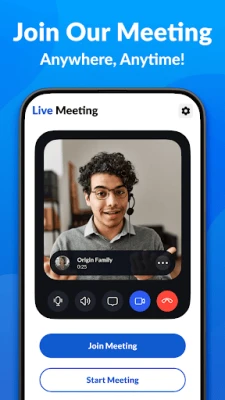
When you open Video Meeting, you are presented with two main options: Create a meeting or Join a meeting. Selecting “Create” generates a unique numeric or alphanumeric code that you can copy to the clipboard or share through other apps. Participants enter the same code in the “Join” screen to connect. The connection is handled through the app’s cloud servers, which manage routing and encryption automatically.
Practical Uses
The app is suitable for a variety of everyday scenarios:
- Business check‑ins – Quick stand‑up meetings with colleagues.
- Online tutoring – Share your screen to walk through lessons.
- Family catch‑ups – Connect with relatives without setting up a complex account.
- Small webinars – Present slides while participants watch and chat.
Installation Information
Video Meeting is distributed as a free download from the Appitika store. The package name is com.livevideomeeting.videomeeting. Installation follows the standard Android process: tap the Install button, grant any required permissions, and the app will appear on your home screen.
Things to Know Before Installing
- The app may request access to the camera, microphone and storage for screen sharing.
- Internet connectivity (Wi‑Fi or mobile data) is required for any call.
- Because the app does not store user accounts, meeting codes are the only way to control access.
Who May Find It Useful?
Anyone who needs a fast, no‑frills video call solution can benefit from Video Meeting. It is especially handy for users who prefer not to manage multiple usernames or who need an ad‑hoc meeting tool for work, education or personal use.
Frequently Asked Questions
Do I need an account?
No. Video Meeting works without any sign‑up or login.
Is the call encrypted?
The app uses standard transport encryption for data transmitted between participants.
Can I record a meeting?
Recording is not built into the app; you would need a separate screen‑recording tool if required.
What devices are supported?
The app runs on Android smartphones and tablets that meet the minimum system requirements for the Play Services it relies on.
Rate the App
User Reviews















Popular Apps










 Games
Games Entertainment
 Communication
 E-mail
 Security
 Tools
Tools Media
Media Internet
 Finance
 Design
 Education
 IT Tools
 Travel & Local
 Android
 Windows
 Linux
Linux