

Latest Version
Latest
September 02, 2026
Video Downloader Story Saver
Communication
Android
8
Free
instagram.video.downloader.story.saver.ig
Report a Problem
More About Video Downloader – Story Saver
What is Video Downloader – Story Saver?
Video Downloader – Story Saver is a free Android utility that lets you keep visual content you find on social media apps. By using the standard Android share menu or copying a link, the app can pull the associated media file and store it locally, so you can view it later without an internet connection.
Main capabilities
- Save photos and videos shared on popular social networks.
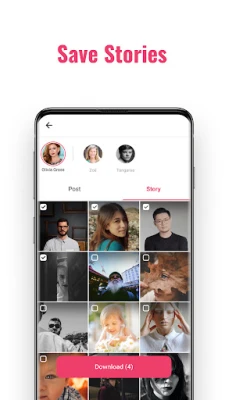
- Capture stories that appear as temporary posts.
- Batch processing when multiple links are shared in succession.
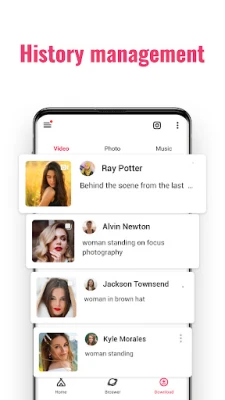
- Offline access to the downloaded files through your device’s gallery or file manager.
How it works
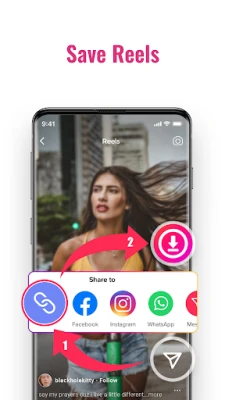
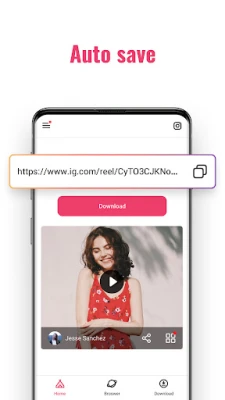
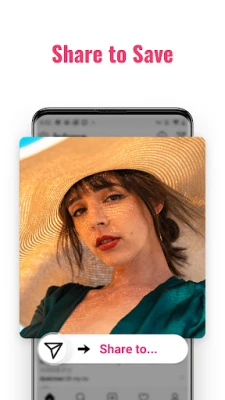
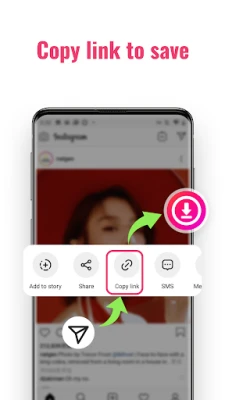
The app integrates with Android’s share intent. When you encounter a photo, video or story you want to keep, choose the share option in the originating app and select “Video Downloader – Story Saver” from the list. The app reads the shared URL, resolves the media file, and saves it to a dedicated folder on your device. Alternatively, you can copy a link to the clipboard and open the app to trigger the download.
Practical uses
Many users find it handy to preserve content that might disappear after a short period, such as stories that vanish after 24 hours. It also helps when you want to create a personal collection of inspirational videos, tutorials, or memorable photos without relying on the original platform’s offline mode.
Installation information
The application is distributed as a free download. Install it from a trusted Android marketplace, grant the necessary storage permissions when prompted, and you’ll be ready to start saving media.
Things to keep in mind
- Downloading content that is protected by copyright or posted by private accounts may violate the platform’s terms of service. Use the app responsibly.
- The app requires access to your device’s storage to write files. Review the permission request during installation.
- Performance can vary depending on the source platform’s API and network conditions.
Who might benefit?
Anyone who frequently browses social media and wants a simple way to keep favorite visual posts offline – from casual users building a personal media library to creators who need reference material for later projects.
Frequently asked questions
Do I need an internet connection to download?
Yes, the app needs an active connection to retrieve the media from the source URL.
Where are the files stored?
Downloads are saved in a folder named VideoDownloaderStorySaver within your device’s internal storage, accessible via the gallery or a file manager.
Can I download content from private accounts?
The app can only access media that is publicly reachable through the shared link. Private content that requires authentication will not be downloadable.
Rate the App
User Reviews















Popular Apps










 Games
Games Entertainment
 Communication
 E-mail
 Security
 Tools
Tools Media
Media Internet
 Finance
 Design
 Education
 IT Tools
 Travel & Local
 Android
 Windows
 Linux
Linux