

Latest Version
September 13, 2026
Phone Dialer App
Communication
Android
9
Free
com.vc.meeting.onlinemeetings.videoconference
Report a Problem
More About Video Conference - Meeting
What is Video Conference - Meeting?
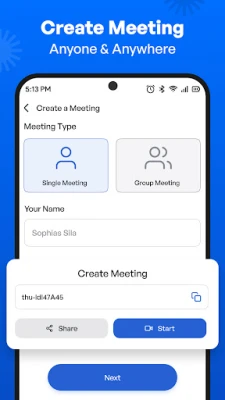
Video Conference - Meeting is a free Android application that lets users start or join video calls without the need for a separate account or complex setup. Developed by Phone Dialer App, the tool focuses on simplicity: a single tap creates a meeting link that can be shared with participants, and anyone with the link can join from a compatible Android device.
Main features
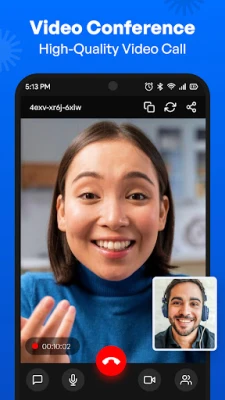
- HD video and clear audio – The app streams video in high definition and uses built‑in audio processing to keep voices clear.
- Instant meeting links – Generate a link with one tap and copy it to any messaging app.
- No registration required – Users can start or join meetings without creating an account.
- Background noise reduction – Basic noise cancellation helps keep conversations focused.
- Cross‑device compatibility – The app runs on smartphones and tablets, allowing participants to join from a range of Android hardware.
How it works
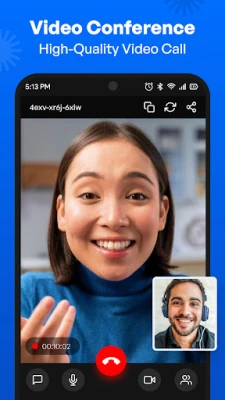
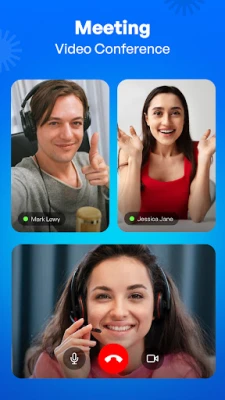
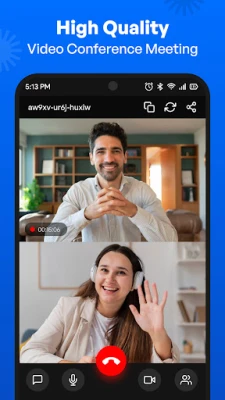
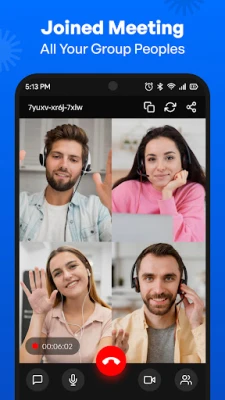
When you open the app, the main screen presents two clear options: “Start a meeting” or “Join a meeting.” Selecting “Start a meeting” creates a unique URL that is automatically copied to the clipboard. You can then paste the link into any chat, email, or social platform. Recipients tap the link, which opens the app (or prompts them to install it) and connects them directly to the call. The interface shows participant thumbnails, a mute button, and a simple chat window for text messages.
Practical uses
The app is suited for a variety of everyday scenarios:
- Remote work – Quick stand‑up meetings or project discussions without scheduling a separate conference service.
- Family gatherings – Connect with relatives across distances using a simple link.
- Study groups – Students can share a link in a class chat and collaborate in real time.
- Small webinars – Presentations for a limited audience can be hosted without registration hurdles.
Installation information
Video Conference - Meeting is available through the standard Android package installer. After downloading the APK, follow the usual prompts to grant camera and microphone permissions, which are required for video and audio transmission. The app does not request unnecessary permissions beyond those needed for its core functionality.
Things to know before installing
- The app does not impose time limits on meetings, but performance may depend on the device’s hardware and network speed.
- Because the service is free, there is no subscription or in‑app purchase required.
- Meeting links are generated on the fly; they are not stored on a central server after the call ends.
Who may find it useful?
Anyone who needs a fast, no‑frills video call solution can benefit from Video Conference - Meeting. It is especially handy for users who prefer not to manage multiple accounts or who want a lightweight alternative to larger conferencing platforms.
Frequently asked questions
Do I need an account?
No. The app lets you start or join meetings without signing up.
Is the connection secure?
Meetings are encrypted during transmission, providing a basic level of privacy for participants.
Can I use the app on a tablet?
Yes. The interface scales to larger screens, making tablets a comfortable option for group calls.
What internet speed is recommended?
A stable broadband or 4G connection is ideal for HD video; lower speeds may reduce video quality but the call will still function.
Rate the App
User Reviews













Popular Apps










 Games
Games Entertainment
 Communication
 E-mail
 Security
 Tools
Tools Media
Media Internet
 Finance
 Design
 Education
 IT Tools
 Travel & Local
 Android
 Windows
 Linux
Linux