

Latest Version
Latest
August 23, 2026
VicoTech
Media
Android
100
Free
com.smartaddx.vicohome
Report a Problem
More About VicoHome: Smart Home Camera – Live View & Playback
What is VicoHome?
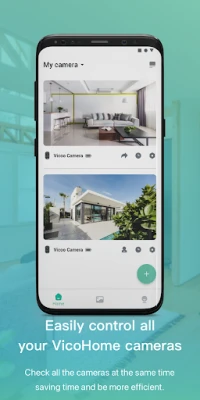
VicoHome is a free Android application developed by VicoTech that turns your Android device into a hub for viewing and managing smart home cameras. It provides a simple interface for live video streaming and accessing previously recorded footage, helping you keep an eye on your home while you’re away.
Main Features
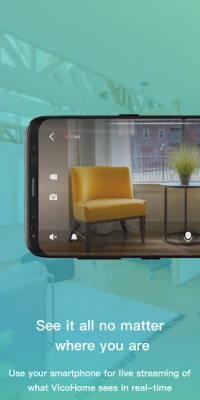
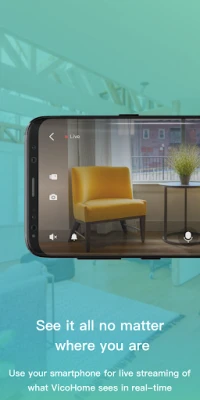
- Live streaming – View real‑time video from any compatible camera directly on your phone.
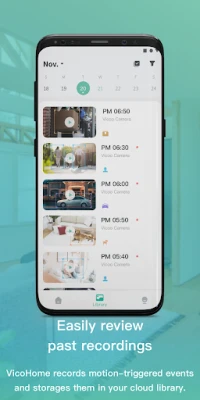
- Recorded video playback – Browse and play back footage that your camera has saved.
- Remote access – Connect to your cameras from any location with an internet connection.
- Easy camera setup – Add a new camera by entering its connection details within the app.
How It Works
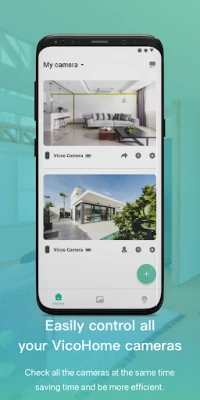
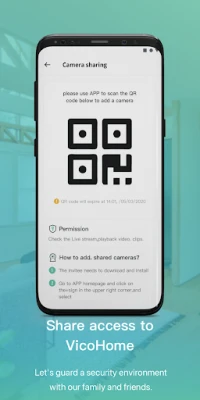
After installing VicoHome, you open the app and add a camera by providing the required network address or QR code, depending on the camera’s setup options. Once the camera is linked, the main screen shows a live feed. You can pause the stream, take snapshots, or switch to the playback section to review saved clips. The app relies on the camera’s own storage; VicoHome does not store video itself.
Practical Uses
- Check on pets, children, or elderly family members while you’re at work or traveling.
- Monitor the front door or garage to see who is arriving.
- Review footage after an event, such as a package delivery or a security alert.
Installation Information
VicoHome is available for free on the Appitika store. Tap the install button, grant the requested permissions for network access, and the app will download and install automatically. No additional configuration is required beyond adding your cameras.
Compatibility
The app runs on Android devices that meet the minimum system requirements for the version of Android it targets. Specific version numbers are not listed, but the app is designed for modern Android smartphones and tablets.
Things to Know Before Installing
- Make sure your cameras are already set up and connected to your home network.
- You will need the camera’s IP address, port, or QR code to add it to VicoHome.
- The app requires internet access to stream video when you are away from your local network.
Who May Find VicoHome Useful?
Homeowners who use IP‑based security cameras, renters who want a simple way to monitor a shared space, and anyone looking for a straightforward solution to view live and recorded video on an Android device will benefit from VicoHome.
Frequently Asked Questions
Do I need a VicoTech camera to use the app?
No. VicoHome can connect to any camera that supports standard streaming protocols, provided you have the necessary connection details.
Can I receive motion alerts?
The current version focuses on live view and playback. Motion‑alert notifications are not listed as a feature.
Is any video stored on my phone?
VicoHome streams video directly from the camera. Recorded clips are stored on the camera’s own storage; the app does not keep copies unless you manually save snapshots.
Rate the App
User Reviews















Popular Apps










 Games
 Entertainment
 Communication
 E-mail
 Security
 Tools
 Media
 Internet
 Finance
 Design
 Education
 Android Firmwares
 Travel & Local
 Android
 Windows
 Linux