

Latest Version
Latest
September 03, 2026
Verizon Consumer Group
Communication
Android
2
Free
com.verizon.pushtotalkplus
Report a Problem
More About Verizon Push to Talk Plus – Instant Team Communication
What is Verizon Push to Talk Plus?
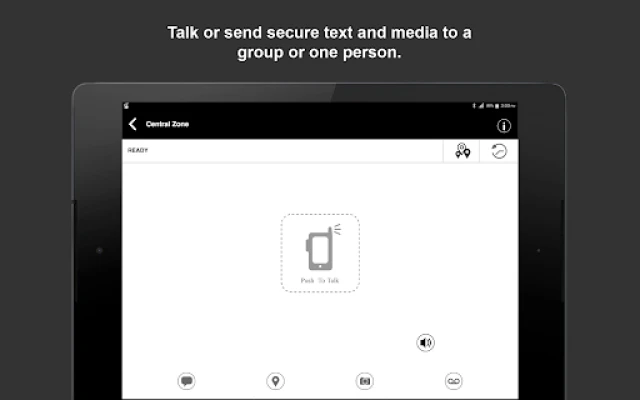
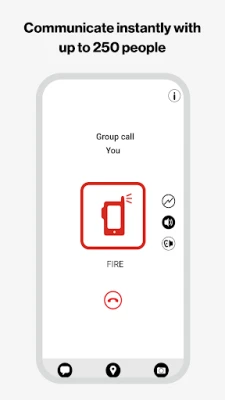
Verizon Push to Talk Plus turns a standard Android smartphone into a push‑to‑talk (PTT) device, letting users speak to individuals or groups with the press of a button. It is designed for businesses and field crews that need instant voice communication without dialing a phone number.
Main features
- Instant voice calls: Initiate a conversation with a single tap, similar to a two‑way radio.
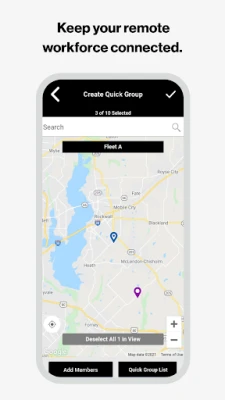
- One‑to‑many and broadcast options: Reach a specific contact, a predefined group, or broadcast a message to a larger audience.
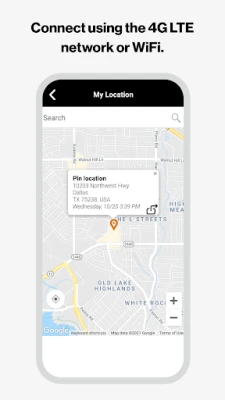
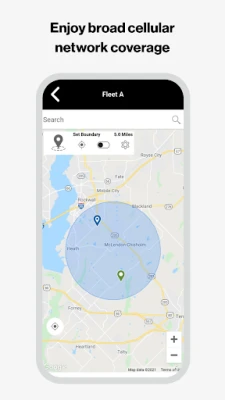
- Leverages Verizon’s network: Uses the carrier’s 4G LTE and Wi‑Fi connections to deliver clear audio and low latency.
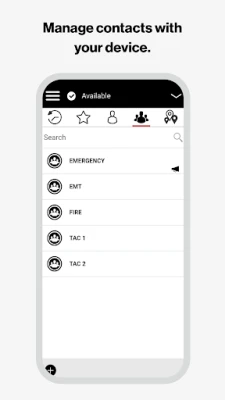
- Contact management: Sync contacts from the device or manage them through a web portal provided by Verizon.
- Integration with existing Verizon PTT users: Works alongside other Verizon push‑to‑talk services, making it easy to adopt within an existing workflow.
How it works
After installing the app, users sign in with their Verizon credentials. The app registers the device on Verizon’s PTT platform, which handles routing of voice packets over the carrier’s data network. When a user presses the PTT button, the app opens a short‑duration voice channel to the selected recipient(s). Because the connection is managed by the carrier, the experience feels like a traditional radio push‑to‑talk system but with the flexibility of a smartphone.
Practical uses
- Field service teams can coordinate repairs or deliveries without waiting for a phone call to connect.
- Event staff can broadcast instructions to large crews instantly.
- Construction sites can keep workers in touch across a spread‑out area.
- Security personnel can send quick alerts to a group of guards.
Installation information
The app is available through the Google Play Store. Search for "Verizon Push to Talk Plus" or use the package name com.verizon.pushtotalkplus. Tap Install and follow the on‑screen prompts to grant microphone access and optional contact permissions. A stable internet connection (cellular data or Wi‑Fi) is required for the initial sign‑in and for ongoing voice transmission.
Things to know before installing
- The service relies on a Verizon data plan; users should ensure they have an active data allowance.
- Audio quality and latency depend on network conditions; areas with weak LTE coverage may experience delays.
- Push‑to‑talk functionality is separate from regular voice calls; the app does not replace the phone’s dialer.
Who may find it useful?
Any organization that needs rapid, coordinated voice communication can benefit—from logistics firms and maintenance crews to event coordinators and public safety teams. Individuals who already have a Verizon plan and prefer a radio‑like experience on their phone will also find the app convenient.
Frequently asked questions
Do I need a special device?
No. The app runs on standard Android smartphones that meet the basic OS requirements for the Play Store version.
Can I use the app on Wi‑Fi only?
Yes, the app can operate over Wi‑Fi when a cellular signal is unavailable, provided the Wi‑Fi network has sufficient bandwidth.
Is the app free to use?
The download is free, but using the push‑to‑talk service may incur charges based on your Verizon plan.
How many people can I talk to at once?
The app supports one‑to‑one calls, group calls, and broadcast messages to larger audiences, as defined by the administrator’s settings.
Rate the App
User Reviews














Popular Apps










 Games
Games Entertainment
 Communication
 E-mail
 Security
 Tools
Tools Media
Media Internet
 Finance
 Design
 Education
 IT Tools
 Travel & Local
 Android
 Windows
 Linux
Linux