Latest Version
Latest
September 02, 2026
DF Dev Apps
Communication
Android
7
Free
com.diegowendel.showme
Report a Problem
More About Unseen – No Last Seen
What is Unseen – No Last Seen?
Unseen – No Last Seen is a free Android utility that lets you view notifications from messaging applications without triggering the usual read receipts. Developed by DF Dev Apps, the app focuses on giving you control over when and how you acknowledge messages, helping you stay discreet when you’re busy or simply not ready to reply.
Main features
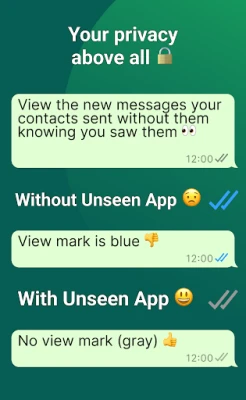
- Private read mode – Open notifications from supported messengers without sending the blue tick or “seen” indicator.
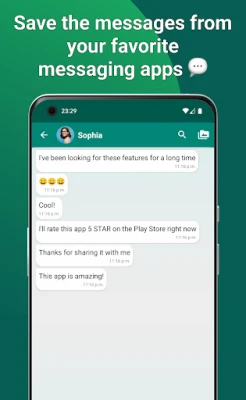
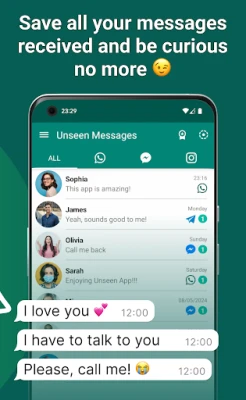
- Notification capture – The app records incoming alerts so you can review them later, even if you missed the original pop‑up.
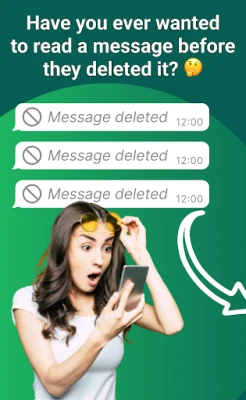
- Deleted‑message alert – When a sender removes a message shortly after sending, Unseen notifies you so the content isn’t lost.
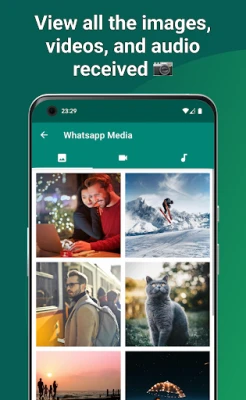
- Media preview – View attached photos, videos, voice notes or stickers directly from the notification view.
- Local storage only – All captured data stays on your device; the app does not upload anything to external servers.
How it works
Unseen relies on Android’s notification‑access permission. Once granted, the app listens for incoming alerts from any installed messenger. When a notification arrives, Unseen extracts the visible text and any attached media thumbnail, then displays it in its own interface. Because the original message remains in the messenger’s server, the app never sends a read acknowledgement back to the sender.
If a message is deleted before you open the original app, the notification that was already captured remains available in Unseen’s log, and you receive a brief alert indicating that a deletion occurred.
Practical uses
- Stay focused at work or in meetings without the pressure of immediate replies.
- Review messages at a convenient time while keeping your online status unchanged.
- Recover brief messages that were removed quickly, such as time‑sensitive alerts.
- Keep a personal archive of received media for later reference, all stored locally.
Installation information
Search for Unseen – No Last Seen in the Google Play Store, then tap Install. After installation, open the app and follow the on‑screen prompt to enable notification access. The permission request is required for the core functionality; without it the app cannot display incoming messages.
Things to know before installing
- The app does not replace any messenger; it works alongside the apps you already use.
- Only notifications that appear on your device can be captured; messages that arrive while your phone is off or in Do Not Disturb mode may be missed.
- All stored data remains on the device; clearing the app’s data will delete the saved logs.
Who may find it useful?
Anyone who wants to manage their messaging presence more deliberately – professionals handling frequent chats, students juggling group discussions, or anyone who prefers to read messages without the immediate social pressure of a read receipt.
Frequently asked questions
Does Unseen read the actual message content?
It only reads what is included in the notification banner. If a messenger hides the message text in the notification, Unseen will show only the preview provided.
Is any of my data uploaded to the cloud?
No. All captured notifications and media are stored locally on your phone.
Which messaging apps are supported?
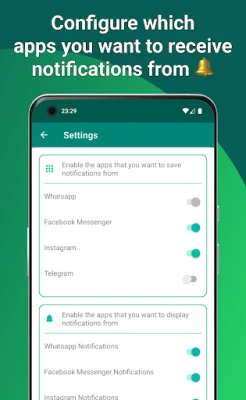
Unseen works with any app that posts standard Android notifications, including popular services such as WhatsApp, Facebook Messenger, Instagram, Telegram and others.
Will using Unseen affect battery life?
The app runs in the background only to listen for notifications, which typically has a minimal impact on battery consumption.
Rate the App
User Reviews












Popular Apps










 Games
Games Entertainment
 Communication
 E-mail
 Security
 Tools
Tools Media
Media Internet
 Finance
 Design
 Education
 IT Tools
 Travel & Local
 Android
 Windows
 Linux
Linux